
 Sign in to Mod The Sims
 Play SKITTLES!
 Play SKITTLES!


ball return.png - width=2552 height=1388
BOX1.jpg - width=768 height=768
BOX2.jpg - width=768 height=768
BOX3.jpg - width=768 height=768
BOX4.jpg - width=768 height=768
no cutout.png - width=2552 height=1388
bowling as skittles.png - width=2552 height=1388
skittles skilling.png - width=381 height=107

This one will work with Tea Addicts Pay to Play mod.
There are two edited BHAVs to remove the floor cutout included. I didn't offer it as a separate mod as it's kind of useless with the original bowling lane due to the meshes it has (ie: shadows and stuff). If someone has a different default where it might work, lmk, and I will pull those out as a separate mod.
Included are the crate box recolors that Mortia had (plus a few more by me) to replace all five default textures. I tried to hue match Sun & Moon Casks for my textures. I've included one invisible recolor of the bowling lane so you can see the turf under. And one invisible recolor of the main bowling alley that makes the side rails invisible (same crate texture as default texture).
 Changes
* Removed ALL resources that were not edited
* Fixed the joints so the grab area covers the whole lane
* Added neighborhood shadows
* Removed outdoor shadows
* Edited text so when skill building it shows "skittles" and not "bowling"
* Removed the floor cutout so invisible bowlinglane recolors will work
And now that we know for sure the game has an object limit, removing and reducing those OBJDs means room for MORE cc!
 Conflicts
This will conflict with _EnableColorOptionsGMND! Default instructions for CEP are to put this file loose in your Downloads folder, however it will conflict with many things. Ideally you have a folder to load things FIRST (mine is aa-load-first) that you put the CEP file into. Otherwise the game loads folders first and loose files later, resulting in the CEP overriding any other defaults.
Always use HCDU+ to sort out your conflicts and make sure the correct files are loading first.
2026-7-23 fixed floating ball above pins
| Filename | Type | Size |
|---|---|---|
| mortia_SkittlesGame_edit by hugelunatic.7z | 7z | |
| mortia_SkittlesBowlingballDR.package | package | 89337 |
| HL_bowlingBumpers_invisibleREC.package | package | 475327 |
| HL_bowlingLane_invisibleREC.package | package | 1676 |
| BOX1.jpg | jpg | 406082 |
| BOX2.jpg | jpg | 419768 |
| BOX3.jpg | jpg | 418370 |
| BOX4.jpg | jpg | 440770 |
| ball return.png | png | 3807084 |
| bowling as skittles.png | png | 5847188 |
| no cutout.png | png | 5988424 |
| skittles skilling.png | png | 50841 |
| mortia_SkittlesGame_edit by hugelunatic.package | package | 3608005 |
|
mortia_SkittlesGame_edit by hugelunatic.7z
Download
Uploaded: 23rd Jul 2026, 18.34 MB.
42 downloads.
|
||||||||
| For a detailed look at individual files, see the Information tab. | ||||||||
Install Instructions
1. Download: Click the download link to save the .rar or .zip file(s) to your computer.
2. Extract the zip, rar, or 7z file.
3. Place in Downloads Folder: Cut and paste the .package file(s) into your Downloads folder:
- Origin (Ultimate Collection): Users\(Current User Account)\Documents\EA Games\The Sims™ 2 Ultimate Collection\Downloads\
- Non-Origin, Windows Vista/7/8/10: Users\(Current User Account)\Documents\EA Games\The Sims 2\Downloads\
- Non-Origin, Windows XP: Documents and Settings\(Current User Account)\My Documents\EA Games\The Sims 2\Downloads\
- Mac: Users\(Current User Account)\Documents\EA Games\The Sims 2\Downloads
- Mac x64: /Library/Containers/com.aspyr.sims2.appstore/Data/Library/Application Support/Aspyr/The Sims 2/Downloads
- For a full, complete guide to downloading complete with pictures and more information, see: Game Help: Downloading for Fracking Idiots.
- Custom content not showing up in the game? See: Game Help: Getting Custom Content to Show Up.
- If you don't have a Downloads folder, just make one. See instructions at: Game Help: No Downloads Folder.
Loading comments, please wait...


 View with Names
Uploaded: 20th Jul 2026 at 9:20 PM
Updated: 23rd Jul 2026 at 1:33 PM
-
by comedy711 26th Nov 2007 at 7:20pm
 12
20.5k
11
12
20.5k
11
-
by vegan_kaktus 14th Mar 2020 at 2:21am
9
12.3k
41
-
by vegan_kaktus updated 18th Jun 2020 at 8:25am
+1 packs
20 7.1k 24 Seasons
-
Spooky Instant Meal Default Replacement
by VivificusZombiae 5th May 2021 at 11:08am
+17 packs
1.6k 4 Happy Holiday
 Family Fun
 University
 Glamour Life
 Nightlife
 Celebration
 Open for Business
 Pets
Pets
 H&M Fashion
 Teen Style
Seasons
Teen Style
Seasons
 Kitchen & Bath
 Bon Voyage
 Free Time
 Ikea Home
 Apartment Life
 Mansion and Garden
-
by vegan_kaktus updated 2nd Nov 2021 at 12:34pm
4
9.1k
38
-
by vegan_kaktus 28th Nov 2021 at 12:42pm
3
6.9k
33
-
by vegan_kaktus updated 26th Dec 2021 at 10:41am
2
5.8k
20
-
4T2 Default Replacements - Decorative - Plants
by LordCrumps 30th Jan 2023 at 12:26am
+17 packs
4 17.6k 62 Happy Holiday
Family Fun
University
Glamour Life
Nightlife
Celebration
Open for Business
Pets
H&M Fashion
Teen Style
Seasons
Kitchen & Bath
Bon Voyage
Free Time
Ikea Home
Apartment Life
Mansion and Garden
-
by vegan_kaktus 13th Oct 2024 at 10:54am
+1 packs
3 6.7k 29 Seasons
-
Temple of Jumbok IV Default Replacements
by morepopcorn 8th Apr 2025 at 2:02pm
+1 packs
2 2.3k 18 Bon Voyage


-
by HugeLunatic 27th Apr 2022 at 7:04pm
Just a small but fun object for Spring 22 theme. more...
+1 packs
15 2.8k 26 Mansion and Garden
-
[Unhidden] - Shrink Hair & Clothes
by HugeLunatic 6th Apr 2018 at 11:07pm
This is the base game shrink hair and clothes unhidden. more...
3
9.8k
13
-
by HugeLunatic 10th Dec 2010 at 2:31am
This is a very old set of mine, my very first mesh set that I shared. more...
20
57.4k
119
-
by HugeLunatic 20th Sep 2012 at 7:06pm
It looks like Maxis once had originally intended for parts of the Adirondack seating set to be slaved, but never more...
17
42.2k
85
-
by HugeLunatic 15th Apr 2015 at 11:56pm
As part of the Eco theme, I have made this dining table and chair from a recycled picket gate. more...
-
by HugeLunatic 4th Dec 2021 at 5:17pm
After uploading my 3to2 Basic Shower, I got an anon request for this 4to2 City Living Plink Shower. more...
+1 packs
7 9.5k 39 Seasons
-
by HugeLunatic 23rd Mar 2011 at 4:18pm
I can live with the ugly glass (mostly), especially when I'm building a lot to share since I'm severely lazy more...
-
by HugeLunatic 26th Mar 2020 at 4:31pm
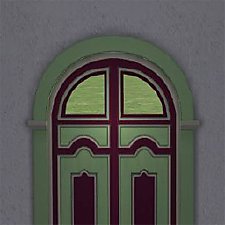
None of the doors from M&G that have glass appear to let light into a room. more...
+1 packs
4 5.7k 23 Mansion and Garden
-
Green Dragon Brocade Classic Living
by HugeLunatic 21st Aug 2007 at 12:43am
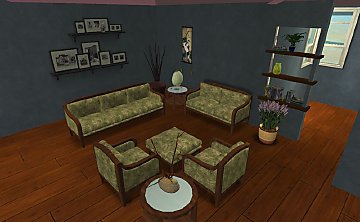
I absolutely adore Crocobaura's new Classic Living meshes and have been waiting to use this texture for what seems forever. more...
-
by Hood Building Group updated 9th Nov 2025 at 1:13pm
Bitville (aka Vincent's Story), a Sims Life Stories neighborhood recreated for TS2. more...
72
81k
175
Miscellaneous » Neighborhoods & CAS Screens » Neighbourhoods and Worlds

Packs Needed
| Base Game | |
|---|---|
| Sims 2 |
| Expansion Pack | |
|---|---|
| Nightlife |
About Me
Pet Stories || Dog Agility Items? || Castaway Stories || Holy Simoly Extras
4esf Archive || Holy Simoly Archive || CEP-Extras List || Buyable Game Objects
lunie content from GoS/s2a
Installation of CEP Extras-the package with pfiles appended to the name will go into your cep extras folder where your game is installed (typically c drive, you do you)
-the other goes in CEP extra folder in documents.
The following locations are what I am aware of, beyond that you'll have to do some searching.
Downloads Folder:
C:\Users\<user>\Documents\EA Games\The Sims 2 Legacy
C:\Users\<user>\Documents\EA Games\The Sims 2 Ultimate Collection
With multiple launchers, the location for your game install will vary.
C:\Program Files\EA GAMES\The Sims 2 Legacy\TSData\Res\Catalog\zCEP-EXTRA
C:\Program Files\EA GAMES\The Sims 2\TSData\Res\Catalog\zCEP-EXTRA
C:\Program Files (x86)\EA GAMES\The Sims 2\TSData\Res\Catalog\zCEP-EXTRA