
 Sign in to Mod The Sims
 Heavy Wood Arches
 Heavy Wood Arches



TextureColor.jpg - width=568 height=800
Example.jpg - width=800 height=733
HeavyWoodArches_Index.jpg - width=700 height=544
Robust Arches.jpg - width=700 height=536
 Updated for Pets and patch
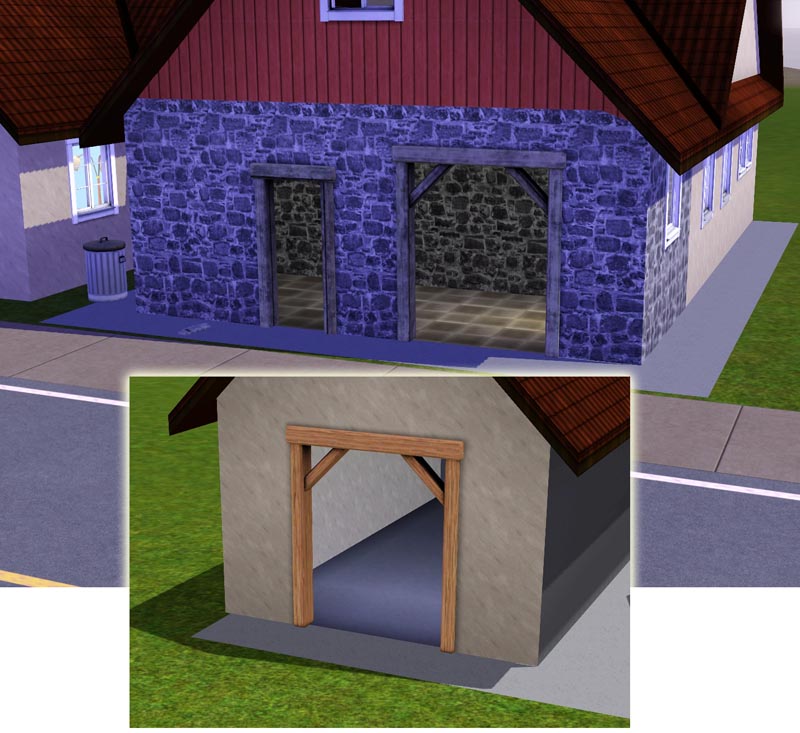
 Well this is just two arches in more robust, heavy design.
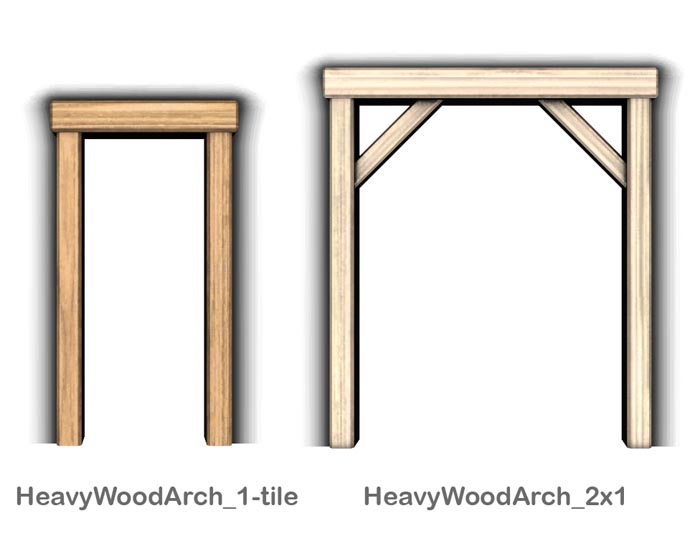
They have both two color channels. The 1-tile cost $ 65 and the two tile $ 95. You find the arches aming the other arches in the directory.
Polygon Counts:
The 1-tile arch have 104 vertices and 50 faces
and the 2-tile arch 174 vertices and 94 faces
This is a new mesh, and means that it's a brand new self contained object that usually does not require a specific Pack (although this is possible depending on the type). It may have Recolours hosted on MTS - check below for more information.
|
Lisen_HeavyWoodArches.7z
Download
Uploaded: 26th May 2012, 164.8 KB.
10,095 downloads.
|
||||||||
| For a detailed look at individual files, see the Information tab. | ||||||||
Install Instructions
1. Click the download button, or the filename, to download the file to your computer.
2. Extract the zip, rar, or 7z file. Now you will have either a .package or a .sims3pack file.
For Package files:
1. Cut and paste the file into your Documents\Electronic Arts\The Sims 3\Mods\Packages folder. If you do not already have this folder, you should read the full guide to Package files first: Sims 3:Installing Package Fileswiki, so you can make sure your game is fully patched and you have the correct Resource.cfg file.
2. Run the game, and find your content where the creator said it would be (build mode, buy mode, Create-a-Sim, etc.).
For Sims3Pack files:
1. Cut and paste it into your Documents\Electronic Arts\The Sims 3\Downloads folder. If you do not have this folder yet, it is recommended that you open the game and then close it again so that this folder will be automatically created. Then you can place the .sims3pack into your Downloads folder.
2. Load the game's Launcher, and click on the Downloads tab. Find the item in the list and tick the box beside it. Then press the Install button below the list.
3. Wait for the installer to load, and it will install the content to the game. You will get a message letting you know when it's done.
4. Run the game, and find your content where the creator said it would be (build mode, buy mode, Create-a-Sim, etc.).
Extracting from RAR, ZIP, or 7z: You will need a special program for this. For Windows, we recommend 7-Zip and for Mac OSX, we recommend Keka. Both are free and safe to use.
Need more help?
If you need more info, see:
- For package files: Sims 3:Installing Package Fileswiki
- For Sims3pack files: Game Help:Installing TS3 Packswiki
Loading comments, please wait...



Uploaded: 16th Feb 2011 at 6:16 PM
Updated: 26th May 2012 at 8:39 AM
-
-
by HugeLunatic 15th Jun 2010 at 6:20pm
 60
99.5k
254
60
99.5k
254
-
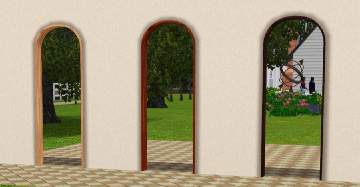
Singel tile arch with curved top
by Lisen801 8th Jul 2010 at 5:32pm
+1 packs
34 35.5k 93 World Adventures
-
Extended arches for thicker walls
by Lisen801 updated 9th Jun 2012 at 3:07pm
+1 packs
12 30.3k 53 World Adventures
-
by Lisen801 18th Jul 2010 at 10:53pm
27
45.5k
96
-
by Lisen801 7th Oct 2010 at 7:27pm
17
57.1k
150
-
by Lisen801 updated 29th May 2012 at 10:09am
16
42.8k
143
-
Almost All One-Tile EA Windows Made Two-Tile
by whitewaterwood updated 23rd Jun 2011 at 5:36am
24
50.3k
133
-
-
by TheJim07 27th Mar 2015 at 11:19am
10
23.6k
72


-
Small Swedish West Coast Fisherman Harborg
by Lisen801 8th Jun 2005 at 6:00pm
Hi again... This is a small Harbour inspired from the swedish west coast. more...
 14
15.6k
14
14
15.6k
14
-
Singel tile arch with curved top
by Lisen801 8th Jul 2010 at 5:32pm
I've been searching for a one tile curved arch but couldn't find any so I made one myself. Maybe someone other wants it? more...
+1 packs
34 35.5k 93 World Adventures
-
The Social Child and Adoption Center
by Lisen801 17th Jun 2005 at 7:44pm
Here's the Social Child and adoption Center in my Sim Community ! more...
20
26.4k
13
-

-
-
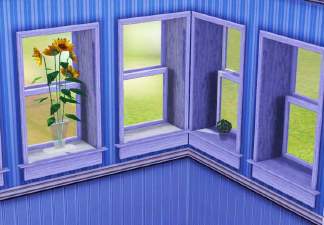
3 Extended windows for thicker walls
by Lisen801 updated 9th Jun 2012 at 3:14pm
I experimented with arches and found that it also was possible to extend windows. more...
+1 packs
21 27.4k 56 World Adventures
-
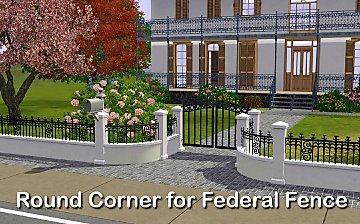

Round Corner for Federal Fence
by Lisen801 29th Oct 2010 at 2:31pm
Round Corner for the Federal Fence more...
-

-
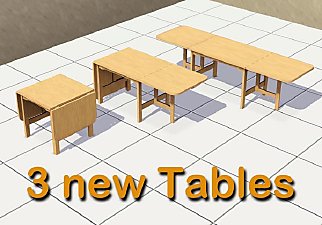
A folding table in three variants
by Lisen801 23rd Dec 2010 at 3:20pm
Actually it's the same table, but in three different variants. A folding table is very convenient for the growing family. more...
36
43.2k
127
-

About Me
Credit is nice but not mandatory.