
 Sign in to Mod The Sims
 Rafał Sawicki - Would-be Student
 Rafał Sawicki - Would-be Student


rafal1.jpg - width=339 height=735
rafal2.jpg - width=950 height=702
rafal3.jpg - width=663 height=697
rafal4.jpg - width=800 height=697
rafal5.jpg - width=650 height=697

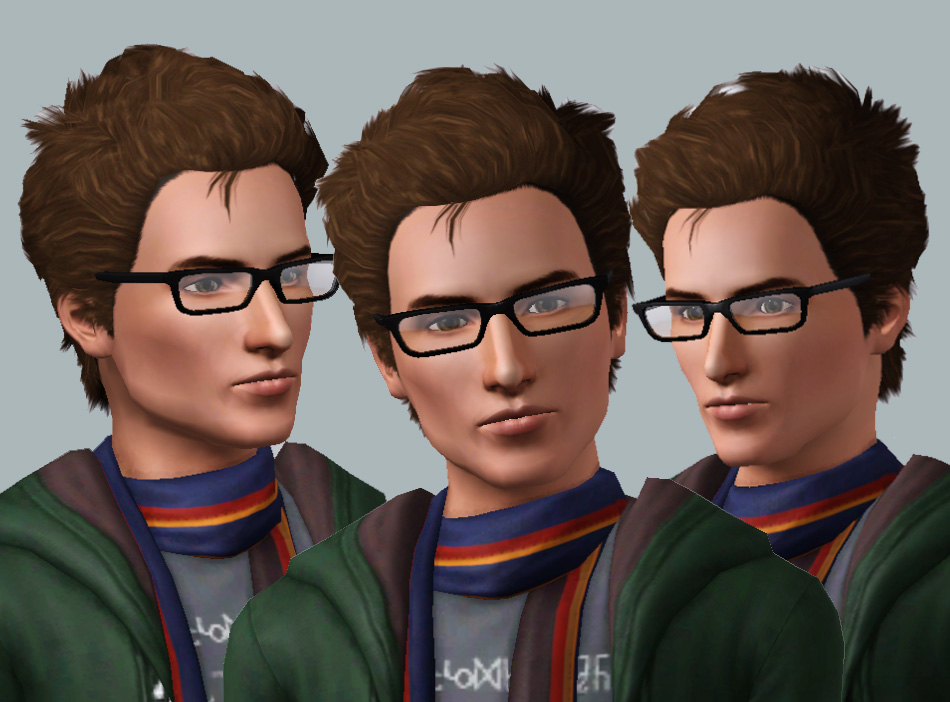
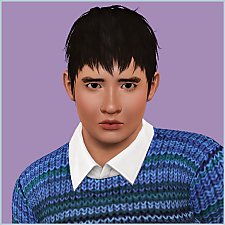
Rafał is your typical fashionable, intelligent, studenty type of guy. He never quite left his studies at school and is as at home with a paintbrush or a book in his hand.
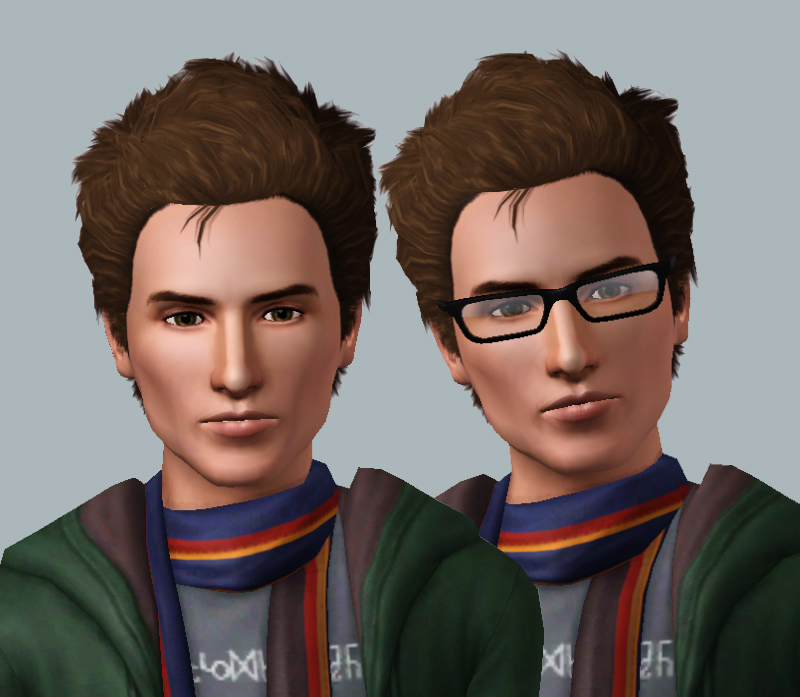
Rafał again has been in my game for a little while now. I set myself the task of making an attractive, unique sim from.....well, the notorious Puddingface! I don't think he's really recognisable as Puddingface anymore, thankfully! I've grown quite fond of him so I hope you like him

Rafał like my other sims, is 100% base-game. His clothes are quite Sims Generations but he comes packed with basegame default hair, clothing and skin so fear not! He is a perfectionist though so he'd really like it if you had a look at the following to make him just right:
Hair: The Sims Store
Eyebrows: Heiret(No.2)
Skin: Club Crimsyn
Eyes: Club Crimsyn
Glasses (these are so over-used in my game!): Tamo
Slider Mods:
Awesome Mod(x2 Sliders)
Jasumi's Lip Fatness Slider
aWT's Jawline Set
aWT's Lip Set
aWT's Nose Set
Enjoy
|
HellfrozeoverRafal.zip
Download
Uploaded: 1st Nov 2011, 286.5 KB.
4,481 downloads.
|
||||||||
| For a detailed look at individual files, see the Information tab. | ||||||||
Install Instructions
1. Click the filename or the download button to download the sim to your computer.
2. Extract the zip, rar, or 7z file.
2. Select the .sim file you got from extracting.
3. Cut and paste it into your Documents\Electronic Arts\The Sims 3\SavedSims folder. If you do not have this folder yet, it is recommended that you open the game, enter Create-a-Sim, and save a sim to the sim bin to create this folder, rather than doing so manually. After that you can close the game and put the .sim file in SavedSims
4. Once the .sim file is in SavedSims, you can load the game, and look for your sim in the premade sims bin in Create-a-Sim.
Extracting from RAR, ZIP, or 7z: You will need a special program for this. For Windows, we recommend 7-Zip and for Mac OSX, we recommend Keka. Both are free and safe to use.
Need more help?
If you need more info, see Game Help:Installing TS3 Simswiki for a full, detailed step-by-step guide! Special Installation Instructions
- If you get an error that says "This content requires expansion pack data that is not installed", please use Clean Installer to install this sim.
Loading comments, please wait...



Uploaded: 1st Nov 2011 at 11:48 PM
Updated: 13th Nov 2011 at 10:54 PM
-
-
10 Tees For Females (Teen/Young Adult/Adult)
by newone08 updated 5th Oct 2009 at 8:47pm
 10
33.4k
35
10
33.4k
35
Female » Mixed Sets » Adult
-
-
-
-
-
-
-
-


-
by Hellfrozeover 13th May 2018 at 5:23pm
Alexander Igoryevich Rybak (born 13 May 1986) is a Belarusian Norwegian singer-composer, violinist, pianist and actor. more...
 12
15.5k
18
12
15.5k
18
-
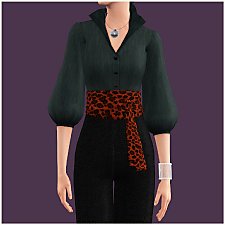
by Hellfrozeover 20th Jun 2017 at 9:29pm
I love Obi Belts, they disguise a multitude of sins and often make an outfit. more...
12
24.6k
76
-
Arthit Yodsuan - A Thai boy for your neighbourhood! - PLEASE RE-DOWNLOAD
by Hellfrozeover updated 8th Jul 2012 at 10:20am
Arthit is a happy go lucky guy. He always has a smile on his face and a cheery disposition! more...
-
by Hellfrozeover 16th Feb 2017 at 11:53pm
Selina loves cooking and throwing dinner parties for her friends. more...
-
Jorani, a Khmer (Cambodian) Sim!
by Hellfrozeover 22nd Oct 2011 at 5:08pm
Jorani is from Cambodia. Her name means 'Radiant Jewel' in her native tongue and it's certainly descriptive! more...
-
"Ludmilla" Belted Folk Dress (BGC)
by Hellfrozeover 16th Jul 2017 at 8:43pm
It's spring in my game, so I wanted to create a dress for my sims that would carry them through more...
26
43.6k
89
-
by Hellfrozeover 24th Mar 2017 at 1:02am
To date, Freddy has been dealt a lot of lemons in his life. more...
-
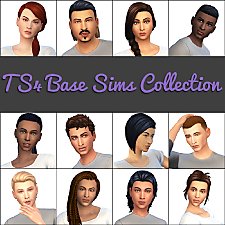
Hellfrozeover's Base Sim Collection No. 1
by Hellfrozeover updated 30th Mar 2018 at 3:35pm
This is something that I've wanted to do for a while. more...
-
One Can't See One's Feet! - More Maternity Wear for the Affluent Lady
by Hellfrozeover 28th Aug 2017 at 1:16am
Classic Maternity Wear for those ladies that are quite simply allergic to stretch-fabric! more...
17
29.9k
119
-
by Hellfrozeover 15th Feb 2017 at 7:50pm
The childhood torment that Louis endured due to the striking likeness between him and Orphan Annie truly set him up more...

About Me
Recolours
Retextures
Mesh Conversions (within the Sims series)
Mesh Edits
Reuploads on foreign language sites to make it easier for non English speaking players to access it. A link to my own site is preferable if you could, but this is okay as long as you provide credit and a link back to the original.
Including the mesh in your recolour as long as you credit and link back.
Optional (nice, but not necessary)
Tagging when you use my CC if you want me to see it. I love seeing what you all create and do with it :)
Comments and feedback
No!
Taking credit for my CC or claiming it as your own
Converting my CC outwith the Sims series without my permission
Using my CC or any part of it (including textures) to make money, including Patreon Early Releases
Uploading my CC to Paysites or putting it behind a pay wall (looking at you, Simsdom)
Anything to do with TSR
Reuploading my CC to English language sites. What’s the point? Just link to the original!
If I leave the simming community, my CC may be uploaded to a free, adlink-free graveyard site.
Yes - Sims
Change their names/traits etc
Make them over
Edit them with sliders
Use them in your stories
No - Sims
Reupload them
Claim them as your own
Anything to do with T$R, the Gallery or Sims 3 Studio
Involve them in Simumblr blogs, because no
Don't punch dolphins