
 Sign in to Mod The Sims
 More Corners for Maxis Brick/Wood
 More Corners for Maxis Brick/Wood


brick301_00.jpg - width=800 height=620
brick301_Applause01.jpg - width=800 height=620
brick301_Applause02.jpg - width=800 height=620
brick301_Applause03.jpg - width=800 height=620
brick301_Applause04.jpg - width=800 height=620
brick301_Applause05.jpg - width=800 height=620
brick301_Applause06.jpg - width=800 height=620
brick301_Applause07.jpg - width=800 height=620
brick301_Applause08.jpg - width=800 height=620
brick301_Brickery.jpg - width=800 height=620
suspicious-cornerfix_Cat.jpg - width=872 height=700
brick301_Cat.jpg - width=872 height=700


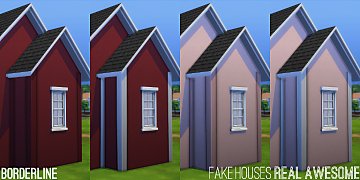
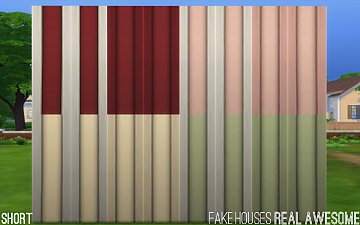
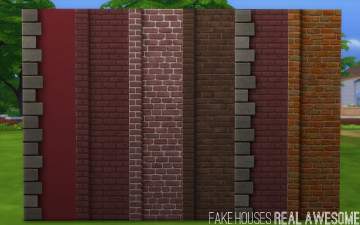
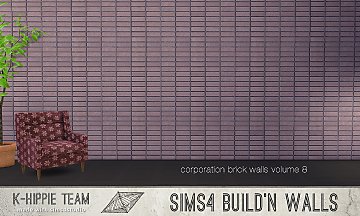
An equivalent mod for all of the Maxis wood siding is available here. Brickery walls with edging on both sides are available here. More More Corners edits by FakeHouses|RealAwesome are available here.
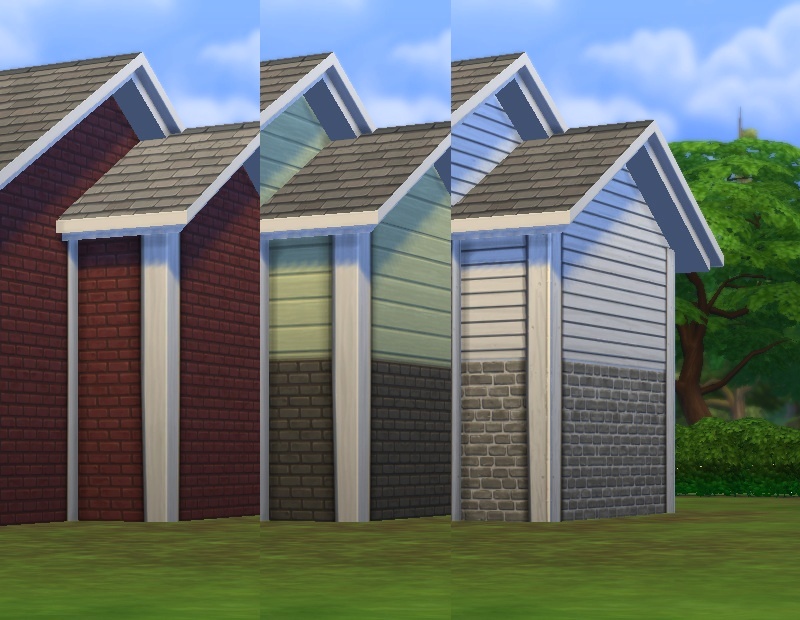
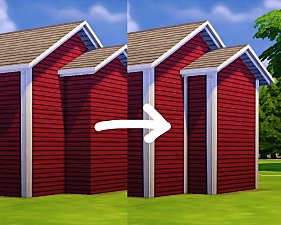
This is done by setting the "Corner Logic" or "Corner Behaviour" or whatever it's called flag (formerly known as Unk15) to 301 instead of 102. Affects all wall heights per colour so I'm not attaching separate screenshots for each one. All colours included (three for the "Brickery", 24 for the "Applause", and the white "Suspiciously Unremarkable" one (all others were OK so those do not need a fix)).
The catalogue thumbnail for the "Suspiciously Unremarkable" wall will regenerate when you delete localthumbcache.package in your Documents folder (I hadn't done that when taking the screenshots, so it still shows the old one).
s4pe, Notepad++.
|
pbox_Corners301_BrickWood.zip
Download
Uploaded: 14th Nov 2014, 48.5 KB.
8,005 downloads.
|
||||||||
| For a detailed look at individual files, see the Information tab. | ||||||||
Install Instructions
1. Download: Click the File tab to see the download link. Click the link to save the .rar or .zip file(s) to your computer.
2. Extract: Use 7zip (Windows) to extract the file(s) from the .rar or .zip file(s).
3. Cut and paste the file(s) into your Mods folder
Need more information?
- My Documents\Electronic Arts\The Sims 4\Mods\
- Anyone can use both .rar and .zip files easily! On Windows, use 7zip!
- If you don't have a Mods folder, just make one.
Loading comments, please wait...


Uploaded: 14th Nov 2014 at 9:00 PM
Updated: 26th Jan 2015 at 1:02 PM
-
by plasticbox updated 23rd Oct 2014 at 12:48pm
 27
37.9k
183
27
37.9k
183
-
-
-
-
-
-
-
by AlisonMoon974 6th Jan 2022 at 9:40pm
4.6k
7
-
by KiyraNekochan 29th Jun 2022 at 9:09pm
5.2k
15
-
by jonaskohl 21st Oct 2025 at 1:26pm
6
1.2k
6

-
Towering Intellect Bookshelf Edits
by plasticbox updated 7th Mar 2015 at 12:38am
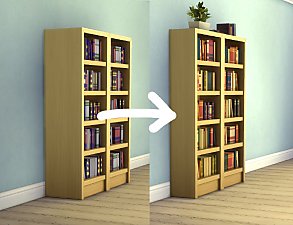
That bookshelf is almost a meter wide by default. Seriously? This mod gives it a more normal shape. more...
14
42.2k
189
-
Three endtables as Mini-Dressers
by plasticbox 21st Apr 2015 at 7:29pm
This is not a new mesh (there is no right category for this I guess), it's only catalogue objects -- more...
10
10.1k
76
-
Newbie Road 125 -- Starter House
by plasticbox updated 30th May 2008 at 9:08pm
NL required. Custom content, see below. more...
 +1 packs
3 12.2k 14
+1 packs
3 12.2k 14 Nightlife
-
Non-Glossy “Ladderlike” stairs + whitewood override
by plasticbox 31st May 2015 at 11:11pm
These are two texture overrides for the Maxis “Ladderlike” stairs: one for the specular that makes them less glossy (because more...
12
45k
133
-


by plasticbox 26th Jan 2016 at 8:22pm
This is a Maxis single serving pizza that can be prepared in a microwave. more...
15
54.2k
139
-
Brock Chair Mesh Override + Text Edit
by plasticbox 25th Apr 2015 at 1:52pm
This is a a mesh override for that thing that looks like it’s been put together from toothpicks and Play-Doh more...
-
Wee Barnoid #20 – Small country house (under 23.000§) – No CC
by plasticbox 4th Oct 2009 at 8:53pm
A romantic little country house, furnished for 2–3 sims, with a covered wrap-around porch and a basement. more...
 18
31.4k
57
18
31.4k
57
-
by plasticbox 28th Apr 2015 at 4:25pm
These are two Maxis paintings (or rather, painting accumulations) ‒ “Antiqued Patent Posters” and “Study of the Human Form” ‒ more...
6
16.1k
78
-
by plasticbox updated 18th Aug 2015 at 7:13pm
Assorted garden stuff from the game files fixed up for Buy/Build Mode, plus two (optional) texture overrides. more...
33
133.4k
381
-


About Me
– Feel free to recycle, you don’t need to ask.
– For the attribution, please link to the upload you’re using wherever possible (instead of my profile). This is particularly important with edits made for/with different games or game versions.
– If you use my stuff in something you make, please upload the result to a free, accessible, noncommercial site with no more restrictions than these. Code must remain open source; meshes and other material must remain re-usable.
Please do not redistribute any unmodified files – link to the upload post instead.