
 Sign in to Mod The Sims
 CC Wrench Icon Overrides
 CC Wrench Icon Overrides


wrench-icon_plusoverride.jpg - width=498 height=380
wrench-icon_plusoverride_cas.jpg - width=498 height=380
wrench-icon_comp.jpg - width=520 height=380
wrench-icon_plusoverride_cas-hair.jpg - width=498 height=380
thumb-plus-greylt.jpg - width=620 height=463
thumb-plus-grey.jpg - width=620 height=463
thumb-plus-blue.jpg - width=620 height=463
thumb-noicon.jpg - width=620 height=463
thumb-plus-cas.jpg - width=620 height=463
thumb-plus-cas-hair.jpg - width=620 height=463


Update 2016-02-07: Okay, so now the thumbnail icon *did* manage to get on my nerves since it's being applied to everything that's loaded from /Mods, even just catalogue edits (like price, category etc .. of which I have a ton). So I made a bunch of additional versions that modify the thumb icon as well (swatch icon is always the same little plus as in the first version) ‒ choose from four different levels of unobtrusiveness:
- thumb-plus_blue: Small plus sign in a blue circle (same blue as the Maxis wrench)
- thumb-plus_grey: Small plus sign in a blueish-grey circle
- thumb-plus_greylt: Small plus sign in a neutral light grey circle
- thumb-no-icon: No icon at all on the thumbnails
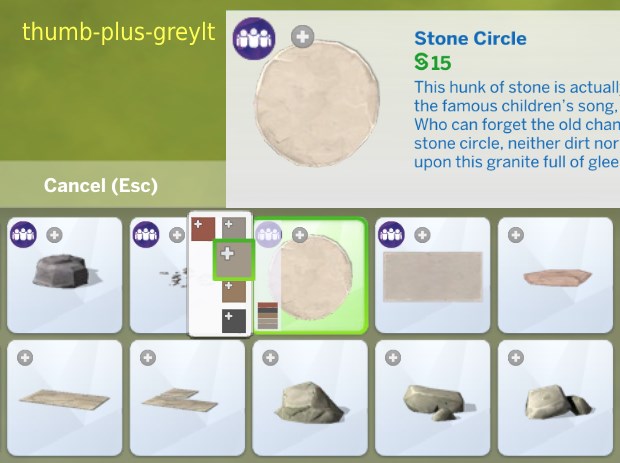
See the additional screenshots for what each version looks like exactly. They are in separate zips ‒ only use one.
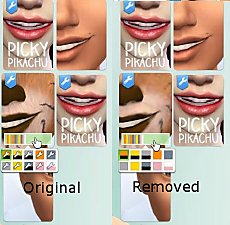
Update 2016-02-06: Added another resource that removes the wrench on CAS hair/eye/etc colour swatches as well. Thanks to Emily_HH_19 for the heads-up!
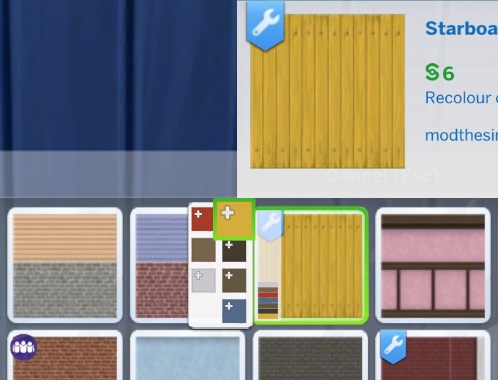
On the screenshot above, the brown colour variant is Maxis, the rest is custom.
If you want to edit these, they are ATI2N compressed images with a rather weird channel order; I used AMDCompress to convert them forth and back which worked fine (they'll just be cyan and purple in BMP form). I think the blue banner on the thumbnail is the resource with the same ID but different group in UI.package (or maybe it's the banner at the top right in the same image; I haven't checked since the banner doesn't bother me). See also this thread for more technical info.
Overrides 0x00B2D882-0x00064DCA-0x09BBBF9DC6153DF9 (Buy/Build catalogue and CAS clothing item swatches) and 0x00B2D882-0x00064DCA-0xD518B5D7A3BBD37F (CAS hair swatches), will conflict with anything that does the same. Be aware there are other UI elements in these files as well, not just the wrench.
AMDCompress, Paint.net, s4pe.
|
pbox_cc-wrench-override_thumb-plus_blue.zip
| Little plus sign in blue circle on thumbnails
Download
Uploaded: 7th Feb 2016, 79.1 KB.
3,038 downloads.
|
||||||||
|
pbox_cc-wrench-override_thumb-plus_grey.zip
| Little plus sign in blue-grey circle on thumbnails
Download
Uploaded: 7th Feb 2016, 79.1 KB.
1,964 downloads.
|
||||||||
|
pbox_cc-wrench-override_thumb-plus_greylt.zip
| Little plus sign in light grey circle on thumbnails
Download
Uploaded: 7th Feb 2016, 79.0 KB.
3,384 downloads.
|
||||||||
|
pbox_cc-wrench-override_thumb-no-icon.zip
| No icon on thumbnails
Download
Uploaded: 7th Feb 2016, 78.8 KB.
3,941 downloads.
|
||||||||
|
pbox_cc-wrench-override.zip
| Blue Maxis wrench on thumbnails
Download
Uploaded: 6th Feb 2016, 68.1 KB.
4,480 downloads.
|
||||||||
| For a detailed look at individual files, see the Information tab. | ||||||||
Install Instructions
1. Download: Click the File tab to see the download link. Click the link to save the .rar or .zip file(s) to your computer.
Read the upload description for installation instructions. If nothing else is specified, do the following:
2. Extract: Use WinRAR (Windows) to extract the .package file(s) (if included, ts4script as well) from the .rar or .zip file(s).
3. Cut and paste the .package file(s) (if included, ts4script as well) into your Mods folder
- Windows XP: Documents and Settings\(Current User Account)\My Documents\Electronic Arts\The Sims 4\Mods\
- Windows Vista/7/8/8.1: Users\(Current User Account)\Documents\Electronic Arts\The Sims 4\Mods\
Need more information?
- Anyone can use both .rar and .zip files easily! On Windows, use WinRAR.
- If you don't have a Mods folder, just make one.
- Mod still not working? Make sure you have script mods enabled

Loading comments, please wait...


Uploaded: 6th Feb 2016 at 1:37 AM
Updated: 15th Feb 2016 at 12:48 PM
-
CC Wrench Icon Remover for Swatches
by morgaloth68 30th Aug 2016 at 12:16am
-

-

by claudiasharon updated 8th Feb 2026 at 10:15pm
-
Xhallie Custom Wrench Icon Update (+10 New Options!)
by MizoreYukii updated 21st Aug 2025 at 4:38pm
-
-
Snowy Escape icon override (mod)
by Louisim-yt 15th Nov 2020 at 9:14pm
-
by Schram92 updated 7th Jul 2025 at 6:49pm
 35
67.6k
122
35
67.6k
122
-

-

by IntincrMars updated 21st Sep 2025 at 4:59am
-


-
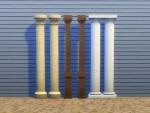
by plasticbox updated 12th Aug 2015 at 8:10am
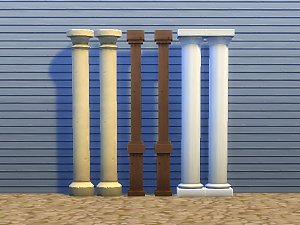
These are three of the Maxis columns as decorative objects, so that they can be placed off the grid. more...
7
34.1k
75
-
Utopiate/Eminence Mesh Overrides
by plasticbox 10th Apr 2015 at 11:42am
These are the beds with those funky overhanging curved wood baldachin things, re-meshed into something much simpler. more...
-

by plasticbox updated 7th Dec 2015 at 1:24am
Update 2015-12-07: Updated from 1.13 files; now also includes the Pool and Night Club venues. more...
52
59.6k
207
-
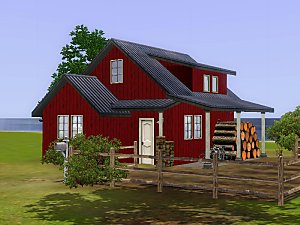
Wee Barnoid #26: Tiny Red Farm House (under 25.000§) – No CC
by plasticbox 28th Mar 2010 at 4:09am
Not a starter in the strict sense, but very wee and very barnoid – a small farm house, furnished for more...
 20
41.7k
57
20
41.7k
57
-
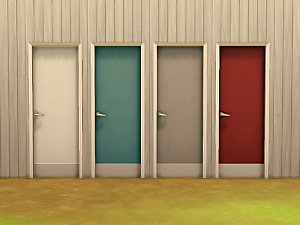

Featureless “Featureless Fiberglass Doors” (aka toilet doors)
by plasticbox updated 15th Nov 2014 at 12:32am
This is a texture override for the base game toilet doors (first in the catalogue, the ones with the toilet more...
18
32.4k
124
-
by plasticbox updated 22nd Feb 2016 at 1:37pm
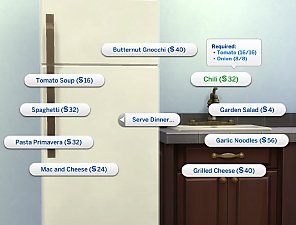
This is an overhaul of (almost) all of the base game cooking ingredients and recipes, to make cooking more logical: more...
39
73.9k
237
-
by plasticbox 31st Aug 2014 at 5:21pm
A somewhat run-down, vaguely Victorian three-story house on a 15 x 25 lot, with garden, suitable for a relatively large more...
14
13.1k
56
-

Newbie Road 170 -- Base Game Mini Starter, no CC (under 18.000§)
by plasticbox 2nd Nov 2008 at 7:45am
No EPs required. more...
 14
45.3k
69
14
45.3k
69
-
Basic Standard Add-On: Trim and Tile 02
by plasticbox updated 30th Nov 2014 at 12:59am
More combinations of the Maxis "Basic Standard" paint with "Slippery"/"Sterilised" and "Checkmate"/"King Me" tile walls, plus three additional colours for more...
5
18.6k
108
-
by plasticbox 2nd Oct 2014 at 1:33am
Small bungalow with garage, furnished for 3+1 sims. more...
9
15k
52


About Me
– Feel free to recycle, you don’t need to ask.
– For the attribution, please link to the upload you’re using wherever possible (instead of my profile). This is particularly important with edits made for/with different games or game versions.
– If you use my stuff in something you make, please upload the result to a free, accessible, noncommercial site with no more restrictions than these. Code must remain open source; meshes and other material must remain re-usable.
Please do not redistribute any unmodified files – link to the upload post instead.