Sign in to Mod The Sims
 Pose Player Updated 8-22-13
 Pose Player Updated 8-22-13


pp1.jpg - width=731 height=527
pp2.jpg - width=593 height=572
pp3.jpg - width=593 height=572
pp4.jpg - width=593 height=572
pl2.jpg - width=679 height=552
installed poses list. Shown:Pose set 002 by collin2


You must be patched to at least 1.26+[/COLOR]
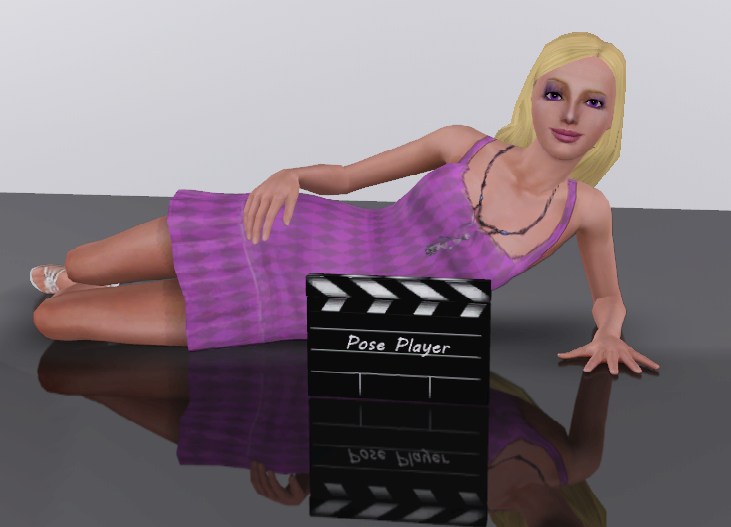
In TS2, pose boxes made it easier to take pictures and make machinima by 'freezing' fidgety sims in a desired position. This object is a TS3 version, but it works a little differently. This object plays any installed pose (EA or custom) by name. So, instead of having individual boxes for each pose set, pose sets can be placed in packages and installed, then played by the Pose Player by typing in the pose name.
Use
 If you have the object in the game, but can't use it due to the "No interactions available" issue, take a good long look at Game Help:Installing Sims 3 Package Files/Old Way to New Way
If you post in the comments concerning this issue, it will be assumed you didn't read this and you comment will be ignored.
To use the Pose Player, simply buy it in the Decorations/Miscellaneous section (at the starving artist price of $1) and place anywhere on the lot. With the sim you want to pose selected, click on the Pose Player and select 'Pose by Name'. In the text pop up, type in the name of the desired pose, i.e. a_jockPose_x, and click the check mark or press Enter. The sim will do the pose. They will stay posed until the interaction is canceled. To pose another sim, select them and repeat the process, or choose 'Use current pose' to use the same pose again.
Installed Poses list
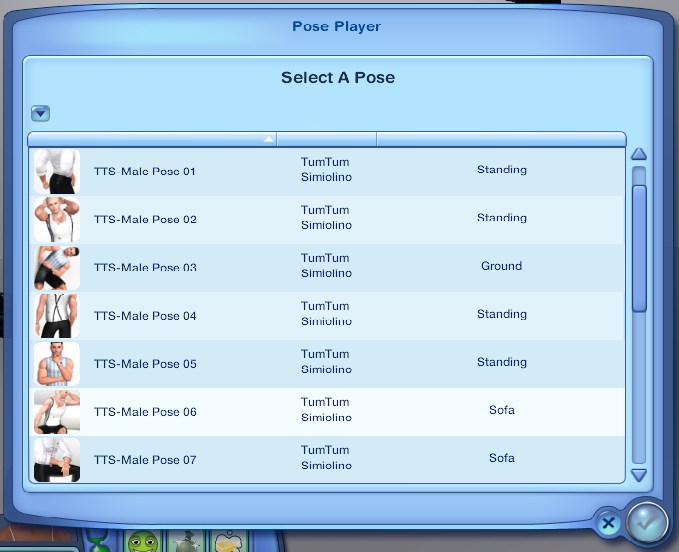
If a creator has correctly created his pose package to be found by the Pose Player, the poses can be chosen from a list by choosing 'Select Pose from List'. The list will include all pose packages created for this option, with a thumbnail, the creator's name, and a description of the pose. Only pose packages created to be found by the pose player will be in this list. If you have a pose package installed that does not show up in the list, ask the package's creator to update their package for this option. There is an additional interaction to add a pose from this list to MyList.
Pose creators: To get you pose package to show up in the list, download the Pose Pack Creator
My List.
You also can have your own customizable list of favorite poses. Just select 'My Pose' from the pie menu, then select 'Add to My List' and type in a pose name. The pose is added to a list that can be saved with the game, and the test pop up asks for another pose. From there you can either enter another pose, or just close the pop up. Once you have a pose in 'My List', you have access to the following options:
Pose from My List - Lets you choose a pose from My List to play.
Add Current Pose to My List - Adds the currently loaded pose to My List, useful if you've played a pose via 'Pose by Name' and want to add it to the list.
Delete from My List - Lets you select a pose from My List to delete.
Clear My List - - Clears all poses from My List
To save the list, make sure you save the game!a_cowboyPose_x
a_jockPose_x
a_santaCruzPose_x
a_grannyPose_x
a_hipChickPose_x
a_jockPose_x
a_portraitPose_angry_x
a_portraitPose_happy_x
a_portraitPose_neutral_x
a_portraitPose_sad_x
a_portraitPose_stressed_x
a_portraitPose_uncomfortable_x
a_pose_dead_x
a_posterPose_x
a_punkDudePose_x
a_punkPose_x
a_simbin_simPose_angry01
a_simbin_simPose_angry02
a_simbin_simPose_angry03
a_simbin_simPose_angry04
a_simbin_simPose_fear01
a_simbin_simPose_fear02
a_simbin_simPose_neural01
a_simbin_simPose_neural02
a_simbin_simPose_neural03
a_simbin_simPose_neural04
a_simbin_simPose_neural05
a_simbin_simPose_sad01
a_simbin_simPose_sad02
a_simbin_simPose_sad03
a_simbin_simPose_sad04
a_simbin_simPose_smile01
a_simbin_simPose_smile02
a_simbin_simPose_smile03
a_simbin_simPose_smile04
a_simbin_simPose_smile05
a_simbin_simPose_smileOpen
a_simbin_simPose_smileTeeth
a_simbin_simPose_smileWink
a_simbin_simPose_surprise01
a_simbin_simPose_surprise02
a_simbin_simPose_surprise03
a_simbin_simPose_surprise04
a_simbin_simPose_surprise05
a_solo_trait_absentMinded_portraitPose_x
a_solo_trait_artistic_portraitPose_x
a_solo_trait_childishExcitable_portraitPose_x
a_solo_trait_crybaby_portraitPose
a_solo_trait_evil_portraitPose
a_solo_trait_gloomy_portraitPose_x
a_solo_trait_insane_portraitPose_x
a_solo_trait_rude_portraitPose_x
a_solo_trait_shy_portraitPose_x
a_yogaPose_x
a2b_carryPose_x
a2b_carryPose_y
Pose Database w/pics :
Pose Resources
- Custom pose tutorials by Orangemittens
- Pose Player Interactions Add on by Misusuki
- Blender animation tools by A
- Pose Pack Creator
- Custom Pose Database
90
update log:
8-22-13: Added ability to pose babies(thanks again A
 )
)5-1-12: Fixed to work on pets(thanks for your help atevera
). Pose from List now can be replayed with 'Use Current Pose' interaction(thanks for the report misusuki). 9-7-11: Fix to pause game while choosing from pose list.
5-25-11:Added creator pose list option(thanks Buzzler
) and clear MyList interaction4-25-11:Removed motive/headline toggle
4-14-11:Fixed issue with having to play poses twice to work.
4-11-11: Added 'My List' interactions; fixed plumbbob/headline/motive toggle.
Additional Credits:
Thanks to Orangemittens, Buzzler, Granthes, Leesester, Wes Howe, Atavera, and Inge and Peter Jones.
Skin: Navetsea
mirror floor: Morphead
|
PosePackCreator_1_3.rar
Download
Uploaded: 14th Jan 2015, 165.2 KB.
145,924 downloads.
|
||||||||
|
creators_poselistkit.zip
| CREATORS ONLY. use to make pose packages show up in pose player list
Download
Uploaded: 25th May 2011, 8.7 KB.
295,828 downloads.
|
||||||||
|
cmomoney_PosePlayer.rar
| updated:5-25-11
Download
Uploaded: 4th Apr 2011, 461.0 KB.
1,150,091 downloads.
|
||||||||
| For a detailed look at individual files, see the Information tab. | ||||||||
Install Instructions
Loading comments, please wait...



Uploaded: 4th Apr 2011 at 3:10 AM
Updated: 14th Jan 2015 at 7:09 PM - updated 8-22-13
#pose
-
by cmomoney 3rd May 2011 at 9:12pm
 490
757.3k
1k
490
757.3k
1k
-
by Kitabalibar 4th Mar 2012 at 9:43am
100
179.2k
374
-
by ani_ updated 26th Aug 2014 at 4:14am
168
147.2k
553
-
by lizcandor 27th Apr 2021 at 8:22pm
82
117.1k
375
-
by mingos updated 19th Oct 2021 at 10:32pm
20
28k
92
-
-

-
by Lyralei updated 7th Jan 2025 at 3:14pm
7
9.1k
34
-

-


-
Newspaper Rack - Buy a Newspaper
by cmomoney & MogHughson 16th Dec 2009 at 8:23pm
*Updated 18th December 2009* :new: Fixed problem - see section below As originally wished for by we bring more...
 52
103.6k
290
52
103.6k
290
-

-


-


Open-able Window of Opportunity
by cmomoney 19th Mar 2011 at 8:48pm
Let the outside in... more...
46
69.9k
129
-
Back2School Bookshelf: Emptied with 15 slots *Updated 7-8-12
by cmomoney 21st Apr 2010 at 12:01am
Running out of places to put your stuff? Bookshelves shouldn't be just for books. more...
82
154k
271
-

"Birkdale" Style Patio Set by Cmomoney
by cmomoney 19th Apr 2009 at 6:28pm
This set includes chair, love seat, table, and a chimenea (outdoor heater). more...
-
*UPDATED* Cozy Cottage Dining Set
by cmomoney 13th Nov 2009 at 8:59pm
This set is based on Cindy Crawford's "California Cottage" set. more...
-
Blender 2.7 TS3 Tools v3.02 updated 5-2-14
by cmomoney 15th Feb 2011 at 7:32pm
Object importer/exporter and other various tools for modding TS3 with Blender 3d 2.5 more...
214
268.1k
181
-
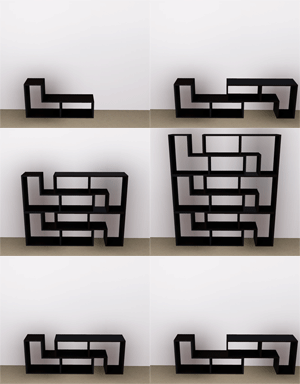
Modern Bookshelf Set(Updated for 1.26/Pets)
by cmomoney 15th May 2010 at 12:17am
I recently visited a Danish store in my hometown that carries unique furniture and deco. more...
74
87.9k
225
-
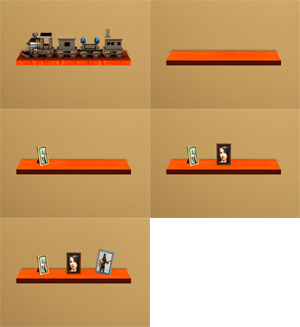
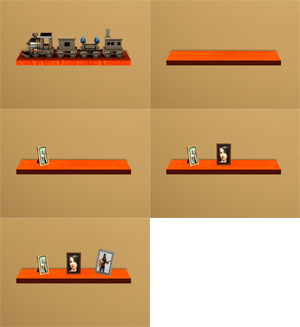
Elevated Train Shelf: Derailed with 3 Slots
by cmomoney 26th Apr 2010 at 5:06pm
Did you know there was a shelf in the game (actually more than one)? If you did, more...
40
53.7k
112