
 Sign in to Mod The Sims
 Elevator Shaft for Levels with lower Walls
 Elevator Shaft for Levels with lower Walls


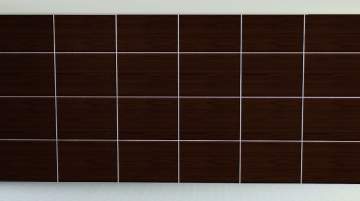
1-title.jpg - width=1024 height=1024
2-connected-floors.jpg - width=1280 height=960
3-playtest.jpg - width=1280 height=960

This lowered version of the original elevator shaft works fine in game and therefore I'd like to share it with you. It's non-recolourable, just like the original elevator shaft.
Required:
Late Night (6.0.81.009017)
Price:
100 §
Catalog Location:
Build Mode > Stairs, Railings and Elevators > Elevators > "Elevator Shaft (small)"
or (with testingcheatsenabled and buydebug activated)
Buy Mode > Debug > Misc. Objects > "Elevator Shaft (small)"
Polygon Counts:
107
Additional Credits:
WesHowe for the Object Tool, for all the great MilkShape Plugins and also for the tutorial about meshing (here).
Inge and Peter Jones for S3PE and S3OC (here).
Unknown author for this tutorial about applying a texture to a mesh.
This is a new mesh, and means that it's a brand new self contained object that usually does not require a specific Pack (although this is possible depending on the type). It may have Recolours hosted on MTS - check below for more information.
|
Lowered-Elevator-Shaft.rar
| Lowered elevator shaft for levels with lower walls. If the original elevator shaft is too big you can use this elevator shaft to connect two levels.
Download
Uploaded: 7th Jan 2012, 57.4 KB.
14,898 downloads.
|
||||||||
| For a detailed look at individual files, see the Information tab. | ||||||||
Install Instructions
1. Click the download button, or the filename, to download the file to your computer.
2. Extract the zip, rar, or 7z file. Now you will have either a .package or a .sims3pack file.
For Package files:
1. Cut and paste the file into your Documents\Electronic Arts\The Sims 3\Mods\Packages folder. If you do not already have this folder, you should read the full guide to Package files first: Sims 3:Installing Package Fileswiki, so you can make sure your game is fully patched and you have the correct Resource.cfg file.
2. Run the game, and find your content where the creator said it would be (build mode, buy mode, Create-a-Sim, etc.).
For Sims3Pack files:
1. Cut and paste it into your Documents\Electronic Arts\The Sims 3\Downloads folder. If you do not have this folder yet, it is recommended that you open the game and then close it again so that this folder will be automatically created. Then you can place the .sims3pack into your Downloads folder.
2. Load the game's Launcher, and click on the Downloads tab. Find the item in the list and tick the box beside it. Then press the Install button below the list.
3. Wait for the installer to load, and it will install the content to the game. You will get a message letting you know when it's done.
4. Run the game, and find your content where the creator said it would be (build mode, buy mode, Create-a-Sim, etc.).
Extracting from RAR, ZIP, or 7z: You will need a special program for this. For Windows, we recommend 7-Zip and for Mac OSX, we recommend Keka. Both are free and safe to use.
Need more help?
If you need more info, see:
- For package files: Sims 3:Installing Package Fileswiki
- For Sims3pack files: Game Help:Installing TS3 Packswiki
Loading comments, please wait...


#elevator, #elevator shaft, #shaft, #lowered, #half-walls, #lowered walls, #lowered levels, #connect floors
-
by HugeLunatic 3rd May 2010 at 6:55pm
 15
38.8k
72
15
38.8k
72
-
by Morphead 27th Sep 2010 at 7:15pm
21
53.5k
89
-
by alexpilgrim 20th Jun 2011 at 7:55pm
61
101.9k
283
-
Appaloosa Plains Retirement Apartment Homes
by Yogi-Tea 14th Jan 2012 at 2:33pm
+6 packs
13 36.4k 44 World Adventures
 High-End Loft Stuff
 Ambitions
 Late Night
 Generations
 Pets
Pets
-

Appaloosa Plains Nursing & Apartment Homes
by Yogi-Tea 15th Feb 2012 at 10:05am
+6 packs
14 33.7k 33 World Adventures
High-End Loft Stuff
Ambitions
Late Night
Generations
Pets
-
by simsi45 29th Oct 2020 at 5:56pm
20
15.8k
85
-
by hazelnutter100 28th Nov 2022 at 11:55pm
9
8k
33
-
by Lo2ta 28th Oct 2025 at 5:33pm
1
1.1k
2
-

by Lo2ta 26th Feb 2026 at 6:07pm
718
4
-

by vesko_sims3 updated 11th Mar 2026 at 9:07am



-
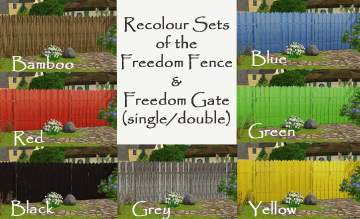
**Outdated**: 7 new Recolours of the "Freedom Fence" (with matching "Freedom Gates" included)
by Yogi-Tea 9th Sep 2009 at 5:14pm
*Edit (2012-03-01): Both the Freedom Fence and the Freedom Gates are now CASTable in Game, therefore you do no longer more...
13
22.7k
17
-

-
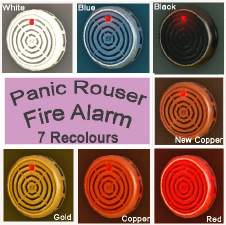
**Outdated**: Recolours of the "Panic Rouser Fire Alarm"
by Yogi-Tea updated 18th Oct 2009 at 8:27am
:new: *Edit (2012-06-17): CyberBob78 made a great CASTable (and shiftable) version of the Panic Rouser Fire Alarm so these recolours more...
13
20.2k
13
-

Halloween Special 2010: The Munsters House
by Yogi-Tea 29th Oct 2010 at 4:17pm
Sharpen your knives and get your pumpkins ready. more...
+2 packs
8 30.1k 35 World Adventures
Ambitions
-

10 Base Game Family Starters (No CC)
by Yogi-Tea 1st Mar 2014 at 4:39pm
A small collection of basegame family starter houses for up to 8 sims, build without any CC or store content. more...
18
16.9k
72
-
-
Snatches of Sunshine in Paul's Villa
by Yogi-Tea 17th Oct 2010 at 7:36pm
"Snatches of Sunshine in Paul's Villa" The house has a wonderful big livingroom with lots of daylight – the more...
+2 packs
8 16.9k 10 World Adventures
Ambitions
-
-

Appaloosa Plains Nursing & Apartment Homes
by Yogi-Tea 15th Feb 2012 at 10:05am
The Appaloosa Plains Retirement Community offers nursing homes and private apartments for very little money. more...
+6 packs
14 33.7k 33 World Adventures
High-End Loft Stuff
Ambitions
Late Night
Generations
Pets
-
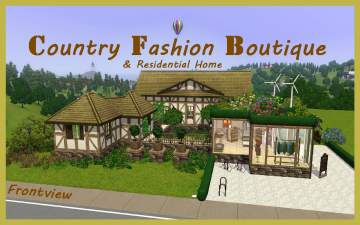

The Country Fashion Boutique & Residential Home
by Yogi-Tea 20th Oct 2010 at 2:33pm
"Country Fashion Boutique & Residential Home" If your sim is lazy like a bone and doesn't want to go more...
+2 packs
9 19.3k 17 World Adventures
Ambitions


Packs Needed
| Expansion Pack | |
|---|---|
 | Late Night |
About Me
If you are seeking help, please ask in the Help Forum or elsewhere. I won't be able to respond to PMs. Sorry. :-(