
 Sign in to Mod The Sims
 Moderate and Subordinate Intellect Bookcases
 Moderate and Subordinate Intellect Bookcases


bookcase-moderate_01.jpg - width=840 height=640
bookcase-moderate_02.jpg - width=840 height=640
bookcase-moderate_03.jpg - width=840 height=640
bookcase-subordinate_01.jpg - width=840 height=640
bookcase-subordinate_02.jpg - width=840 height=640
bookcase-subordinate_03.jpg - width=840 height=640
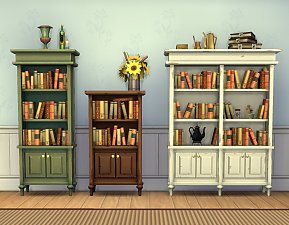
bookcase-moderate_combo.jpg - width=1280 height=980
bookcase-subordinate_combo.jpg - width=1280 height=980
bookcase-moderate_front.jpg - width=1280 height=980
bookcase-moderate_back.jpg - width=1280 height=980
bookcase-subordinate_front.jpg - width=1280 height=980
bookcase-subordinate_back.jpg - width=1280 height=980
sunshadows.jpg - width=1280 height=980
bookcase-moderate_cat.jpg - width=1280 height=620
bookcase-subordinate_cat.jpg - width=1280 height=620
bookcase-subordinate_in-game-1.jpg - width=1280 height=980
slots_new_1.5.139.jpg - width=1280 height=980
slots_new_1.5.139_playtest.jpg - width=1280 height=980


Some recolours for these (and also the Towering Intellect) are available here.
Update 2015-03-29: Fixed the TV slots and reuploaded (thanks to Panoca for reporting the problem!). Not sure whether this only became an issue with 1.5.139 or was already broken before that, in any case the slots now work properly when used with TVs. See also the “slots_1.5.139” screenshot -- the blue tissue boxes sit on small deco slots, the green ones on Medium.
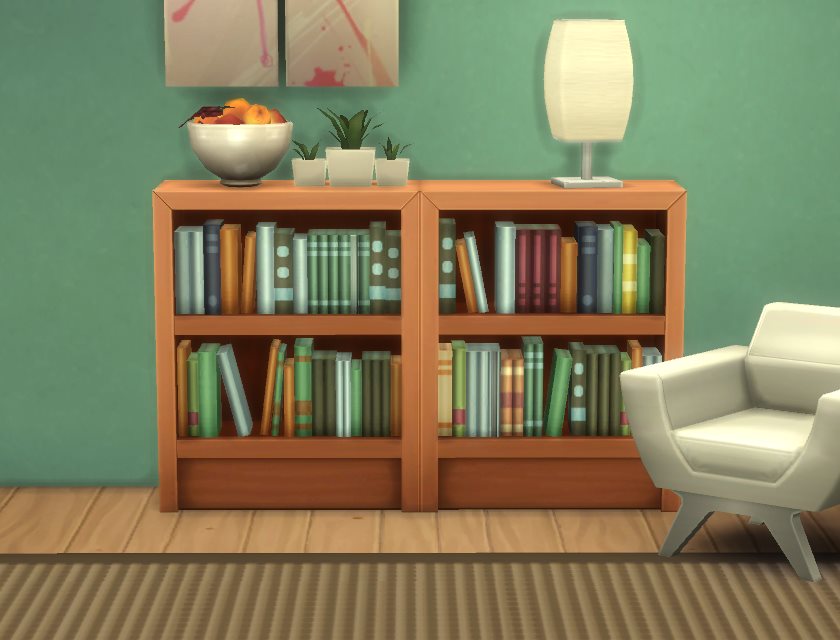
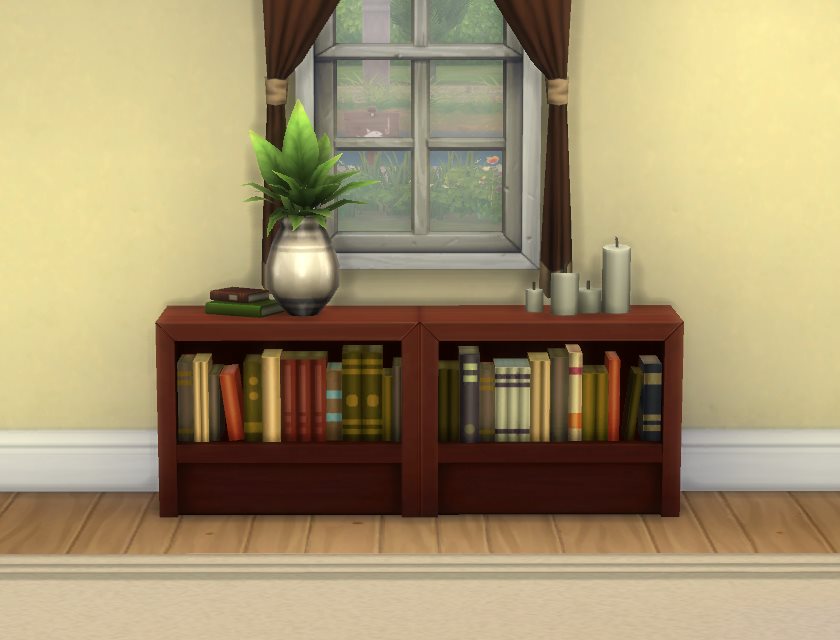
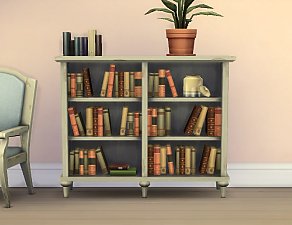
These are referencing all textures from the existing Maxis bookcase, so they’re guaranteed to match and are also very lightweight. Any texture overrides you have for the original (like the ones from here) will also work for these. The books are in a different order in each one, so that they don’t look overly repetitive when used in combination ‒ see the “combo” screenshots for that. The backside looks reasonably nice as well (that is remapped as well, not stretched/squeezed) so they work nicely as room dividers too.
Tuning is the generic Maxis bookcase tuning (i.e. like the original item), deco points are a bit less than that since these are quite a lot cheaper. Found in Bookcases for 480§ (Subordinate Intellect ‒ the one-story shelf) / 800§ (Moderate Intellect), three colour options each.
The “combo” screenshots show a recolour that is available here; mesh/mapping/slots are the same. All of the other screenshots are taken using these texture overrides (the wood texture is unchanged on that, but the colours of the books are different from the Maxis default).
Recolouring:
BY-NC-SA Creative Commons; for the Attribution please link to this post. Also, I would suggest you recolour the Maxis bookcase and then reference that, instead of recolouring just these.
Polygon Counts:
Moderate Intellect ‒ High/Mid Poly: 780V/422F
Moderate Intellect ‒ Sun Shadow: 148V/88F
Subordinate Intellect ‒ High/Mid Poly: 426V/244F
Subordinate Intellect ‒ Sun Shadow: 126V/76F
blender, s4pe, Milkshape, TSRW, ModdingToolkit. Special thanks to Buzzler for writing the float<->hex number conversion tool I used to re-do the slots.
This is a new mesh, and means that it's a brand new self contained object that usually does not require a specific Pack (although this is possible depending on the type). It may have Recolours hosted on MTS - check below for more information.
|
pbox_bookcase-subordinate.zip
Download
Uploaded: 29th Mar 2015, 14.2 KB.
33,866 downloads.
|
||||||||
|
pbox_bookcase-moderate.zip
Download
Uploaded: 29th Mar 2015, 18.5 KB.
36,481 downloads.
|
||||||||
| For a detailed look at individual files, see the Information tab. | ||||||||
Install Instructions
1. Download: Click the File tab to see the download link. Click the link to save the .rar or .zip file(s) to your computer.
2. Extract: Use 7zip (Windows) to extract the file(s) from the .rar or .zip file(s).
3. Cut and paste the file(s) into your Mods folder
Need more information?
- My Documents\Electronic Arts\The Sims 4\Mods\
- Anyone can use both .rar and .zip files easily! On Windows, use 7zip!
- If you don't have a Mods folder, just make one.
Loading comments, please wait...


Uploaded: 9th Mar 2015 at 10:02 PM
Updated: 10th Aug 2015 at 2:43 PM
Intellectual Bookcases Recolours
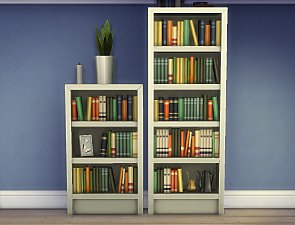
Single-Tile “Intellect” Bookcases
-
No-stencil texture override for Kindermade bookcase and desk
by plasticbox 25th Jan 2015 at 2:21am
 19
17.9k
116
19
17.9k
116
-
by plasticbox 10th Mar 2015 at 12:01am
7
16.8k
90
-
-
-
-
-
by plasticbox 4th Jul 2015 at 5:50am
17
38.2k
155
-
by plasticbox 15th Jul 2015 at 2:17pm
5
21.8k
106
-
by plasticbox 27th Jul 2015 at 1:18am
8
22.8k
113
-

-
Newbie Road 176 -- Base Game Mini Starter, no CC
by plasticbox 11th Nov 2008 at 9:35pm
No EPs required. Mini starter on a 1x2 lot, with fenced-in garden and a covered porch in front. more...
 13
50k
65
13
50k
65
-
Mega (Budget) Doors, one- and two-tile
by plasticbox updated 14th Feb 2016 at 3:46pm
These are a one- and a two-tile version of the Maxis “Mega (Budget DeLite)” door, without the window. more...
4
27.9k
102
-
Newbie Road 65 [NL] - Under 15.000
by plasticbox 28th Apr 2006 at 6:20pm
Title: Newbie Road 65 [NL] - Under 15.000 Category: Lots & Housing > Residential > Starter Homes Cost: 14.979 more...
+1 packs
8 16.2k 12 Nightlife
-
by plasticbox 14th Apr 2015 at 10:25pm
An endtable that matches the nightstand and dresser from here and here that are equally boring. more...
5
23.3k
123
-
by plasticbox 17th Aug 2015 at 5:55pm
These are half-open versions of my Less Gigantic Cabin Blinds . more...
4
24.1k
118
-
by plasticbox updated 5th Mar 2016 at 7:21pm
The Maxis “Balsa” awning (GT) turned into a wall-mounted bench, so it is now a little less pointless. more...
+1 packs
56 27.5k 100 Get Together
-
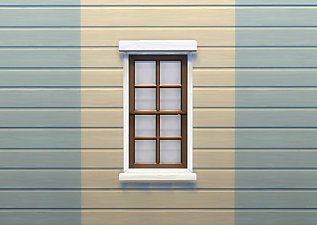
by plasticbox 21st Apr 2015 at 12:07am
The Maxis “Octopane” window sitting in the middle of two tiles (like its cousin with the built-in shutters, just without more...
4
18.1k
88
-
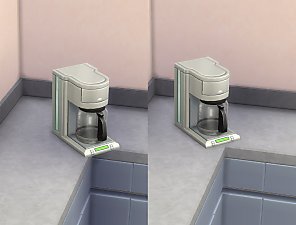
Less silly counter corner appliance placement
by plasticbox 28th Jul 2015 at 8:29pm
This is a rig/rslt override for counter corners (both with and without backsplash) that moves diagonally-placed small appliances back a more...
-
Liberated Tourist Outfit (Female)
by plasticbox 10th Oct 2014 at 1:24am
In the game files are three perfectly good female tourist outfits, but they're hidden for some unknown reason. more...
-
Backdoor Lane 16 [NL+OfB] -- Home Business (converted warehouse with small ruin)
by plasticbox updated 1st Apr 2007 at 12:50pm
Cost: 48.057§ Lot: 2x3 Households: 1 Nightlife and OfB required. more...
+2 packs
27 44.6k 48 Nightlife
 Open for Business


About Me
– Feel free to recycle, you don’t need to ask.
– For the attribution, please link to the upload you’re using wherever possible (instead of my profile). This is particularly important with edits made for/with different games or game versions.
– If you use my stuff in something you make, please upload the result to a free, accessible, noncommercial site with no more restrictions than these. Code must remain open source; meshes and other material must remain re-usable.
Please do not redistribute any unmodified files – link to the upload post instead.