
 Sign in to Mod The Sims
 Grow...
 Grow...


GrowImage.jpg - width=1545 height=760
Buy mode.jpg - width=1313 height=165
Pie menu - Enable Grow.jpg - width=782 height=357
Pie menu - Grow on - adult.jpg - width=754 height=324
Pie menu - Grow on - teen.jpg - width=758 height=324
Height update complete.jpg - width=430 height=130
Disable update question.jpg - width=263 height=141
Enable update question 2.jpg - width=268 height=144
Enable update question.jpg - width=260 height=170
This mod requires at least one of Freetime, Apartment Life, or Mansions and Gardens to work
Latest Update:
- Fixed an error when sims were an age for only one day.
- Added Tuning,
- Added an option to manually prepare for age transition.
- Replaced "Grow_hack" with "AutoGrow" which automatically updates heights every night and prepares sims for age transition. Feel free to delete "Grow_hack", though if it isn't causing conflicts already you can leave it in.
Back in 2012, Consort made a wonderful mod for Sims 3 called Grow that made children and teens grow in height each day. It let families have children that actually looked like they were different ages, and I used it all the time. When I switched to playing Sims 2, I always wished there was a similar mod. Then Lazy Duchess made a mod that lets you change sims' height in game. And it turned out that I could use it to make a mod that does most of what I'd always dreamed of...
So with many thanks to both Consort and Lazy Duchess, I present Grow... for The Sims 2. You can use this to set your toddlers, children and teens to a height that depends on their age, so they slowly grow up from day to day.
How do I install it?
Once you have Lazy Duchess's Height Mod, delete the file "ld_HeightCheater.package" from your Downloads, and replace it by the three files here: "ld_KittyCarey_HeightCheater.package", "KittyCarey_AutoGrow.package", and "KC_Token_GrowOnLot.package".
How do I make it work in game?
This mod will do nothing if you don't turn it on, so you can have it in your downloads but only use it in some households. To turn it on, you will need to buy the Height Cheater from Misc/Misc:
Anyone in the household can turn on the mod by selecting "Enable Grow"
Once the mod is enabled, every night between 2am and 3am the game will update the heights of every toddler, child and teen according to their age. You will need to save and reload the lot to see the changes.
To get everyone updated to their correct height for their age manually, you can to select "Update Height By Age", which will update the entire lot.
You'll get a message when it's complete, and then you'll have to save and reload the lot, or use the "Refresh Lot Heights" options (not recommended during gameplay by Lazy Duchess or me).
Anyone who is about to age up will also need their height updated in preparation. The mod will automatically do this at some point between 5pm and 6pm when a sim is about to age up, but if you prefer to age up sims before the game forces you, or a sim is heading off to college, you will need to select "Prepare My Height for Age Transition" from the Height Cheater.
What about this "Adult Height" option?
This mod is designed to work with Lazy Duchess's Height mod, and it would be a shame if your adults couldn't have varied heights! Every sim who is not yet an adult will have the option to "Get My Adult Height" and "Set My Adult Height". Use these to find out about/set the sim's future height when they reach adulthood.
You won't see any effect of these in the toddler or child stages, but in the teen stage they will grow towards their target height - so a teen who is going to be tall will grow more each day than a teen who is going to be short.
There is also an option to "Check Entire Neighborhood Adult Heights", which will give you messages about everyone in town with an adult height set. It will also remove adult heights for any adults/elders who have one, provided it is the same as their actual height.
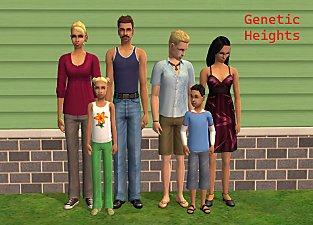
If you want new babies to get an adult height set by the game that is related to their parents' height, try my mod Genetic Heights.
Conflicts:
"ld_KittyCarey_HeightCheater" conflicts with "ld_HeightCheater" from Lazy Duchess Height mod: delete theirs and use mine.
The mod also uses PersonData 10 (reserved for future skill, ex-Literary skill), so will conflict with anything else that uses that.
Replacing "Grow_hack" with "AutoGrow" should (I hope!) mean that conflicts are unlikely.
Older Updates:
- Fixed an error in "Check Adult Heights for Entire Neighborhood"
- Added an option when selecting "Enable Grow" to copy over existing heights for toddlers/children/teens to become adult heights. Use this if you have been using the height mod already. If someone already has an adult height set, it will ask which one you want to keep.
- Added an option when selecting "Disable Grow" to reset toddlers/children/teens to their adult height.
- Fixed an error with age transitions (thanks swampcandy!)
Many thanks to:
Consort for the original inspiration.
Lazy Duchess for the Height Mod, without which this wouldn't be possible.
lingeringwillx for much useful advice and an example that got AutoGrow working.
Everyone in the comments who made me realise that Grow_hack was causing way too many conflicts, and there was a better way to automatically do this.
And all the makers of SimPE, without which I could not do any modding.
Have fun!
| Filename | Type | Size |
|---|---|---|
| KittyCarey_Grow.7z | 7z | |
| KC_Token_GrowOnLot.package | package | 747 |
| KittyCarey_AutoGrow.package | package | 3387 |
| ld_KittyCarey_HeightCheater.package | package | 44160 |
The following custom content is included in the downloadable files:
- Aging Townie Aspiration Fix by Nopke
The following custom content is required for this download to function properly! Please make sure you download it before downloading the files!
- Height Mod by Lazy Duchess
|
KittyCarey_Grow.7z
Download
Uploaded: 20th Oct 2025, 16.4 KB.
2,194 downloads.
|
||||||||
| For a detailed look at individual files, see the Information tab. | ||||||||
Install Instructions
1. Download: Click the download link to save the .rar or .zip file(s) to your computer.
2. Extract the zip, rar, or 7z file.
3. Place in Downloads Folder: Cut and paste the .package file(s) into your Downloads folder:
- Origin (Ultimate Collection): Users\(Current User Account)\Documents\EA Games\The Sims™ 2 Ultimate Collection\Downloads\
- Non-Origin, Windows Vista/7/8/10: Users\(Current User Account)\Documents\EA Games\The Sims 2\Downloads\
- Non-Origin, Windows XP: Documents and Settings\(Current User Account)\My Documents\EA Games\The Sims 2\Downloads\
- Mac: Users\(Current User Account)\Documents\EA Games\The Sims 2\Downloads
- Mac x64: /Library/Containers/com.aspyr.sims2.appstore/Data/Library/Application Support/Aspyr/The Sims 2/Downloads
- For a full, complete guide to downloading complete with pictures and more information, see: Game Help: Downloading for Fracking Idiots.
- Custom content not showing up in the game? See: Game Help: Getting Custom Content to Show Up.
- If you don't have a Downloads folder, just make one. See instructions at: Game Help: No Downloads Folder.
Loading comments, please wait...
 + 1 SPs
Uploaded: 7th Oct 2025 at 5:10 PM
Updated: 30th Oct 2025 at 12:13 PM
-
by christianlov 15th Jun 2008 at 3:49pm
 60
141k
236
60
141k
236
-
by christianlov updated 19th Jul 2008 at 7:52am
42
119.8k
141
-
by julsfels updated 28th Sep 2011 at 2:57pm
89
189.3k
299
-
-
-
-
-

by morepopcorn updated 5th Feb 2024 at 7:20pm
+1 packs
13 16.6k 88 Seasons
-


-


Three Year Degrees, plus Master's Degrees
by KittyCarey updated 22nd Jul 2026 at 5:43am
+1 packs
15 3.5k 13 University
-
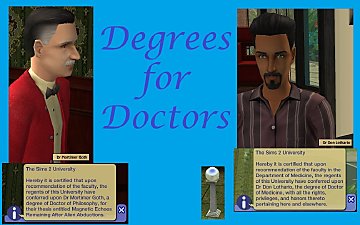

Degrees for Doctors (aka Call Me Doctor)
by KittyCarey updated 2nd Jul 2026 at 11:35am
+2 packs
4 1.8k 7 University
 Apartment Life
-


by KittyCarey updated 30th Jun 2026 at 12:52pm
This mod requires Cyjon's Smarter EP Check, found [url=http://cyjon.net/node/323]here[/url], the Easy Inventory Check by hexagonal-bipyramid found [url=https://www.tumblr.com/hexagonal-bipyramid/18254 more...
+1 packs
112 25.7k 100 University
-
by KittyCarey 13th May 2025 at 9:35am
"You are the law! Criminals tremble in your presence. more...
6
4.9k
12
-


Another Harder School Grades Mod
by KittyCarey 5th Aug 2026 at 9:40am
This was made with Ultimate Collection, and so while I believe it doesn't require any EPs, it is possible that more...
5
1.4k
4
-
by KittyCarey 25th Nov 2012 at 2:22pm
Removes the chance that a newborn sim will have hair and/or eyes that don't match their relatives. more...
 63
208.5k
561
63
208.5k
561
-

by KittyCarey 30th Nov 2012 at 8:34pm
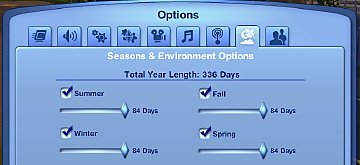
Allows seasons of up to 84 days instead of the original 28 day maximum, and extended transitions between seasons. more...
48
66.5k
271
-

by KittyCarey 18th Oct 2025 at 9:02am
20
9.6k
24



Packs Needed
| Base Game | |
|---|---|
| Sims 2 |
| Stuff Pack | |
|---|---|
| Mansion and Garden |