
 Sign in to Mod The Sims
 Fantasy Dress
 Fantasy Dress


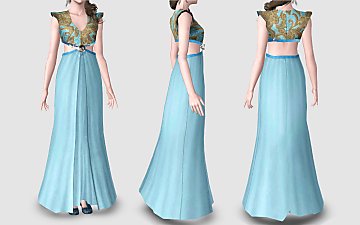
FOTO.jpg - width=408 height=650
FOTO1.jpg - width=566 height=350
FOTO2.jpg - width=374 height=663

I hope you enjoy!
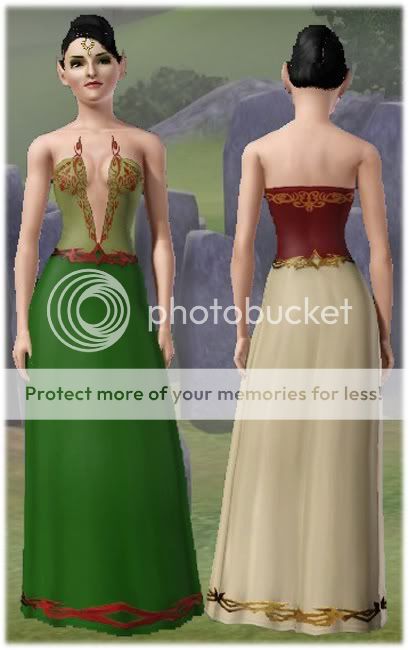
Used on the photoes:
- Face skin - Silk - Female Face Skins by: LadyFrontbum
- Body Skin - Busty St. Claire by:LadyFrontbum
- Eyes by: Lemon Leaf
- Lipstick by: Lemon Leaf
- Eyeshadows by: LadyFrontbum
- Head Accessory by: (at Sims 3/Accessory/page 14) Rosesim
Polygon Counts:
3720 polygons.
Additional Credits:
I have to thank very much to:
- Base 1980 who taught me how to make a Frankenmesh;
- SirDrake who taught me how to make a mip map;
- The CTU and TSRW teams, without those tools I couldn't make anything;
- Daluved by the wonderful tutorials;
- Fawkes, SimyRN, Robodl95, Lunasophie, LasyFrontbum, Wicked Poppies and Snowie4566, by the help and support.
This is a new mesh, and means that it's a brand new self contained object that usually does not require a specific Pack (although this is possible depending on the type). It may have Recolours hosted on MTS - check below for more information.
|
MoncaFantasyDress.zip
Download
Uploaded: 13th Jul 2010, 1.01 MB.
18,414 downloads.
|
||||||||
| For a detailed look at individual files, see the Information tab. | ||||||||
Install Instructions
1. Click the download button, or the filename, to download the file to your computer.
2. Extract the zip, rar, or 7z file. Now you will have either a .package or a .sims3pack file.
For Package files:
1. Cut and paste the file into your Documents\Electronic Arts\The Sims 3\Mods\Packages folder. If you do not already have this folder, you should read the full guide to Package files first: Sims 3:Installing Package Fileswiki, so you can make sure your game is fully patched and you have the correct Resource.cfg file.
2. Run the game, and find your content where the creator said it would be (build mode, buy mode, Create-a-Sim, etc.).
For Sims3Pack files:
1. Cut and paste it into your Documents\Electronic Arts\The Sims 3\Downloads folder. If you do not have this folder yet, it is recommended that you open the game and then close it again so that this folder will be automatically created. Then you can place the .sims3pack into your Downloads folder.
2. Load the game's Launcher, and click on the Downloads tab. Find the item in the list and tick the box beside it. Then press the Install button below the list.
3. Wait for the installer to load, and it will install the content to the game. You will get a message letting you know when it's done.
4. Run the game, and find your content where the creator said it would be (build mode, buy mode, Create-a-Sim, etc.).
Extracting from RAR, ZIP, or 7z: You will need a special program for this. For Windows, we recommend 7-Zip and for Mac OSX, we recommend Keka. Both are free and safe to use.
Need more help?
If you need more info, see:
- For package files: Sims 3:Installing Package Fileswiki
- For Sims3pack files: Game Help:Installing TS3 Packswiki
Loading comments, please wait...



Uploaded: 13th Jul 2010 at 4:33 PM
-
by kuchikisan92 7th Sep 2009 at 11:59pm
 33
162.4k
349
33
162.4k
349
-
by Anubis360 13th Sep 2009 at 2:42pm
49
196.4k
233
-
-
-
-
-
Elven Fantasy Robe for (young) adult females
by Simlicious updated 16th Mar 2013 at 10:10am
56
109.9k
411
Female » Formal » Young Adult
-
by HystericalParoxysm 25th Jul 2014 at 11:13pm
32
60.4k
200
-
by Spoonsthings 18th Aug 2015 at 1:43am
15
40.9k
182
-

-
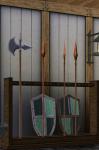
Medieval Armoury Part 2 - Ye Olde Kingdom of Pudding
by The Merrye Makers 16th Dec 2011 at 10:17am
A selection of decorative weapons in the medieval style more...
15
54.5k
143
-
-
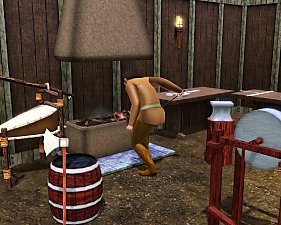
Medieval Blacksmith - Deco Objects - Ye Olde Kingdom of Pudding
by The Merrye Makers 20th Dec 2011 at 11:27am
Medieval blacksmith decorative objects made by Hekate999 for The Merrye Makers. more...
8
56.5k
116
-
Medieval Windmill Home - Ye Olde Kingdom of Pudding
by The Merrye Makers 24th Apr 2012 at 4:24pm
Perfect starter home for a family of four, this repurposed medieval windmill has 2 bedrooms, 1 bathroom, pond and garden. more...
+5 packs
8 35k 52 World Adventures
 Ambitions
 Late Night
 Generations
 Pets
Pets
-
Unisex Medieval Child's Tunic - Ye Olde Kingdom of Pudding
by The Merrye Makers 7th Jul 2013 at 1:24pm
Unisex Medieval child's tunic for boys and girls - Everyday, Formal, Athletic - by The Merrye Makers. Three channels. more...
19
49.8k
152
-
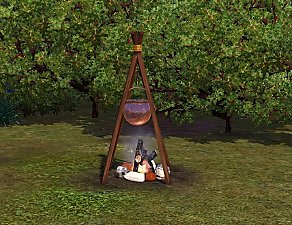
Deco Campfire Cooking Pot, Market Stalls & Chamber Pot - Ye Olde Kingdom of Pudding
by The Merrye Makers 8th Dec 2011 at 1:47pm
Miscellanous Decorative Ye Olde Kingdom of Pudding Medieval Objects Decorative Campfire Cooking Pot, Market Stalls, and Decorative Chamber Pot more...
18
51.6k
124
-
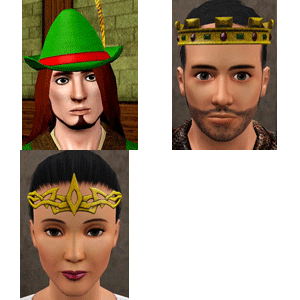
Medieval Crowns, Circlets, and Hat Hair - Ye Olde Kingdom of Pudding
by The Merrye Makers 9th Dec 2011 at 5:57pm
Ye Olde Kingdom of Pudding CAS Medieval Accessories Crowns, Circlets, and Hat Hair Greetings, good gentles/ladies. more...
38
90k
177
-
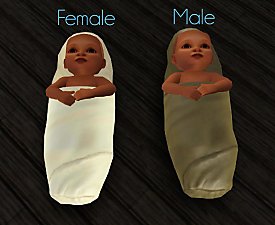
Medieval Baby Blanket Default Replacements - Ye Olde Kingdom of Pudding
by The Merrye Makers 29th Jan 2012 at 1:25pm
Two options for medieval baby blanket default replacements made by Daluved1 for The Merrye Makers. more...
-
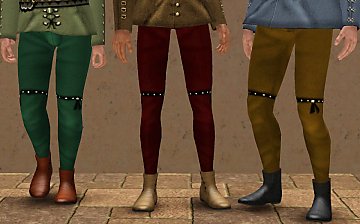
Medieval Men's Trousers - Ye Olde Kingdom of Pudding
by The Merrye Makers 22nd Jun 2013 at 3:45am
Medieval men's trousers for teens, adults, and elders. Everyday and formal. Converted by Kiara24 for The Merrye Makers. more...
18
47k
115
-
Medieval Centred Leadlight Door - Ye Olde Kingdom of Pudding
by The Merrye Makers 28th Jan 2012 at 9:31pm
A centred door and arch to match the base game leaded windows more...
13
44.8k
119


