
 Sign in to Mod The Sims
 Sleepy Time Toddler Bed
 Sleepy Time Toddler Bed


STTB-Blanket.jpg - width=554 height=409
Blanket is not part of this upload! See main post for details on where to find the blanket.
STTB-Main.jpg - width=884 height=599
STTB-Mapping.jpg - width=471 height=1024
STTB-PlaceInCrib.jpg - width=702 height=735
STTB-Presets.jpg - width=443 height=1000
STTB-Sleeping.jpg - width=1000 height=362
STTB-Slots.jpg - width=770 height=578

If you're looking for a cute baby blanket to use with this bed, the lovely Danjaley has created one that you can find HERE!
------------
Toddler beds are the transition between baby cribs and big kid beds for our little nibblets. They're sorta like a training device for sleeping without bars, rails or anything else of the lot. I even remember briefly having a toddler bed when I was little before I stepped up to my own full size bed.
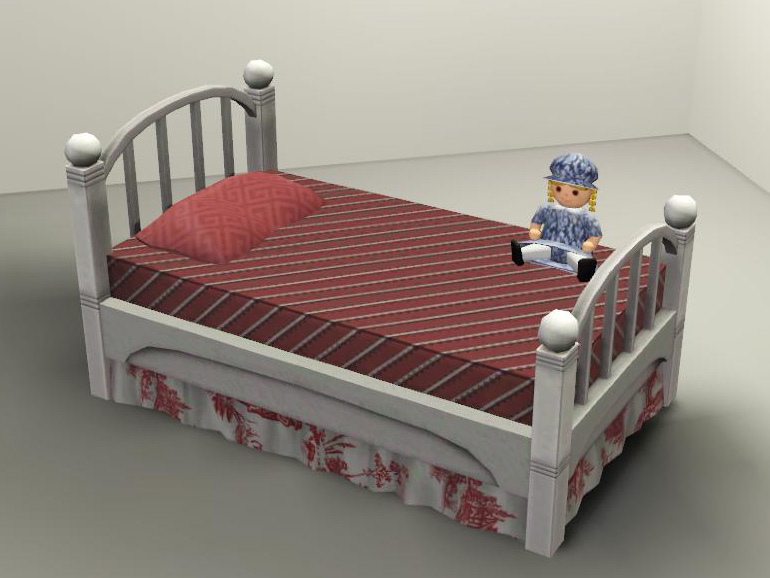
I created Sleepy Time toddler bed for one of my sim families who recently had a new addition to their household. I found it really silly that the toddler was in a crib along side her baby brother. So, I saved my game and promptly set forth to make her her own pint sized bed.
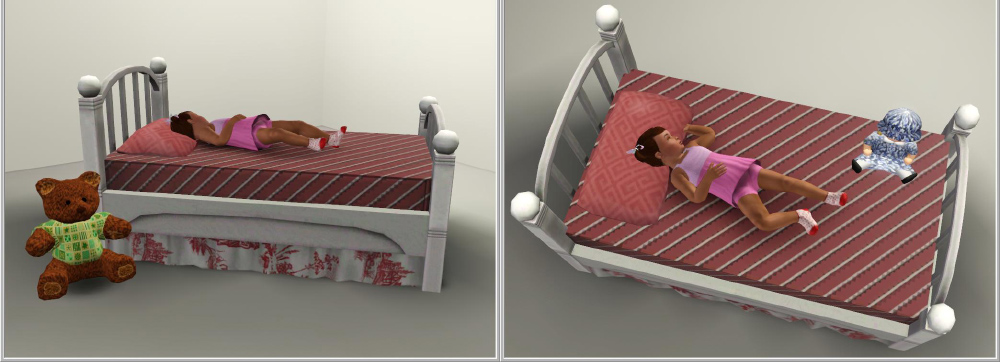
The toddler bed is NOT a normal bed. It will still function as a crib, meaning you will have to have a teen/adult/elder sim take the toddler in and out of the bed. Since custom animations are still something of the future, no special animations have been added to the bed. The sim placing the toddler in the bed will still attempt to "lower" the railing, and a restless toddler will still stand and cry while holding onto the nonexistent railing. Despite these unavoidable abnormalities, the bed still functions properly.
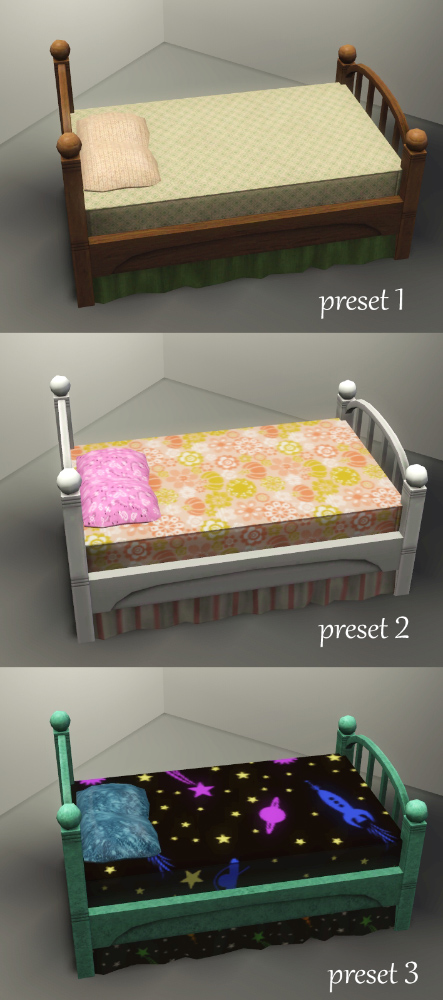
The bed has 4 channels: bed frame, bed skirt, mattress, and pillow. The mesh's UV map has been adjusted to avoid pattern distortions. The only flaw is on the bed posts. The posts are of different lengths but share the same spot on the map causing slight texture compression on the foot-board. However, it's almost unnoticeable with most patterns.
Where's the blanket?
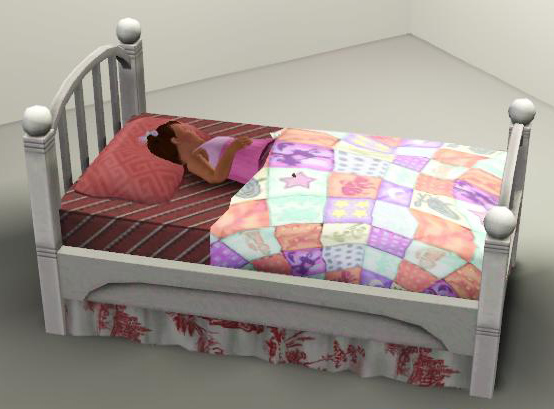
The bed does not come with a blanket because the toddler wouldn't be able to use it properly and my meshing skills aren't that great to create a curved surface.
 However, you can use the blanket found at sims3nieuws that's made especially for baby cribs. You'll have to use moveobjects and the Alt key to get the blanket placed nicely. Alternatively, you can use some of the folded down bedding here with an OMSP to get it down to the toddler bed level. It takes a lot of fiddling to get them on the bed properly, so I would just recommend the first blanket.
Object Information:
Buy -> Kids -> Furniture
210 Simoleons
Polygon Counts:
High LOD - 1320 vertices / 1218 faces
Low LOD - 524 vertices / 362 faces
Meshes have proper ground shadows and sun shadows.
Additional Credits:
TSRW 2.0, Photoshop 7.0
This is a new mesh, and means that it's a brand new self contained object that usually does not require a specific Pack (although this is possible depending on the type). It may have Recolours hosted on MTS - check below for more information.
|
daluved1_1.26_SleepyTime-toddlerbed.rar
| Updated for 1.26!
Download
Uploaded: 29th Oct 2011, 166.7 KB.
38,072 downloads.
|
||||||||
|
daluved1_SleepyTime-toddlerbed.rar
Download
Uploaded: 27th Dec 2010, 170.1 KB.
38,495 downloads.
|
||||||||
| For a detailed look at individual files, see the Information tab. | ||||||||
Install Instructions
1. Click the download button, or the filename, to download the file to your computer.
2. Extract the zip, rar, or 7z file. Now you will have either a .package or a .sims3pack file.
For Package files:
1. Cut and paste the file into your Documents\Electronic Arts\The Sims 3\Mods\Packages folder. If you do not already have this folder, you should read the full guide to Package files first: Sims 3:Installing Package Fileswiki, so you can make sure your game is fully patched and you have the correct Resource.cfg file.
2. Run the game, and find your content where the creator said it would be (build mode, buy mode, Create-a-Sim, etc.).
For Sims3Pack files:
1. Cut and paste it into your Documents\Electronic Arts\The Sims 3\Downloads folder. If you do not have this folder yet, it is recommended that you open the game and then close it again so that this folder will be automatically created. Then you can place the .sims3pack into your Downloads folder.
2. Load the game's Launcher, and click on the Downloads tab. Find the item in the list and tick the box beside it. Then press the Install button below the list.
3. Wait for the installer to load, and it will install the content to the game. You will get a message letting you know when it's done.
4. Run the game, and find your content where the creator said it would be (build mode, buy mode, Create-a-Sim, etc.).
Extracting from RAR, ZIP, or 7z: You will need a special program for this. For Windows, we recommend 7-Zip and for Mac OSX, we recommend Keka. Both are free and safe to use.
Need more help?
If you need more info, see:
- For package files: Sims 3:Installing Package Fileswiki
- For Sims3pack files: Game Help:Installing TS3 Packswiki
Loading comments, please wait...


Uploaded: 27th Dec 2010 at 8:37 PM
Updated: 2nd Feb 2014 at 10:16 PM
-
by HugeLunatic 15th Oct 2009 at 9:35pm
 30
72.7k
209
30
72.7k
209
-
A Bed for your Vampires - Sims 2 Conversion
by Esmeralda updated 19th Oct 2011 at 6:43pm
70
102.5k
205
-
by Hekate999 9th Jul 2010 at 5:03pm
46
112.3k
224
-
-
by Lisen801 updated 25th May 2012 at 6:48pm
46
76.9k
188
-
by chasmchronicle 1st Jul 2011 at 6:26am
19
36k
86
-
-
by TheJim07 26th Mar 2015 at 4:48pm
14
41k
174
-
by TheJim07 24th Jun 2016 at 11:26am
7
16.5k
48
-
by CircusWolf 29th Aug 2021 at 9:45pm
4
7.8k
30


-
-
Medieval Big Water Wheel & Windmill Blades - Ye Olde Kingdom of Pudding
by The Merrye Makers 8th Dec 2011 at 1:46pm
The Quick Tick Wall Clock was used to make the Medieval Big Water Wheel and Windmill Blades actually turn. more...
19
38.3k
93
-
by daluved1 15th Jan 2011 at 12:14pm
Do you love retro? This set was originally for a Lucy Desi Ball sim I was working on, but...she's more...
28
95.4k
203
Female » Mixed Sets » Adult
-


-
-
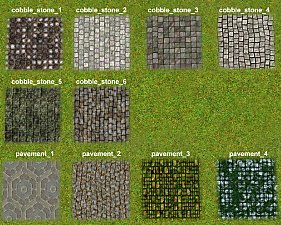
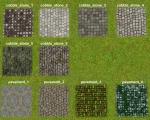
Medieval Terrain Paints - Ye Olde Kingdom of Pudding
by The Merrye Makers 7th Dec 2011 at 4:31pm
Ingame and CAW Terrain Paints. Cobblestones and Pavements. more...
19
63.1k
195
-
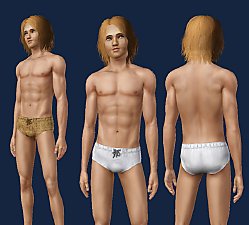
Medieval Male Underwear CAS - Ye Olde Kingdom of Pudding
by The Merrye Makers 7th May 2012 at 12:12pm
Medieval male underwear for teens, adults, and elders made by Kiara24 for The Merrye Makers. Sleepwear and Swimwear. more...
7
50.7k
72
Male » Mixed Sets » Adult
-

-
-
Just Flats! - New Shoes for Children
by daluved1 updated 11th Nov 2010 at 6:31pm
It's a shander fer de kinder to not have flats! more...


About Me
Because my policy is really inconsistent on my uploads, I've decided to make an official policy! So whatever you see here on my profile is my current policy. You may disregard any ''policy'' information you see on the actual upload itself.
-You may use my creations with sims
-You may use my objects with lots.
-You may retexture my meshes.
-You may include my meshes with retextures.
-You may NOT upload my creations with sims
-You may NOT upload my objects with lots.
-You may NOT upload my creations to paysites.
-You may NOT upload my creations to the exchange.
-Always credit me with a link
-I do NOT take requests!