
 Sign in to Mod The Sims
 Puddlesworth the Decorative Duck *Updated 16-Oct-12*
 Puddlesworth the Decorative Duck *Updated 16-Oct-12*


Presets.jpg - width=764 height=447
Four presets, two channels.
Angles.jpg - width=725 height=460
OnWater.jpg - width=779 height=499
They float!
Mapping.jpg - width=404 height=404
Comparison.jpg - width=435 height=254
 I have discovered that at the time of upload this object had no specular texture meaning reflective materials did not display correctly on it. I have now corrected this issue and a new version can be downloaded. The file within the zip has the same file name as the original so just allow the new file to overwrite the old.
-----------------------------------------------------------------------------------------------------------------------------------------------------
Puddlesworth the Decorative Duck costs just $45 and comes in a selection of four preset designs.
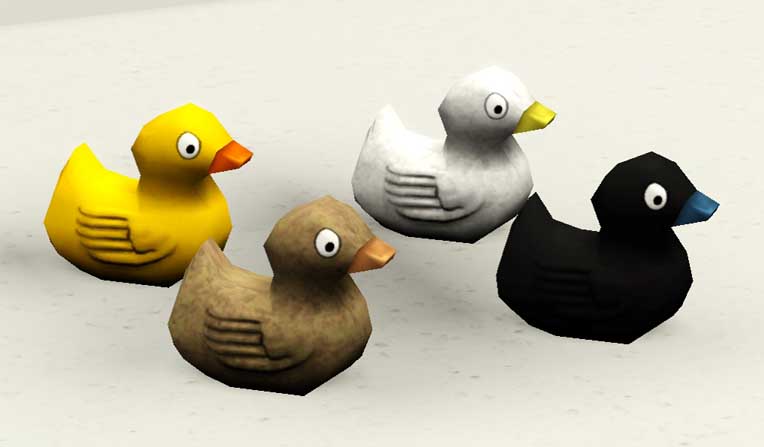
Each design has two recolourable channels; the main body and the bill.
It can be found under either Function> Decor> Sculpture or Room> Outdoors> Lawn Ornaments.
It has an environment score of 2 and is larger than the regular bath rubber duck. Take a look at the size comparison shot attached below.
What's special about this particular duck? It floats on water!
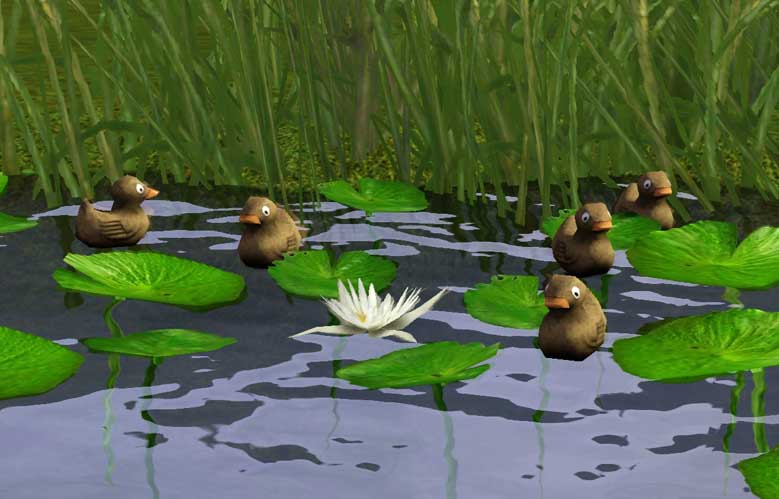
Sims can also be directed to View the duck when it is on water as well.
Please note that the UV mapping on this item is not perfect! Solid colours or textured patterns look fine but themed or floral patterns will not tile correctly across the back of the duck. I personally do not see this as an issue as I can't see many people wanting floral or space themed ducks floating on their ponds.
Polygon Counts:
166
Additional Credits:
Many thanks to Purplepaws for allowing me to use their rubber duck default replacement mesh as a base for this. Go check it out!
This is a new mesh, and means that it's a brand new self contained object that usually does not require a specific Pack (although this is possible depending on the type). It may have Recolours hosted on MTS - check below for more information.
|
MM_PuddlesworthPondDuckV2.zip
| File with corrected specular
Download
Uploaded: 16th Oct 2012, 148.8 KB.
2,629 downloads.
|
||||||||
| For a detailed look at individual files, see the Information tab. | ||||||||
Install Instructions
1. Click the download button, or the filename, to download the file to your computer.
2. Extract the zip, rar, or 7z file. Now you will have either a .package or a .sims3pack file.
For Package files:
1. Cut and paste the file into your Documents\Electronic Arts\The Sims 3\Mods\Packages folder. If you do not already have this folder, you should read the full guide to Package files first: Sims 3:Installing Package Fileswiki, so you can make sure your game is fully patched and you have the correct Resource.cfg file.
2. Run the game, and find your content where the creator said it would be (build mode, buy mode, Create-a-Sim, etc.).
For Sims3Pack files:
1. Cut and paste it into your Documents\Electronic Arts\The Sims 3\Downloads folder. If you do not have this folder yet, it is recommended that you open the game and then close it again so that this folder will be automatically created. Then you can place the .sims3pack into your Downloads folder.
2. Load the game's Launcher, and click on the Downloads tab. Find the item in the list and tick the box beside it. Then press the Install button below the list.
3. Wait for the installer to load, and it will install the content to the game. You will get a message letting you know when it's done.
4. Run the game, and find your content where the creator said it would be (build mode, buy mode, Create-a-Sim, etc.).
Extracting from RAR, ZIP, or 7z: You will need a special program for this. For Windows, we recommend 7-Zip and for Mac OSX, we recommend Keka. Both are free and safe to use.
Need more help?
If you need more info, see:
- For package files: Sims 3:Installing Package Fileswiki
- For Sims3pack files: Game Help:Installing TS3 Packswiki
Loading comments, please wait...



Uploaded: 1st Dec 2011 at 9:47 PM
Updated: 16th Oct 2012 at 6:38 PM
-
by hazuitokage updated 20th Sep 2009 at 10:50am
 45
52.6k
71
45
52.6k
71
-
by hazuitokage 17th Oct 2009 at 1:02pm
34
36.8k
69
-
-
by MelissaMel 30th Oct 2009 at 3:50pm
47
117.1k
62
-
-
by silverfox 10th Mar 2010 at 11:02pm
19
49.3k
97
-
-
-
-



-
TSMobile > TS4 High-tech Water Cooler Recreation
by Menaceman44 10th Sep 2019 at 5:16pm
A recreation of the High-tech Water Cooler from The Sims Mobile. more...
 15
20.4k
105
15
20.4k
105
-
Swings Recolour in Metal and Brown
by Menaceman44 9th Oct 2008 at 6:51pm
This was requested by paulygraph in the thread for my wooden Centrifun roundabout recolour . more...
 7
23k
48
7
23k
48
-
-
by Menaceman44 12th Sep 2014 at 10:17pm
A red recolour of the female pyjamas with a freezer bunny pattern. more...
-
by Menaceman44 12th May 2009 at 5:40pm
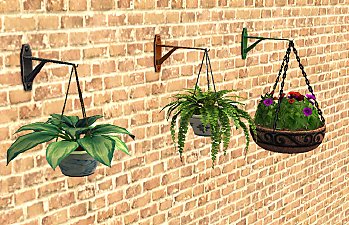
I very rarely use the hanging flowers in the game as I've never personally had any hanging plants indoors. more...
16
20.9k
29
-


Simlish EA Sports Football (Soccer) Tees
by Menaceman44 5th Dec 2022 at 11:21pm
Description "EA Sports. more...
-


by Menaceman44 26th Sep 2014 at 8:26pm
Cotton gloves for your male Sims' formal occassions. more...
12
23.1k
79
-

Consignment Confirmation Text Correction
by Menaceman44 19th Jul 2012 at 9:47pm
Removes the unnecassary extra "you" from the confirmation message when consigning items. more...
-
Car-Spot Parking Space ITF Edition
by Menaceman44 11th Dec 2013 at 5:52pm
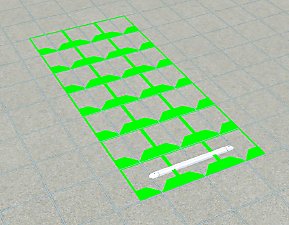
A new parking space recoloured to match the decorative parking spaces of Oasis Landing. more...
12
31.7k
111
-
by Menaceman44 19th Jun 2007 at 12:00am
I originally created this house for somebody over at Gaia Online but I like it that much that I've decided more...
+1 packs
4 8.4k 7 Nightlife


