Sign in to Mod The Sims
 TS2>TS3 SimCity SynapseSnapper Industrial Sign Conversion
 TS2>TS3 SimCity SynapseSnapper Industrial Sign Conversion


Channels.jpg - width=527 height=538
4 channels - Sign, Controller, Joysticks, Buttons.
Thumb.jpg - width=224 height=226
Presets.jpg - width=1115 height=630
Presets one and two.
Those players familiar with TS2 should recognise this sign. I decided to convert it as I needed something to identify my gaming hangouts to my Sims.
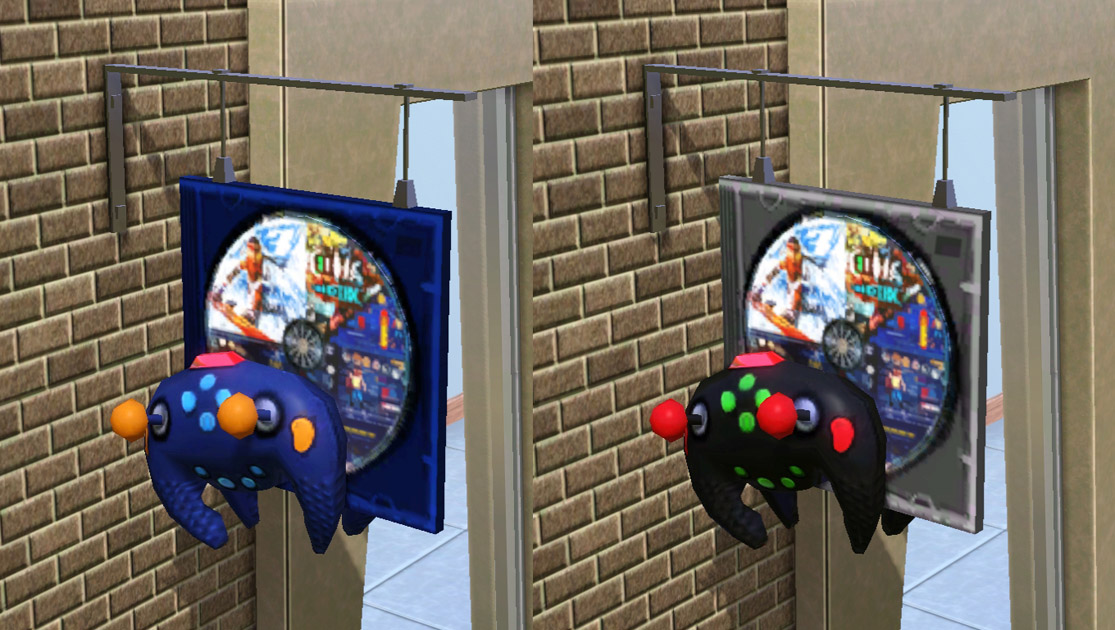
Shown above are the two preset designs that I have included. The first is based on the original colours from TS2 and the second I made up to ensure there was a little variety.
It has 4 recolourable channels which are the CD case; controller body; buttons; joysticks. You can find a picture showing the channels in the attachements below.
The metal bar attaching the sign to the wall, the CD design and the red controller light are overlays which cannot be recoloured.
It's found under Decor> Misc. or Outdoors> Lawn Ornaments for 99 simoleans and CAN be shifted up and down walls.
It features the original TS2 catalogue description and should feature all of its original translations as well for non-English speaking players.
Built with game version 1.38 and play tested in 1.42 it should be fine in all games patched to at least 1.29 (Pets)
Polygon Counts:
High = 1092
Medium = 500
Additional Credits:
SimPE,
s3pe,
TSR Workshop,
Photoshop,
EP Compatability Tool by Digitalchaos,
Cocomama for her conversion tutorial,
kithri and TVRdesigns for testing in their games and providing feedback.
This is a new mesh, and means that it's a brand new self contained object that usually does not require a specific Pack (although this is possible depending on the type). It may have Recolours hosted on MTS - check below for more information.
|
MM_TS2SynapseSnapperSign.zip
Download
Uploaded: 18th Dec 2012, 98.6 KB.
3,339 downloads.
|
||||||||
| For a detailed look at individual files, see the Information tab. | ||||||||
Install Instructions
1. Click the download button, or the filename, to download the file to your computer.
2. Extract the zip, rar, or 7z file. Now you will have either a .package or a .sims3pack file.
For Package files:
1. Cut and paste the file into your Documents\Electronic Arts\The Sims 3\Mods\Packages folder. If you do not already have this folder, you should read the full guide to Package files first: Sims 3:Installing Package Fileswiki, so you can make sure your game is fully patched and you have the correct Resource.cfg file.
2. Run the game, and find your content where the creator said it would be (build mode, buy mode, Create-a-Sim, etc.).
For Sims3Pack files:
1. Cut and paste it into your Documents\Electronic Arts\The Sims 3\Downloads folder. If you do not have this folder yet, it is recommended that you open the game and then close it again so that this folder will be automatically created. Then you can place the .sims3pack into your Downloads folder.
2. Load the game's Launcher, and click on the Downloads tab. Find the item in the list and tick the box beside it. Then press the Install button below the list.
3. Wait for the installer to load, and it will install the content to the game. You will get a message letting you know when it's done.
4. Run the game, and find your content where the creator said it would be (build mode, buy mode, Create-a-Sim, etc.).
Extracting from RAR, ZIP, or 7z: You will need a special program for this. For Windows, we recommend 7-Zip and for Mac OSX, we recommend Keka. Both are free and safe to use.
Need more help?
If you need more info, see:
- For package files: Sims 3:Installing Package Fileswiki
- For Sims3pack files: Game Help:Installing TS3 Packswiki
Loading comments, please wait...



Uploaded: 18th Dec 2012 at 3:21 PM
-
by leefish 8th Aug 2009 at 12:11pm
 47
45.5k
68
47
45.5k
68
-
-
-
-
TS2>TS3 Touch of Teak Plymouth Armoire Conversion
by Menaceman44 27th Mar 2013 at 6:04pm
+1 packs
7 12.9k 32 Supernatural
-
TS2>TS3 "Anti-Quaint-Ed" Ltd. Ed. Armoire Conversion
by Menaceman44 18th Apr 2013 at 9:03pm
+1 packs
6 22.3k 70 Supernatural
-
TS2>TS3 Rackmaster 850 Bowling Ball Rack Conversion
by Menaceman44 22nd May 2013 at 3:14pm
13
25.5k
88
-
by Naus Allien 11th Jan 2014 at 3:13pm
12
15.7k
71
-
by heaven 15th Oct 2019 at 6:51pm
5
7.2k
30
-

by ctrlshiftc-simberly 20th Jun 2026 at 5:10am
759
1



-
by Menaceman44 29th Apr 2017 at 5:45pm
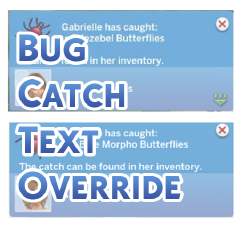
Overrides TNS text when catching insects to be more grammatically correct. more...
-
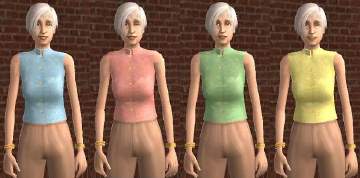
Recolours of t2suggas' Elder Blouse Mesh
by Menaceman44 24th May 2008 at 12:34pm
These are some long overdue recolours that I made near the start of the year when the original mesh more...
-
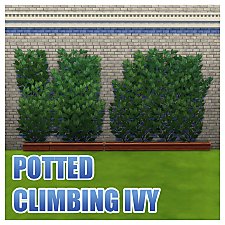
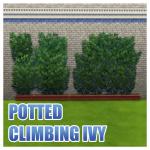
Unlocked and Recoloured Climbing Ivy Planters
by Menaceman44 25th Jul 2015 at 9:49pm
Three sizes of ivy planters unlocked from debug with additional recolours. more...
 6
20.2k
87
6
20.2k
87
-
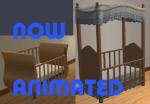
FreeTime Cribs - NOW ANIMATED!!! UPDATED 31-JAN-09
by Menaceman44 updated 31st Jan 2009 at 10:25pm
These two packages that I have created enable the animations on the two cribs that came with FreeTime. more...
 +1 packs
26 122.6k 275
+1 packs
26 122.6k 275 Free Time
-
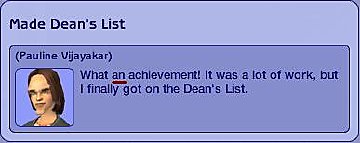

Dean's List Memory Grammar Fix
by Menaceman44 9th Apr 2008 at 11:03pm
This package fixes a grammar mistake in the "Made Dean's List" University memory. more...
+1 packs
41 37.6k 42 University
-
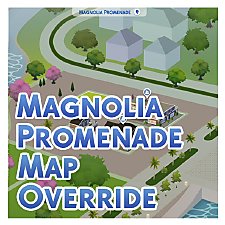

Magnolia Promenade Colour Map Override
by Menaceman44 updated 7th Dec 2025 at 6:58pm
A file to override the colour map image for Magnolia Promenade to make it more accurate. more...
-

by Menaceman44 updated 12th Jul 2022 at 7:14pm
:!!:THIS MOD REQUIRES SCRIPT MODS TO BE ENABLED IN YOUR GAME TO FUNCTION:!!: Description A good while ago now, I was asked more...
-

by Menaceman44 21st Mar 2020 at 9:54pm
A new wardrobe to compliment the existing RoM bedroom furniture. more...
+1 packs
13 17.3k 98 Realm of Magic
-
-
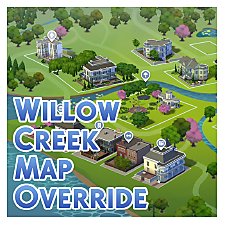

by Menaceman44 updated 7th Dec 2025 at 6:55pm
A texture replacement for the Willow Creek map to make it more accurate to the in-game world. more...