
 Sign in to Mod The Sims
 TS2>TS3 Tall and Terrible Armoire By Darkness Conversion
 TS2>TS3 Tall and Terrible Armoire By Darkness Conversion


TallTerror.jpg - width=694 height=690
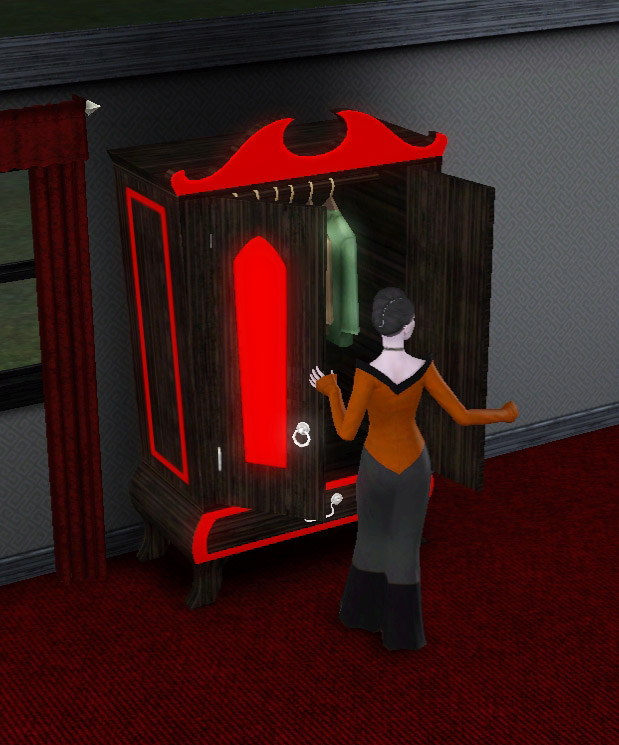
In Use.jpg - width=619 height=745
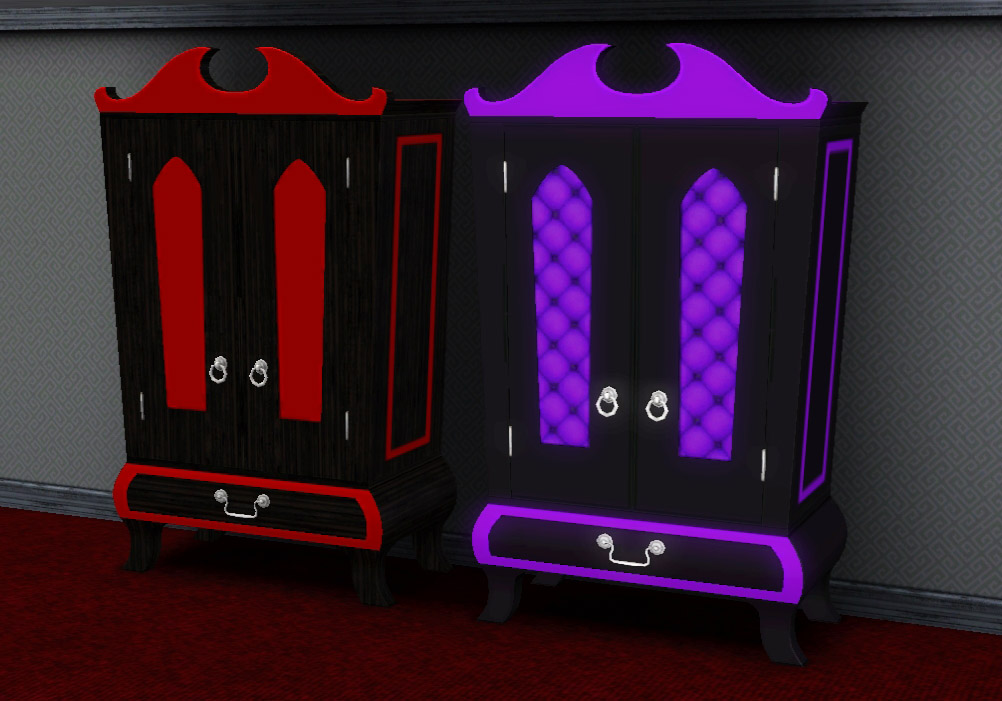
Presets.jpg - width=1002 height=701
Channels.jpg - width=661 height=768
Clipping.jpg - width=616 height=546
This time around, unike with my previous wardrobe conversions, the clothing inside IS animated.
Object Details
Price || 360
Room Sort || Bedroom > Dressers
Function Sort || Storage > Dressers
Presets || 2
Channels || 4
The wardrobe also features the original TS2 catalogue description and has been translated into all languages provided with the original.
The two presets are based on two of the original designs. The red design is true to the original but I tweaked the purple one a bit to include patterned door panels.
The inside of the wardrobe shares its pattern with the channel shown as yellow in the attached picture.
As with my previous wardrobe conversions, there are a few things to note.
- The mapping is not perfect and I have done my best to fix it. Horizontal patterns become VERY distorted across the doors but the issue is not visible when vertical patterns are used. Any pattern works well on the door panels. I honestly cannot improve this any further without completely remeshing the object from scratch. See the attached picture for visuals.
- Sims feet sink into the wardrobe base when entering and exiting from woohoo. This is because the doors are not as low as either of the Supernatural originals from which it was cloned. There is a picture in the attachements to illustrate.
Built with game version 1.50
With all that being said I hope that you and your Sims with darker tendancies find this conversion useful and pleasing to look at.
If you do like it then please give the Thanks button a press.
Polygon Counts:
High = 2719
Medium = 1995
Additional Credits:
simPE,
s3pe,
TSRW,
Milkshape,
Photoshop,
Texture Tweaker.
This is a new mesh, and means that it's a brand new self contained object that usually does not require a specific Pack (although this is possible depending on the type). It may have Recolours hosted on MTS - check below for more information.
|
MM_TS2TallAndTerribleArmoire.zip
Download
Uploaded: 28th Jun 2013, 184.6 KB.
2,780 downloads.
|
||||||||
| For a detailed look at individual files, see the Information tab. | ||||||||
Install Instructions
1. Click the download button, or the filename, to download the file to your computer.
2. Extract the zip, rar, or 7z file. Now you will have either a .package or a .sims3pack file.
For Package files:
1. Cut and paste the file into your Documents\Electronic Arts\The Sims 3\Mods\Packages folder. If you do not already have this folder, you should read the full guide to Package files first: Sims 3:Installing Package Fileswiki, so you can make sure your game is fully patched and you have the correct Resource.cfg file.
2. Run the game, and find your content where the creator said it would be (build mode, buy mode, Create-a-Sim, etc.).
For Sims3Pack files:
1. Cut and paste it into your Documents\Electronic Arts\The Sims 3\Downloads folder. If you do not have this folder yet, it is recommended that you open the game and then close it again so that this folder will be automatically created. Then you can place the .sims3pack into your Downloads folder.
2. Load the game's Launcher, and click on the Downloads tab. Find the item in the list and tick the box beside it. Then press the Install button below the list.
3. Wait for the installer to load, and it will install the content to the game. You will get a message letting you know when it's done.
4. Run the game, and find your content where the creator said it would be (build mode, buy mode, Create-a-Sim, etc.).
Extracting from RAR, ZIP, or 7z: You will need a special program for this. For Windows, we recommend 7-Zip and for Mac OSX, we recommend Keka. Both are free and safe to use.
Need more help?
If you need more info, see:
- For package files: Sims 3:Installing Package Fileswiki
- For Sims3pack files: Game Help:Installing TS3 Packswiki
Loading comments, please wait...



 View with Names
Uploaded: 28th Jun 2013 at 2:53 PM
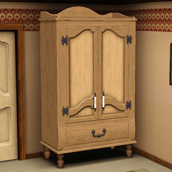
TS2>TS3 Touch of Teak Plymouth Armoire Conversion
-
by pr0zkilla 11th Aug 2009 at 4:31pm
 2
8.3k
10
2
8.3k
10
-
-
by piezoelectric 20th Mar 2011 at 7:07pm
+1 packs
35 91.7k 153 Ambitions
-
-
TS2>TS3 Touch of Teak Plymouth Armoire Conversion
by Menaceman44 27th Mar 2013 at 6:04pm
+1 packs
7 13k 33 Supernatural
-
TS2>TS3 "Anti-Quaint-Ed" Ltd. Ed. Armoire Conversion
by Menaceman44 18th Apr 2013 at 9:03pm
+1 packs
6 22.4k 71 Supernatural
-
TS2>TS3 Rackmaster 850 Bowling Ball Rack Conversion
by Menaceman44 22nd May 2013 at 3:14pm
13
25.5k
89
-
by TheJim07 27th Mar 2015 at 2:33pm
10
19.2k
101
-
-





-


Ultimate Freezer Bunny Award Texture and Mesh Fix
by Menaceman44 26th Sep 2015 at 10:26pm
An override for the Freezer Bunny Award to correct the mesh and textures. more...
-
Maxis-match Gardentime Flooring
by Menaceman44 updated 22nd Sep 2008 at 8:36pm
Here I have created two new floor tiles which match the Gardentime ones designed by Maxis that came with Seasons. more...
 8
14.8k
12
8
14.8k
12
-
TS2>TS3 SimCity SynapseSnapper Industrial Sign Conversion
by Menaceman44 18th Dec 2012 at 3:21pm
The SynapseSnapper game sign converted from TS2 for TS3. more...
8
19.1k
63
-
Simlish and Unlocked Sims Sessions T-shirts
by Menaceman44 7th Apr 2025 at 11:59am
Description It's only taken me 4 years but I've finally gotten around to making some Simlish defaults for the t-shirts that more...
-
Larger Recolourable Tissue Box
by Menaceman44 14th Jun 2010 at 5:58pm
Updated for Pets and the 1.26 patch After it was suggested a while ago in my resized magazine more...
23
25.4k
119
-
by Menaceman44 20th Sep 2024 at 11:20pm
Description Add a bit more variety to your half walls. more...
 3.5k
9
3.5k
9
-
by Menaceman44 updated 28th Feb 2019 at 5:18pm
A file to prevent Sims wearing glasses to bed, and sunglasses to formal occassions. more...
39
29.1k
138
-
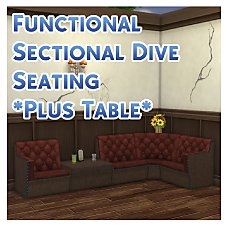
TS3 > TS4 Functional Sectional Dive Seating *Plus Table*
by Menaceman44 updated 19th Jul 2019 at 4:03pm
Sectional dive seating that only takes up a single catalogue slot and functions like a counter for placement. more...
20
21.6k
106
-
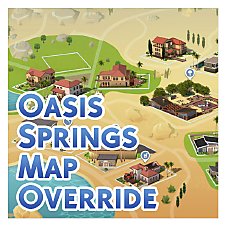

by Menaceman44 updated 7th Dec 2025 at 6:50pm
A texture replacement for the Oasis Springs map to make it more accurate to the in-game world. more...
-
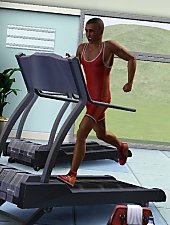
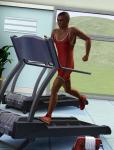
Wrestling Singlet for YA/A males
by Menaceman44 8th Aug 2013 at 10:04pm
A new wrestling outfit for young adult and adult males in the athletic catagory. more...


Packs Needed
| Expansion Pack | |
|---|---|
| Supernatural |