Sign in to Mod The Sims
 Curl Up - Moustache For The Tasteful Gentleman
 Curl Up - Moustache For The Tasteful Gentleman


thumb.jpg - width=818 height=653
rgb.jpg - width=353 height=264
tachegroup.jpg - width=1218 height=642
beforeafter.jpg - width=708 height=264
Textures, model and bone assignments are completely identical to the original, except for having removed the soulpatch and adding LOD meshes. It's fully recolourable, morphs properly with heavier Sims, all the same as the original. Just less soulpatch.
It's available under Beards for Young Adults, Adults and Elders in all categories. Although it's cloned from a World Adventures item, I made it basegame compatible, so you shouldn't need any EPs for it. It's a fully standalone item and you don't need Movie Stuff for this to work. They seem pretty happy with it, so I hope you are too!
Poly count:
LOD0/1: 480 polys / 384 verts
LOD2: 292 polys / 113 verts
LOD3: 164 polys / 73 verts
Credits:
Mesh and textures modified from The Sims 3: Movie Stuff
|
amMoustacheWaxed.zip
Download
Uploaded: 14th Nov 2021, 1.83 MB.
1,861 downloads.
|
||||||||
| For a detailed look at individual files, see the Information tab. | ||||||||
Install Instructions
1. Click the download button, or the filename, to download the file to your computer.
2. Extract the zip, rar, or 7z file. Now you will have either a .package or a .sims3pack file.
For Package files:
1. Cut and paste the file into your Documents\Electronic Arts\The Sims 3\Mods\Packages folder. If you do not already have this folder, you should read the full guide to Package files first: Sims 3:Installing Package Fileswiki, so you can make sure your game is fully patched and you have the correct Resource.cfg file.
2. Run the game, and find your content where the creator said it would be (build mode, buy mode, Create-a-Sim, etc.).
For Sims3Pack files:
1. Cut and paste it into your Documents\Electronic Arts\The Sims 3\Downloads folder. If you do not have this folder yet, it is recommended that you open the game and then close it again so that this folder will be automatically created. Then you can place the .sims3pack into your Downloads folder.
2. Load the game's Launcher, and click on the Downloads tab. Find the item in the list and tick the box beside it. Then press the Install button below the list.
3. Wait for the installer to load, and it will install the content to the game. You will get a message letting you know when it's done.
4. Run the game, and find your content where the creator said it would be (build mode, buy mode, Create-a-Sim, etc.).
Extracting from RAR, ZIP, or 7z: You will need a special program for this. For Windows, we recommend 7-Zip and for Mac OSX, we recommend Keka. Both are free and safe to use.
Need more help?
If you need more info, see:
- For package files: Sims 3:Installing Package Fileswiki
- For Sims3pack files: Game Help:Installing TS3 Packswiki
Loading comments, please wait...



Uploaded: 14th Nov 2021 at 5:36 PM
-
by monca533 13th Oct 2010 at 11:56am
 33
120.1k
169
33
120.1k
169
-
Medieval Beards - Ye Olde Kingdom of Pudding
by The Merrye Makers 9th Dec 2011 at 8:33pm
30
59.5k
146
-
by necrodog 21st Jul 2013 at 4:01am
20
25.9k
86
-
by necrodog 15th Sep 2013 at 4:40am
9
18.4k
44
-
-
by servy 3rd Jan 2015 at 10:44pm
2
8.9k
19
-
by Chibikinesis 3rd Feb 2015 at 3:59pm
13
66.6k
177
-
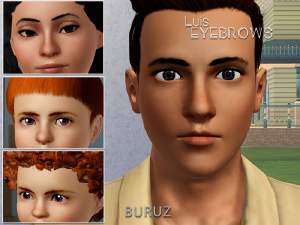
by Buruz 1st Mar 2021 at 3:29pm
+20 packs
1 4.5k 4 World Adventures
 High-End Loft Stuff
 Ambitions
 Fast Lane Stuff
 Late Night
 Outdoor Living Stuff
 Generations
 Town Life Stuff
 Master Suite Stuff
 Pets
Pets
 Katy Perry Stuff
 Showtime
 Diesel Stuff
 Supernatural
 70s, 80s and 90s Stuff
 Seasons
 Movie Stuff
 University Life
 Island Paradise
 Into the Future
-

by w0esies 10th May 2022 at 2:17pm
2
18.9k
44
-


-
-
-
Mighty Mansard Redux! - Store Edit & More - UPDATED
by Qahne updated 18th May 2014 at 8:18pm
A modification of the EAXis mansard roof pieces to make them more useful; also includes dormers and cresting from M&G Stuff more...
83
54.9k
213
-

-
-
-
Two-Handed Scientist! UPDATED Default Replacement Mesh
by Qahne updated 18th May 2016 at 4:33pm
A simple mesh edit to replace the robotic hand with a second gloved one. more...
 10
17.8k
39
10
17.8k
39
-

2019 UPDATE: Servo - Complete Conversion
by Qahne updated 14th Jul 2019 at 6:39pm
A complete waterproof conversion of Servo and all its different outfits and looks from The Sims 2 more...
 85
164.7k
344
85
164.7k
344
-

-