
 Sign in to Mod The Sims
 SimTech 40 inch OLED Smart TV
 SimTech 40 inch OLED Smart TV


banner.png - width=1200 height=960
slots.png - width=1280 height=720
presets.png - width=1280 height=720
front.png - width=1200 height=860
side.png - width=1200 height=860
back.png - width=1054 height=753
CAStability.png - width=1200 height=860
- Fixed multiply map
- Reduced polygon count on medium level of details (listed in mesh details)
- Reduced faces count on high level of details (listed in mesh details)
- Reassigned bone data for both high and medium level of details
- Lowered price to 5000 Simoleons
This TV is a remodeled version of the 36" HiFi Plasmondo TV, modified with a larger and brighter 40" screen. There are includes 4 object slots inside the TV module, intended for small decorative items or misc. electronics like video game consoles.
The package also contains translators in the available languages.
TV details:
Price : 5000 Simoleons
Fun score : 8
Mesh details:
Polygon count for high level of details:
- 538 vertices, 404 faces (for the TV itself)
- 4 vertices, 2 faces (for the projecting layer)
- 316 vertices, 172 faces (for the TV itself)
- 4 vertices, 2 faces (for the projecting layer)
Credits:
- Sims 3 Package Editor (aka S3PE) by pljones
- EasySTBL Manager by cmarNYC
- TS3 Slot Editor Blender add-on by cmomoney
- Delphy's Sims 3 Pack Multi-Extracter by Tashiketh
- Blender
- TSR Workshop
- Photoshop
| Filename | Type | Size |
|---|---|---|
| SimTech 40inch OLED Smart TV (v1.7).rar | rar | |
| [vesko_sims3] SimTech 40inch OLED Smart TV (v1.7).package | package | 205515 |
This is a new mesh, and means that it's a brand new self contained object that usually does not require a specific Pack (although this is possible depending on the type). It may have Recolours hosted on MTS - check below for more information.
|
SimTech 40inch OLED Smart TV (v1.7).rar
Download
Uploaded: 11th Feb 2026, 106.0 KB.
10,218 downloads.
|
||||||||
| For a detailed look at individual files, see the Information tab. | ||||||||
Install Instructions
1. Click the download button, or the filename, to download the file to your computer.
2. Extract the zip, rar, or 7z file. Now you will have either a .package or a .sims3pack file.
For Package files:
1. Cut and paste the file into your Documents\Electronic Arts\The Sims 3\Mods\Packages folder. If you do not already have this folder, you should read the full guide to Package files first: Sims 3:Installing Package Fileswiki, so you can make sure your game is fully patched and you have the correct Resource.cfg file.
2. Run the game, and find your content where the creator said it would be (build mode, buy mode, Create-a-Sim, etc.).
For Sims3Pack files:
1. Cut and paste it into your Documents\Electronic Arts\The Sims 3\Downloads folder. If you do not have this folder yet, it is recommended that you open the game and then close it again so that this folder will be automatically created. Then you can place the .sims3pack into your Downloads folder.
2. Load the game's Launcher, and click on the Downloads tab. Find the item in the list and tick the box beside it. Then press the Install button below the list.
3. Wait for the installer to load, and it will install the content to the game. You will get a message letting you know when it's done.
4. Run the game, and find your content where the creator said it would be (build mode, buy mode, Create-a-Sim, etc.).
Extracting from RAR, ZIP, or 7z: You will need a special program for this. For Windows, we recommend 7-Zip and for Mac OSX, we recommend Keka. Both are free and safe to use.
Need more help?
If you need more info, see:
- For package files: Sims 3:Installing Package Fileswiki
- For Sims3pack files: Game Help:Installing TS3 Packswiki
Loading comments, please wait...

Uploaded: 18th Feb 2025 at 12:42 PM
Updated: 11th Feb 2026 at 7:57 PM
-
by PigiePower 22nd Aug 2009 at 12:43pm
 23
100k
80
23
100k
80
-
by MelissaMel 5th Nov 2009 at 12:15am
23
101.6k
142
-
by xdarkshadowx 25th Jun 2010 at 2:57pm
18
30.1k
50
-
by Lisen801 12th Jan 2011 at 9:45am
44
74.6k
195
-

by blakegriplingph updated 14th Mar 2012 at 3:31am
57
173k
320
-
MaxoidMonkey's Alienware Computer - Sims 2 Conversion
by Esmeralda 9th Mar 2013 at 3:04pm
63
104.3k
370
-
by d_unit 18th Mar 2014 at 12:11am
38
70.9k
234
-
-

by vesko_sims3 updated 20th Apr 2026 at 9:45am
2
5.8k
12
-

by vesko_sims3 14th Mar 2026 at 6:36pm
1
2.2k
6


-


Bus as Ghost Taxi Mesh Override
by vesko_sims3 Today at 9:14am
This is a HQ mesh override for the Late Night ghost taxi, replacing it with Ophernelia's Chicago-inspired decorativeTS4 city transit more...
-

by vesko_sims3 updated 13th Feb 2026 at 8:04am
Description This is a HQ texture replacing mod that changes the date palm tree that comes with Island Paradise EP. more...
-
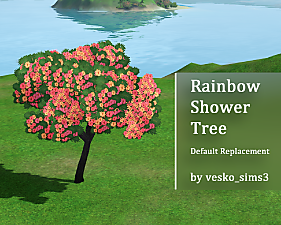

Rainbow Shower Tree Replacement
by vesko_sims3 updated 12th Feb 2026 at 1:37pm
This is a default replacement mod, that overrides the image of the rainbow shower tree from Island Paradise. more...
+1 packs
8 4.9k 21 Island Paradise
-

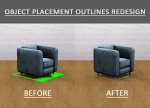
Object Placement Outlines Redesign
by vesko_sims3 updated 2nd Feb 2026 at 7:31am
The redesign features cleaner, minimalistic design with reduced opacity, helping building and decorating feel more focused and less visually intrusive. more...
-
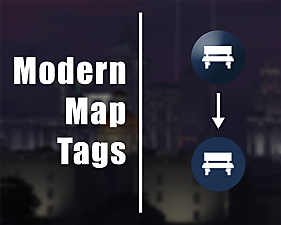
by vesko_sims3 updated 3rd Feb 2026 at 4:31pm
Tired of the default map tags? This mod offers the perfect solution! more...
-


by vesko_sims3 updated 11th Mar 2026 at 9:07am
An override mod, which fixes the elevator shaft placement. more...
-

by vesko_sims3 updated 20th Apr 2026 at 9:45am
This PC is a remodeled version of the oTron 200 Thinking Computer from Landgraab Industries, featuring a larger, brighter screen more...
2
5.9k
12
-

by vesko_sims3 updated 23rd Sep 2026 at 8:46am
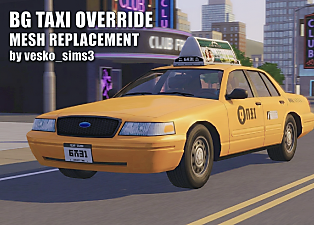
This is a fully functional mesh override mod for the base game taxi, replaced with the 2008 model year Ford Crown Victoria taxi cab from NYC. more...
-


BG Police Cruiser Mesh Override
by vesko_sims3 19th Sep 2026 at 11:46pm
Mesh override mod for the base game police cruiser, replaced with the Ford Crown Victoria police interceptor more...
2
1.2k
4
-

by vesko_sims3 updated 1st Dec 2025 at 12:16pm
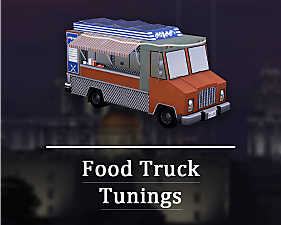
This is a replacement mod that changes the default textures of Late Night's food truck. more...
+1 packs
3 11.1k 26 Late Night


About Me
All mods and CC are made with effort and love. Just link to me whenever you decide to use my stuff.
You should visit my Tumblr blog, where I promote myself and my favorite stuff by other creators : Sims 3 Mods & CC
To show your love and support, donate me a small tip on my Ko-fi page!