
 Sign in to Mod The Sims
 Independent Expressions Shop Window - Shadow Fix
 Independent Expressions Shop Window - Shadow Fix


cover.png - width=510 height=510
before.png - width=1331 height=852
after.png - width=1331 height=852
simsample-2150015-Bluefunkt_347692023-02-2617.50.jpg - width=732 height=762

This fixes the mesh as well as the cres. Any existing windows will need to be deleted and repurchased. Ideally this should load after CEP as that added the glass subset as recolorable.
For the curious. Normally meshes are sit 0.15 away from center in the 3d editor, and then moved via the cres to align with walls. This results in the two window parts *facing* each other normally in the 3d editor. For some reason the straight version of this window they were moved the opposite direction and no longer face each other. This affected how the game renders shadow on the mesh.
Thanks to simsample for the original quest of a fix, and to AlexArt in TeaAddicts discord for the second quest for a fix.
| Filename | Type | Size |
|---|---|---|
| HL_windowTwoTileWideDisplay_SHADOWFIX.7z | 7z | |
| HL_windowTwoTileWideDisplay_SHADOWFIX.package | package | 126192 |
|
HL_windowTwoTileWideDisplay_SHADOWFIX.7z
Download
Uploaded: 26th Mar 2025, 5.2 KB.
576 downloads.
|
||||||||
| For a detailed look at individual files, see the Information tab. | ||||||||
Install Instructions
1. Download: Click the download link to save the .rar or .zip file(s) to your computer.
2. Extract the zip, rar, or 7z file.
3. Place in Downloads Folder: Cut and paste the .package file(s) into your Downloads folder:
- Origin (Ultimate Collection): Users\(Current User Account)\Documents\EA Games\The Sims™ 2 Ultimate Collection\Downloads\
- Non-Origin, Windows Vista/7/8/10: Users\(Current User Account)\Documents\EA Games\The Sims 2\Downloads\
- Non-Origin, Windows XP: Documents and Settings\(Current User Account)\My Documents\EA Games\The Sims 2\Downloads\
- Mac: Users\(Current User Account)\Documents\EA Games\The Sims 2\Downloads
- Mac x64: /Library/Containers/com.aspyr.sims2.appstore/Data/Library/Application Support/Aspyr/The Sims 2/Downloads
- For a full, complete guide to downloading complete with pictures and more information, see: Game Help: Downloading for Fracking Idiots.
- Custom content not showing up in the game? See: Game Help: Getting Custom Content to Show Up.
- If you don't have a Downloads folder, just make one. See instructions at: Game Help: No Downloads Folder.
Loading comments, please wait...


Uploaded: 26th Mar 2025 at 9:45 PM
-
by windkeeper 8th May 2006 at 9:24pm
 +1 packs
6 23.8k 16
+1 packs
6 23.8k 16 Open for Business
-
C-C-C-Chandelower - Lighting Fix
by HugeLunatic updated 17th Jul 2020 at 3:21pm
+1 packs
5 9.2k 40 Mansion and Garden
-
-
-
by Honeywell 18th Jun 2022 at 3:48am
16
17.4k
90
-
PSBs From Planter’s Paradise Recolors Fix
by Nopke 20th Aug 2022 at 9:12pm
+1 packs
5 3.3k 15 Mansion and Garden
-
-
-
by vegan_kaktus 13th Oct 2024 at 7:54pm
+1 packs
3 6.5k 29 Seasons
-
by DinaMarBoobs 5th Dec 2025 at 12:27pm
1.4k
1


-
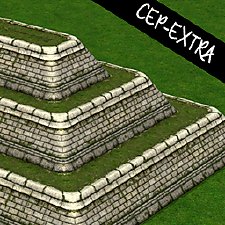
"Backyard Pyramid" [CEP-EXTRA]
by HugeLunatic 4th Feb 2016 at 10:22pm
All the pieces of the "Backyard Pyramid" set made recolorable. more...
+1 packs
8 9.2k 19 Bon Voyage
-
by HugeLunatic 20th Mar 2013 at 6:26pm
This is my round four entry from the Pleasantview Makeover last fall, designed for the Wilson family. more...
+17 packs
8 15.4k 29 Happy Holiday
 Family Fun
 University
 Glamour Life
 Nightlife
 Celebration
Open for Business
Celebration
Open for Business
 Pets
Pets
 H&M Fashion
 Teen Style
Seasons
Teen Style
Seasons
 Kitchen & Bath
Bon Voyage
Kitchen & Bath
Bon Voyage
 Free Time
 Ikea Home
 Apartment Life
Mansion and Garden
Apartment Life
Mansion and Garden
-
by HugeLunatic updated 3rd Jul 2009 at 7:36pm
FreeTime has this wonderful wall hanging quilt that looked just like one of the many blankets that my own kids more...
62
164.1k
391
-
Moroccan Door/Arch [CEP-Extra]
by HugeLunatic 14th May 2020 at 7:45pm
A few pieces from M&G Moroccan set with additional subsets and repository, to make my new add on set easier more...
+1 packs
1 4.5k 11 Mansion and Garden
-
by HugeLunatic 7th Mar 2016 at 5:35pm
Originally built for a hood, this is a really old house that could possibly be haunted. more...
7
15k
41
-
"The Inner Light" Table Lamp [CEP-EXTRA]
by HugeLunatic 3rd Oct 2012 at 4:34pm
Somewhere along the way EAxis broke the art nouveau table lamp, "The Inner Light". more...
14
26k
42
-
by HugeLunatic 24th Mar 2011 at 6:26pm
Brinley Lane was originally built for a foundation challenge. more...
 +3 packs
5 15.3k 9
+3 packs
5 15.3k 9 World Adventures
 Ambitions
 Fast Lane Stuff
-
by HugeLunatic 11th Mar 2010 at 12:24am
Simple Shower The base game simple shower, you know the square one with the horrid 70's waffley glass surrounding it? more...
113
304.8k
782
-
by HugeLunatic 23rd Nov 2007 at 2:32pm
A recolor of EarthGoddess54 Essence Dining Room. A must have set for any sim with discerning tastes. more...
-
Driveway - Sidewalk Match [Recolor]
by HugeLunatic 25th May 2013 at 4:54am
Driveway recolor to match default sidewalks. more...
+1 packs
27 37.6k 139 Nightlife


About Me
Pet Stories || Dog Agility Items? || Castaway Stories || Holy Simoly Extras
4esf Archive || Holy Simoly Archive || CEP-Extras List || Buyable Game Objects
lunie content from GoS/s2a
 Installation of CEP Extras
-the package with pfiles appended to the name will go into your cep extras folder where your game is installed (typically c drive, you do you)
-the other goes in CEP extra folder in documents.
The following locations are what I am aware of, beyond that you'll have to do some searching.
Downloads Folder:
C:\Users\<user>\Documents\EA Games\The Sims 2 Legacy
C:\Users\<user>\Documents\EA Games\The Sims 2 Ultimate Collection
With multiple launchers, the location for your game install will vary.
C:\Program Files\EA GAMES\The Sims 2 Legacy\TSData\Res\Catalog\zCEP-EXTRA
C:\Program Files\EA GAMES\The Sims 2\TSData\Res\Catalog\zCEP-EXTRA
C:\Program Files (x86)\EA GAMES\The Sims 2\TSData\Res\Catalog\zCEP-EXTRA