
 Sign in to Mod The Sims
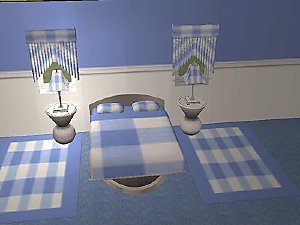
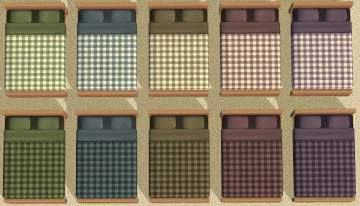
 Gingham Beddings
 Gingham Beddings

Gingham-Bedding.jpg - width=756 height=512

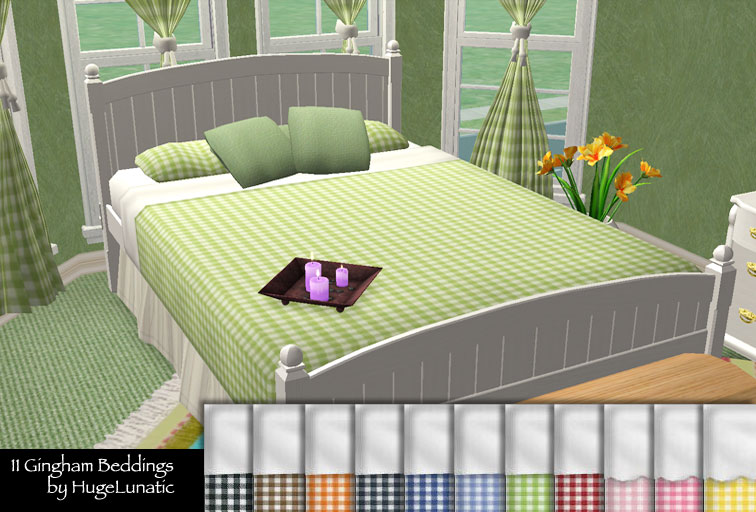
And looks great on Reyn's curtains and pillows that take there texture from bedding.
This custom content if it is not clothing, may require a seperate download to work properly. This is available at Colour Enable Package (CEP) by Numenor.
|
GinghamBedding.zip
Download
Uploaded: 27th Dec 2008, 2.23 MB.
53,980 downloads.
|
||||||||
| For a detailed look at individual files, see the Information tab. | ||||||||
Install Instructions
1. Download: Click the download link to save the .rar or .zip file(s) to your computer.
2. Extract the zip, rar, or 7z file
3. Place in Downloads Folder: Cut and paste the .package file(s) into your Downloads folder:
- Origin (Ultimate Collection): Users\(Current User Account)\Documents\EA Games\The Sims™ 2 Ultimate Collection\Downloads\
- Non-Origin, Windows Vista/7/8/10: Users\(Current User Account)\Documents\EA Games\The Sims 2\Downloads\
- Non-Origin, Windows XP: Documents and Settings\(Current User Account)\My Documents\EA Games\The Sims 2\Downloads\
- Mac: Users\(Current User Account)\Documents\EA Games\The Sims 2\Downloads
- Mac x64:
/Library/Containers/com.aspyr.sims2.appstore/Data/Library/Application Support/Aspyr/The Sims 2/Downloads
Need more information?
- For a full, complete guide to downloading complete with pictures and more information, see: Game Help: Downloading for Fracking Idiots.
- Custom content not showing up in the game? See: Game Help: Getting Custom Content to Show Up.
- If you don't have a Downloads folder, just make one. See instructions at: Game Help: No Downloads Folder.
Loading comments, please wait...


Uploaded: 27th Dec 2008 at 8:01 PM
Updated: 14th Mar 2009 at 1:06 AM
-
-
by Chance2003 17th Jun 2006 at 1:00am
-
by Chance2003 18th Jun 2006 at 9:02pm
-
by Chance2003 20th Jun 2006 at 8:16am
-
-
-
-
-
by HugeLunatic 12th Jan 2009 at 4:19pm
-


-
by HugeLunatic 9th Aug 2009 at 1:32am
No surprise the first thing I had to try and make was a build mode object, and a matching item more...
 54
94.9k
159
54
94.9k
159
-
Step Into A World - Open Underneath
by HugeLunatic updated 20th Sep 2020 at 7:43pm
These are for shastakiss, who wanted a recolorable open underneath version of these slaved to my Recolorable Shinto Stairs . more...
 +1 packs
19 24.3k 54
+1 packs
19 24.3k 54 Bon Voyage
-
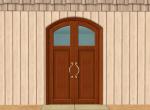
by HugeLunatic 15th Sep 2020 at 9:24pm
A few doors that I wanted for my game, one with the inset a quarter solid, three quarter solid, and more...
10
9.1k
34
-

by HugeLunatic 26th Jun 2020 at 12:33pm
While recoloring this door I found that it contained a single subset, and I like my frames/doors separated. more...
+1 packs
8 5.8k 10 University
-
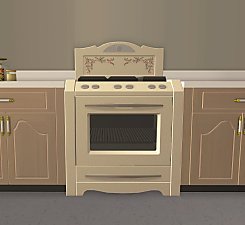
by HugeLunatic 7th Feb 2023 at 7:23pm
+1 packs
5 5.5k 21 Seasons
-
by HugeLunatic 23rd Mar 2011 at 4:18pm
I can live with the ugly glass (mostly), especially when I'm building a lot to share since I'm severely lazy more...
-
by HugeLunatic 6th Jun 2019 at 9:53pm
This is a recreation of a dorm from Let's Play The Sims 2 with Mods and CC, Part 49 ~ more...
+17 packs
9 9.6k 21 Happy Holiday
 Family Fun
University
Family Fun
University
 Glamour Life
 Nightlife
 Celebration
 Open for Business
 Pets
Pets
 H&M Fashion
 Teen Style
Seasons
Teen Style
Seasons
 Kitchen & Bath
Bon Voyage
Kitchen & Bath
Bon Voyage
 Free Time
 Ikea Home
 Apartment Life
 Mansion and Garden
-
-
by HugeLunatic 15th Nov 2014 at 3:56am
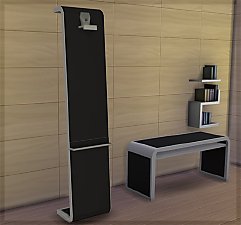
A basic modern easel, designed to match the desk "The Recognizer" in game, but will work in more...
 57
65.1k
331
57
65.1k
331
-
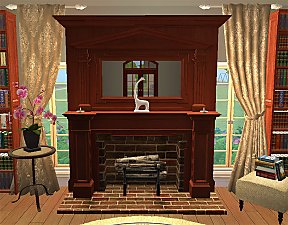
Colonial Fireplace - TS3 Conversion
by HugeLunatic updated 8th Jul 2021 at 1:57pm
A friend had asked if this fireplace from TS3 could be converted to TS2, and well with something involving fireplaces more...
40
94.1k
192


About Me
Pet Stories || Dog Agility Items? || Castaway Stories || Holy Simoly Extras
4esf Archive || Holy Simoly Archive || CEP-Extras List || Buyable Game Objects
lunie content from GoS/s2a
 Installation of CEP Extras
-the package with pfiles appended to the name will go into your cep extras folder where your game is installed (typically c drive, you do you)
-the other goes in CEP extra folder in documents.
The following locations are what I am aware of, beyond that you'll have to do some searching.
Downloads Folder:
C:\Users\<user>\Documents\EA Games\The Sims 2 Legacy
C:\Users\<user>\Documents\EA Games\The Sims 2 Ultimate Collection
With multiple launchers, the location for your game install will vary.
C:\Program Files\EA GAMES\The Sims 2 Legacy\TSData\Res\Catalog\zCEP-EXTRA
C:\Program Files\EA GAMES\The Sims 2\TSData\Res\Catalog\zCEP-EXTRA
C:\Program Files (x86)\EA GAMES\The Sims 2\TSData\Res\Catalog\zCEP-EXTRA