
 Sign in to Mod The Sims
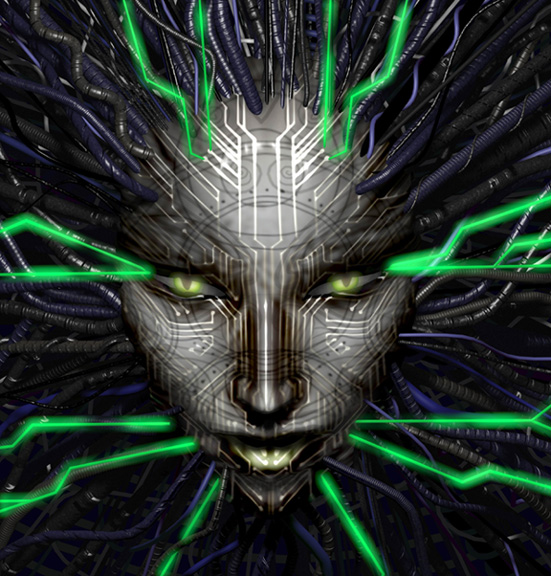
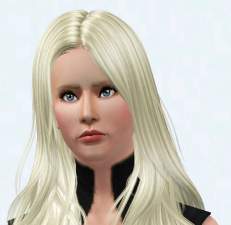
 SHODAN from System Shock
 SHODAN from System Shock


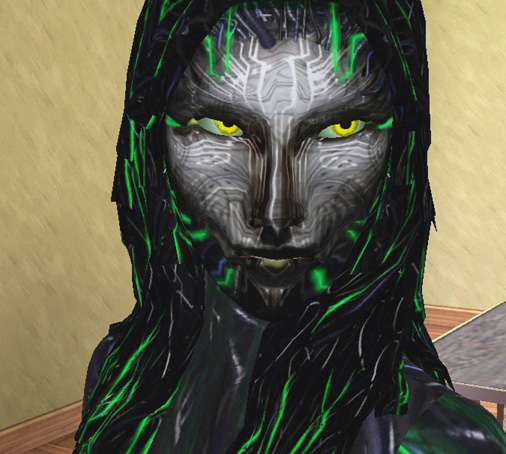
SHODAN closeup1.jpg - width=506 height=454
shodan_render.jpg - width=551 height=576
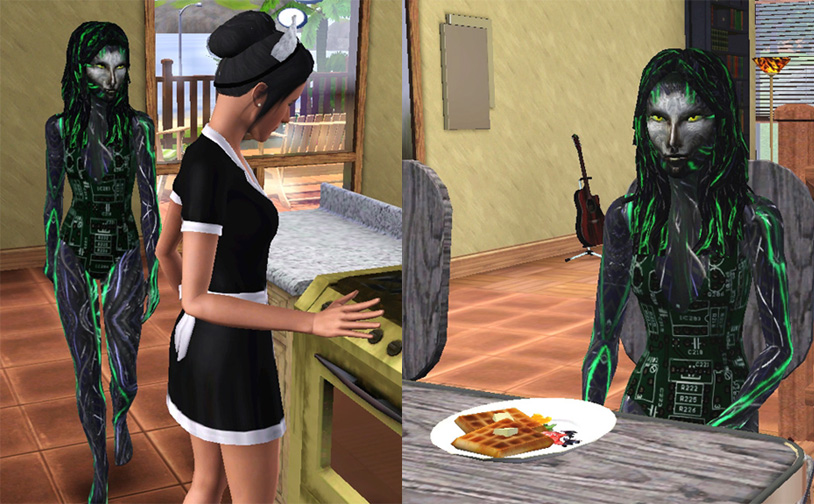
SHODAN in the kitchen.jpg - width=814 height=504
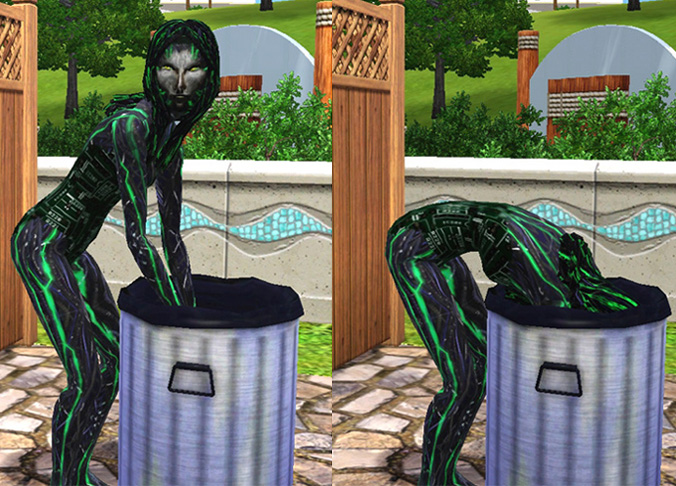
SHODAN garbage x 2.jpg - width=676 height=486
SHODAN in-game.jpg - width=648 height=433
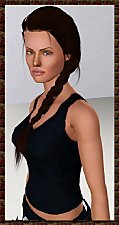
Creating this Sim was an adventure in hair-tearing trial and error, and I hope you’ll find her a good representation. Her clothing/‘skin’ remains the same for all categories, except that in Athletic I added a pair of girly training shoes as I thought it looked cute and funny.
Traits: Insane, Evil, Ambitious, Mean Spirited, Computer Whiz. She will be found in the Adult (not Young Adult) sim bin in CAS.
'Wash that oven well, Insect! I want it so shiny that I can see my magnificent face reflected in it, after I finish enjoying my waffles of evil.'
Even terrifying supervillainesses can fall upon hard times in the Credit Crunch:
ISSUES: While bathing, she changes to default green skin and black hair with white highlights (I have no idea why hair colour would change when bathing??), but changes back automatically when finished. Her face is made with the ‘tiger’ costume mask, which DOES stay on in the bath. If you should happen to remove the mask, it will default back to the ‘tiger’ colours when you re-apply it. If so, go into the colour editing screen for the mask and set the three colours to white. Similar applies if you happen to change her hair - in the hair colour screen, set her custom hair's main colour to black and the rest to white.
As well as a .sim file, three package files are also included which you need to install in Mods/Packages in order for her clothes, face and hair to show up in your game.
INSTALL INSTRUCTIONS:
Unzip the .zip file, and you'll have four files, one of which file ends in .sim. Simply copy the .sim file to your 'Saved Sims' folder which is in your Documents folder under Electronic Arts\The Sims 3\SavedSims, then copy the three .package files to your Mods\Packages folder.
If you don't have a Mods\Packages folder and/or don't know how to install .package files, please see full instructions here: http://www.modthesims.info/wiki.php...g_Package_Files
Thanks for looking and I hope you'll find SHODAN an interesting addition to your game!
Custom Content by Me:
- SHODAN face
- SHODAN hair
- SHODAN skin and costume
~All custom content was made with the brilliant CAS Texture Unitool by Delphy
~Thank you to the MTS mods for their helpful suggestions for improving my previous submission of this Sim!
|
MTS_SHODAN_ByEsmeraldaF.zip
| Updated 3/1/10, just a few categorisation issues - clothes should now appear in CAS and are also enabled for Elder
Download
Uploaded: 22nd Jul 2009, 4.28 MB.
11,204 downloads.
|
||||||||
| For a detailed look at individual files, see the Information tab. | ||||||||
Install Instructions
1. Click the filename or the download button to download the sim to your computer.
2. Extract the zip, rar, or 7z file.
2. Select the .sim file you got from extracting.
3. Cut and paste it into your Documents\Electronic Arts\The Sims 3\SavedSims folder. If you do not have this folder yet, it is recommended that you open the game, enter Create-a-Sim, and save a sim to the sim bin to create this folder, rather than doing so manually. After that you can close the game and put the .sim file in SavedSims
4. Once the .sim file is in SavedSims, you can load the game, and look for your sim in the premade sims bin in Create-a-Sim.
Extracting from RAR, ZIP, or 7z: You will need a special program for this. For Windows, we recommend 7-Zip and for Mac OSX, we recommend Keka. Both are free and safe to use.
Need more help?
If you need more info, see Game Help:Installing TS3 Simswiki for a full, detailed step-by-step guide! Special Installation Instructions
- If you get an error that says "This content requires expansion pack data that is not installed", please use Clean Installer to install this sim.
Loading comments, please wait...
Uploaded: 22nd Jul 2009 at 11:22 PM
Updated: 6th Feb 2015 at 9:56 AM - Just minor changes to text
-
-
-
by whoden 24th Aug 2009 at 12:26am
 11
21.6k
11
11
21.6k
11
-
-
-
-
by Arisuka 10th Sep 2010 at 11:45pm
19
40.2k
28
-
-
-
Zeiwu Zeruik, Alien Mastermind
by Callia-Evergreen 17th Jul 2014 at 6:07pm


-
Medieval Dining Table and Chairs - Sims 2 Conversion
by Esmeralda updated 20th Oct 2011 at 6:09pm
UPDATE 19th OCTOBER 2011: Updated with new file fixed to work with patch 1.26/Pets, thanks to Grant Hess's RigFix. more...
-
Crystal Ball PC for Fantasy Sims
by Esmeralda updated 19th Dec 2017 at 5:20pm
Crystal Ball PC for Fantasy Sims more...
 29
45.3k
168
29
45.3k
168
-
-
5 EA Glasses with Recolourable Lenses for Teen to Elder
by Esmeralda 10th Aug 2012 at 8:48pm
5 EA Glasses and Sunglasses with Recolourable Lenses for Teen to Elder more...
27
42k
109
-
-
Sittable Motorcycle - TS3 conversion
by Esmeralda updated 22nd Sep 2015 at 11:50am
Sittable Motorcycle - TS3 conversion more...
48
158.1k
138
-
2 Different Colour Eyes - Male and Female, Teen to Elder **UPDATE: NEW IMPROVED TEXTURE!**
by Esmeralda updated 2nd May 2012 at 4:58pm
UPDATE 21 JANUARY 2012: I finally made myself take a tutorial on creating realistic eye textures and made my own more...
-
Sims 2 Plantsim Hair - Adults, Elders, Teens, Children
by Esmeralda 14th Dec 2014 at 4:17pm
Sims 2 Plantsim Hair Conversion - All Ages more...
14
37.9k
96
-
The Sims 2 Upright Saloon Piano - UPDATE: 8 new plain textures
by Esmeralda updated 2nd Apr 2016 at 6:15pm
The Sims 2 Upright Saloon Piano more...
45
41.4k
182
-
MaxoidMonkey's Alienware PC - TS4 Version
by Esmeralda updated 9th Mar 2015 at 2:07pm
MaxoidMonkey's Alienware PC - TS4 Version more...
37
46.8k
202

About Me
MY POLICY: I'm easygoing, please just don't copy my creations or claim them to be your own work. You may include my creations with your sims or lots, just credit me with a link back to the item.