
 Sign in to Mod The Sims
 Madame Dal's House of Dance: Part 2 of 2 (UPDATED)
 Madame Dal's House of Dance: Part 2 of 2 (UPDATED)


MDHD2-1.jpg - width=883 height=768
MDHD2-2.jpg - width=890 height=768
MDHD2-3.jpg - width=419 height=768
MDHD2-4.jpg - width=482 height=768
MDHD2-5.jpg - width=308 height=768
MDHD2-6.jpg - width=487 height=768
MDHD2-7.jpg - width=755 height=768
MDHD2-8.jpg - width=481 height=693
LGP-stage-2.jpg - width=827 height=753

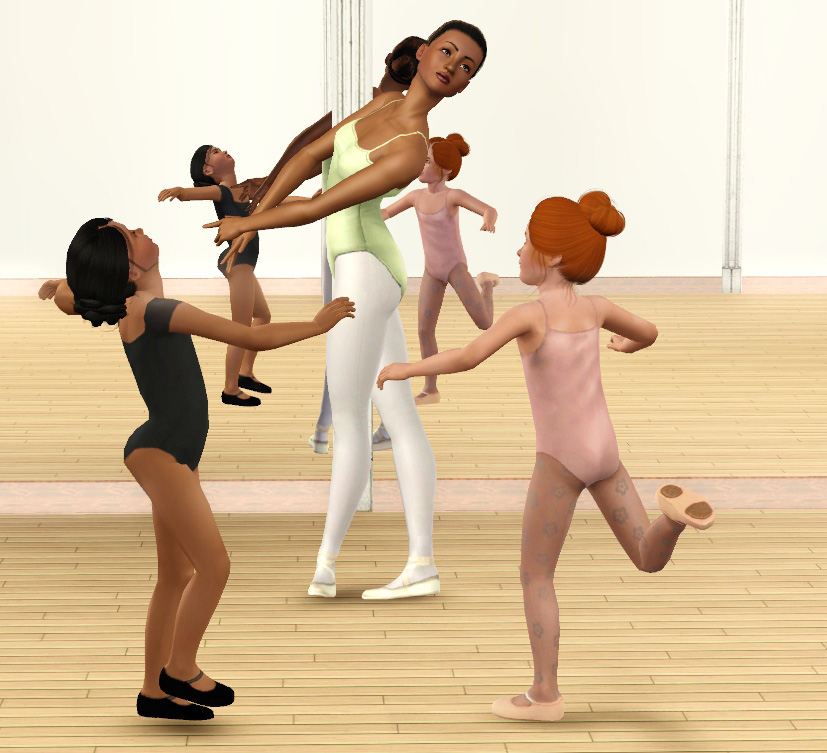
Part two of Madame Dal's ballet set is for the children! This set includes 3 leotards in a similar fashion as the adult versions.
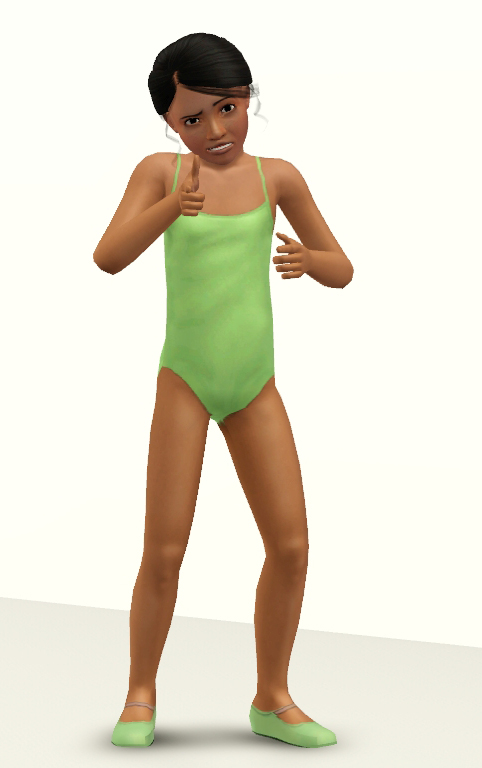
Each leotard is only one channel and is found in everyday, swimwear and athletic. These, too, have an accessory counterpart that can be layered under clothing. The accessories are categorized as bracelets because it's the most unused slot in my opinion. Paired with a nude top (see below), you can give your little girl that "on the way to practice" look.
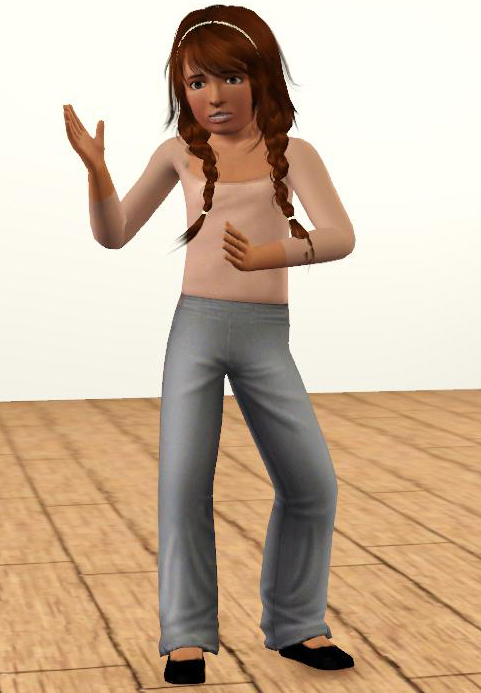
The pants are not included. They're just used as an example of how to layer the leotards. If you want the pants, visit LiliSims
Also I made a ballet shoe, custom mesh, because the game surprisingly does not have ballet flats for girls....*eye roll*
The slippers have three channels: the main shoe, the straps and the bottom treads. The slippers are a modified mesh of the Mary Janes, so you can see a bit of the heel seam on the bottom. However it's not *too* bad.
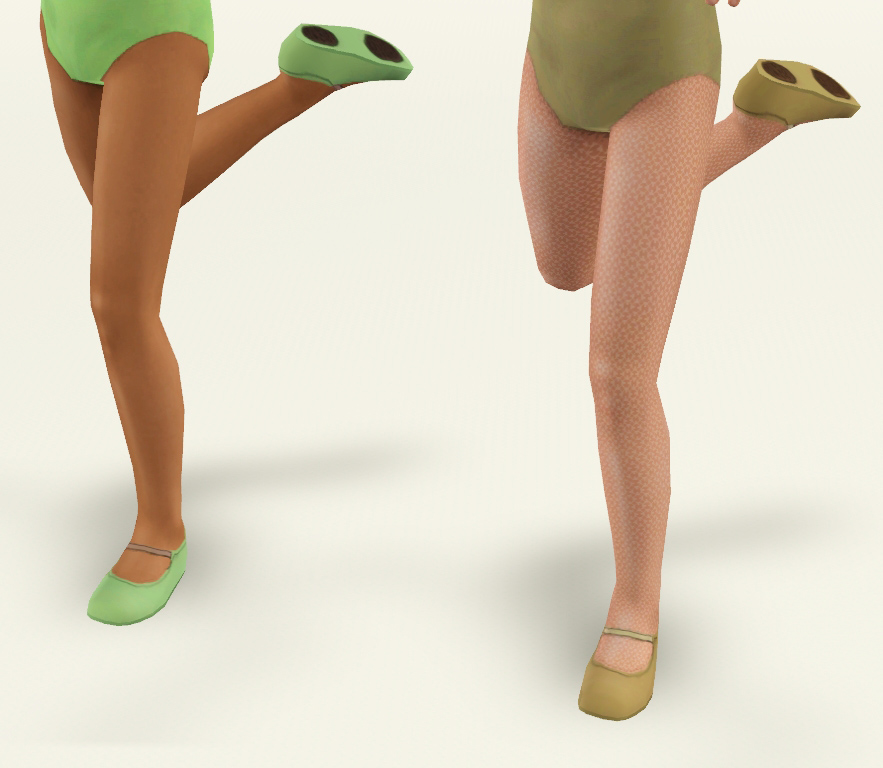
They're found in everyday, formal and athletic!
I hope you enjoy the set!

Polygon Counts:
Ballet Flats
464
Additional Credits:
-Tan Child Hair -> TumTum
-Red head child hair -> Peggy 231 conversion by Robodl95
-Brunet child hair -> Anto 86 conversion by Robodl95
-All tights are either EA or from LiliSims
Poses Used:
-Fun Kid Pose Pack by traelia
-Ballet Pose Set 1 by thanhmabo
This is a new mesh, and means that it's a brand new self contained object that usually does not require a specific Pack (although this is possible depending on the type). It may have Recolours hosted on MTS - check below for more information.
|
CF_BalletLeotards_ACCESSORY.rar
Download
Uploaded: 24th Oct 2010, 367.0 KB.
22,378 downloads.
|
||||||||
|
CF_BalletFlats.rar
Download
Uploaded: 24th Oct 2010, 98.0 KB.
25,912 downloads.
|
||||||||
|
CF_BalletLeotards_OUTFIT.rar
Download
Uploaded: 24th Oct 2010, 375.0 KB.
27,435 downloads.
|
||||||||
| For a detailed look at individual files, see the Information tab. | ||||||||
Install Instructions
1. Click the download button, or the filename, to download the file to your computer.
2. Extract the zip, rar, or 7z file. Now you will have either a .package or a .sims3pack file.
For Package files:
1. Cut and paste the file into your Documents\Electronic Arts\The Sims 3\Mods\Packages folder. If you do not already have this folder, you should read the full guide to Package files first: Sims 3:Installing Package Fileswiki, so you can make sure your game is fully patched and you have the correct Resource.cfg file.
2. Run the game, and find your content where the creator said it would be (build mode, buy mode, Create-a-Sim, etc.).
For Sims3Pack files:
1. Cut and paste it into your Documents\Electronic Arts\The Sims 3\Downloads folder. If you do not have this folder yet, it is recommended that you open the game and then close it again so that this folder will be automatically created. Then you can place the .sims3pack into your Downloads folder.
2. Load the game's Launcher, and click on the Downloads tab. Find the item in the list and tick the box beside it. Then press the Install button below the list.
3. Wait for the installer to load, and it will install the content to the game. You will get a message letting you know when it's done.
4. Run the game, and find your content where the creator said it would be (build mode, buy mode, Create-a-Sim, etc.).
Extracting from RAR, ZIP, or 7z: You will need a special program for this. For Windows, we recommend 7-Zip and for Mac OSX, we recommend Keka. Both are free and safe to use.
Need more help?
If you need more info, see:
- For package files: Sims 3:Installing Package Fileswiki
- For Sims3pack files: Game Help:Installing TS3 Packswiki
Loading comments, please wait...


Uploaded: 24th Oct 2010 at 11:49 PM
Updated: 26th May 2011 at 7:19 AM
-
-
-
-
-
-
-
-
-
Madame Dal's House of Dance: Part 1 of 2 (UPDATED)
by daluved1 24th Oct 2010 at 11:48pm
 40
161.8k
319
40
161.8k
319
Female » Mixed Sets » Adult
-
Harajuku Decora Outfit for Children
by sweetdevil 30th Apr 2021 at 5:01pm
19
13k
64
Female » Mixed Sets » Child

-
-
Medieval Baby Blanket Default Replacements - Ye Olde Kingdom of Pudding
by The Merrye Makers 29th Jan 2012 at 1:25pm
Two options for medieval baby blanket default replacements made by Daluved1 for The Merrye Makers. more...
-
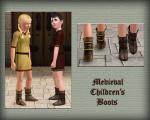
Medieval Shoes for Boys and Girls CAS - Ye Olde Kingdom of Pudding
by The Merrye Makers 14th Jul 2013 at 4:46am
This time, our shoemaker only bring boots for children. After all, our boys and girls can not walk barefoot through the kingdom. more...
-
-
-
Painted Dinnerware: Default Replacements (Set 1 of 3)
by daluved1 27th Nov 2010 at 8:41pm
Spice up your sims dining experience! more...
21
29.8k
52
-
-
-
-
About Me
Because my policy is really inconsistent on my uploads, I've decided to make an official policy! So whatever you see here on my profile is my current policy. You may disregard any ''policy'' information you see on the actual upload itself.
-You may use my creations with sims
-You may use my objects with lots.
-You may retexture my meshes.
-You may include my meshes with retextures.
-You may NOT upload my creations with sims
-You may NOT upload my objects with lots.
-You may NOT upload my creations to paysites.
-You may NOT upload my creations to the exchange.
-Always credit me with a link
-I do NOT take requests!