
 Sign in to Mod The Sims
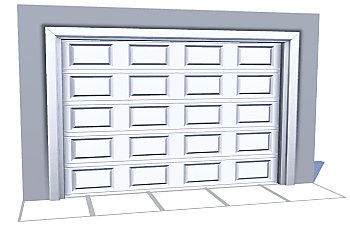
 The Smaller Closure Door
 The Smaller Closure Door


closureGarageSmall.jpg - width=512 height=512
closureGarageSmall01.jpg - width=1024 height=640
closureGarageSmall02.jpg - width=1024 height=640
closureGarageSmall03.jpg - width=1024 height=640
closureGarageSmall04.jpg - width=512 height=511

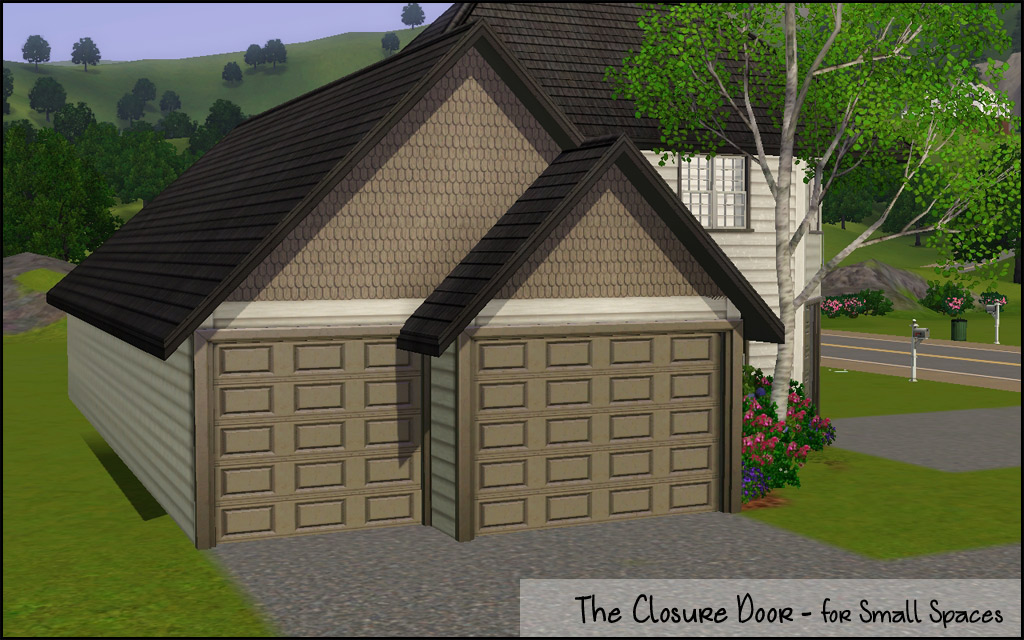
The Technical Bits
- Channels 2 (door/frame)
- §550
- Build/Doors
- Has diagonal
- Has all the same presets as EA 4-tile door
...now where is that ice pack...
Polygon Counts:
High - 1850
Low - 1009
This is a new mesh, and means that it's a brand new self contained object that usually does not require a specific Pack (although this is possible depending on the type). It may have Recolours hosted on MTS - check below for more information.
|
HL_GarageDoorSmall.rar
Download
Uploaded: 26th Feb 2011, 1.19 MB.
32,716 downloads.
|
||||||||
| For a detailed look at individual files, see the Information tab. | ||||||||
Install Instructions
1. Click the download button, or the filename, to download the file to your computer.
2. Extract the zip, rar, or 7z file. Now you will have either a .package or a .sims3pack file.
For Package files:
1. Cut and paste the file into your Documents\Electronic Arts\The Sims 3\Mods\Packages folder. If you do not already have this folder, you should read the full guide to Package files first: Sims 3:Installing Package Fileswiki, so you can make sure your game is fully patched and you have the correct Resource.cfg file.
2. Run the game, and find your content where the creator said it would be (build mode, buy mode, Create-a-Sim, etc.).
For Sims3Pack files:
1. Cut and paste it into your Documents\Electronic Arts\The Sims 3\Downloads folder. If you do not have this folder yet, it is recommended that you open the game and then close it again so that this folder will be automatically created. Then you can place the .sims3pack into your Downloads folder.
2. Load the game's Launcher, and click on the Downloads tab. Find the item in the list and tick the box beside it. Then press the Install button below the list.
3. Wait for the installer to load, and it will install the content to the game. You will get a message letting you know when it's done.
4. Run the game, and find your content where the creator said it would be (build mode, buy mode, Create-a-Sim, etc.).
Extracting from RAR, ZIP, or 7z: You will need a special program for this. For Windows, we recommend 7-Zip and for Mac OSX, we recommend Keka. Both are free and safe to use.
Need more help?
If you need more info, see:
- For package files: Sims 3:Installing Package Fileswiki
- For Sims3pack files: Game Help:Installing TS3 Packswiki
Loading comments, please wait...


Uploaded: 26th Feb 2011 at 8:12 PM
Updated: 1st Feb 2012 at 8:21 PM
#garage door, #3 tile, #small, #maxis match, #ea match
-
by Lisen801 7th Oct 2010 at 7:27pm
 17
57.4k
151
17
57.4k
151
-
by Lisen801 updated 27th May 2012 at 1:06pm
63
91k
256
-
by Lisen801 updated 29th May 2012 at 10:09am
16
43k
145
-
-
Medieval Centred Leadlight Door - Ye Olde Kingdom of Pudding
by The Merrye Makers 28th Jan 2012 at 9:31pm
13
44.9k
119
-
-
by Brunnis-2 13th Sep 2018 at 11:25pm
12
29.3k
23
-
-
Sunset Valley updated for EPs. [No CC, EA Match lots]
by scoopy_loopy 30th Jul 2022 at 10:30am
+9 packs
16 46.3k 103 World Adventures
 Ambitions
 Late Night
 Generations
 Pets
Pets
 Showtime
 Supernatural
 Seasons
 University Life
Miscellaneous » Neighborhoods & CAS Screens » Neighbourhoods and Worlds
-


-
by HugeLunatic updated 30th Mar 2025 at 5:03pm
The small mammal containment now with two subsets! more...
 +1 packs
4 7.2k 22
+1 packs
4 7.2k 22 Pets
Pets
-
by HugeLunatic 18th Nov 2016 at 9:40pm
I prefer a small plot of dirt for my gardens, rather than a whole tile. more...
+1 packs
15 20.4k 67 Seasons
-
by HugeLunatic 4th Oct 2013 at 3:25pm
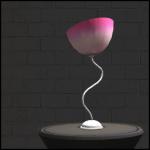
In my latest round for the "It Takes A Village" contest I needed a table lamp to match a ceiling more...
+1 packs
9 9.9k 21 Teen Style
-
by HugeLunatic 7th Mar 2010 at 5:45pm
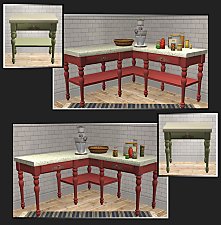
I found a counter at Garden Breeze that I loved. more...
-
by HugeLunatic updated 5th May 2024 at 11:14pm
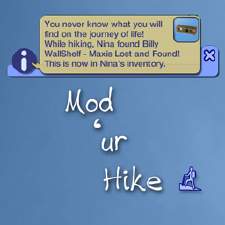
Customize the objects found when sims go on a hike. You can use any Maxis or cc content. more...
+1 packs
17 14.5k 26 Free Time
-

by HugeLunatic 30th Oct 2022 at 8:13pm
+1 packs
3 2.1k 9 Nightlife
-
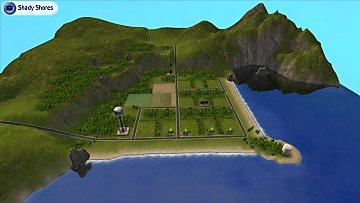
by Hood Building Group updated 22nd Aug 2015 at 9:00pm
A small chaotic inhabited neighborhood with a mystery bigger than it's size! more...
-
by HugeLunatic 20th Jan 2014 at 4:54pm
Just had an urge to make something different, and picked a random category from the game to make something new. more...
15
12.7k
17
-
Old World Large Window [CEP-EXTRA]
by HugeLunatic 3rd Feb 2014 at 6:45pm
The two-tile bohemian window from AL only had a single subset, so you could only match the wood portion to more...
+1 packs
5 17k 44 Apartment Life
-
"More Degrees" with Less Panes
by HugeLunatic 18th Sep 2012 at 6:54am
A couple of add on windows for the M&G Art Deco series. more...
+1 packs
12 18.9k 32 Mansion and Garden


About Me
Pet Stories || Dog Agility Items? || Castaway Stories || Holy Simoly Extras
4esf Archive || Holy Simoly Archive || CEP-Extras List || Buyable Game Objects
lunie content from GoS/s2a
 Installation of CEP Extras
-the package with pfiles appended to the name will go into your cep extras folder where your game is installed (typically c drive, you do you)
-the other goes in CEP extra folder in documents.
The following locations are what I am aware of, beyond that you'll have to do some searching.
Downloads Folder:
C:\Users\<user>\Documents\EA Games\The Sims 2 Legacy
C:\Users\<user>\Documents\EA Games\The Sims 2 Ultimate Collection
With multiple launchers, the location for your game install will vary.
C:\Program Files\EA GAMES\The Sims 2 Legacy\TSData\Res\Catalog\zCEP-EXTRA
C:\Program Files\EA GAMES\The Sims 2\TSData\Res\Catalog\zCEP-EXTRA
C:\Program Files (x86)\EA GAMES\The Sims 2\TSData\Res\Catalog\zCEP-EXTRA