
 Sign in to Mod The Sims
 IT'S CLEAN-UP SEASON!! - Keep your Downloads folder in order!
 IT'S CLEAN-UP SEASON!! - Keep your Downloads folder in order!


Structure.jpg - width=937 height=744
Thumbnail.jpg - width=325 height=225

IT'S CLEANUP SEASON!!
Shiny pre-made folders with sub-folders for different situations!!

THE KEEPERS-KICKERS
Folder ready with Subfolders!!
Keep your favourite items for years to come, in tidy back-ups! And kick whatever you don't really like.
- Stuff you love, that you'll want to have in all your games, present and future
- Stuff you want to share
- Stuff you might use in your uploads (if you're a creator)
- Stuff you're not sure you'll like
- Buggy stuff, stuff with parts missing or misbehaving.
** If you have buggy stuff that needs fixing or testing, view the Game Help section of MTS
http://www.modthesims.info/wiki.php?title=Game_Help
** You shouldn't be running the game while you do this.
i) DON'T put it in your game folders. Keep this on your computer desktop or somewhere else OTHER THAN your game folders.
ii) Depending how much content you wish to keep, you can burn this on CDs or DVDs for a back-up of your favourite downloaded content.
1- Identify in your current Downloads folder the CC you wish to keep.
2- Open the folder called "KEEPERS-KICKERS". Put all the content you can identify in the according folders within this one. There's those you keep, those you still need to test (look at, and decide if it's funny, pretty or what), and those you'll kick. There is subfolders for each category of items.
3- Subfolders are divided by the Type of content each item is. If that's too much micro-management for you, delete all subfolders except "Bodyshop" and "Non-Bodyshop" and divide your stuff accordingly to that criteria only. It will still save you some time in case you need to go bug-hunting.
4- If you still have unidentifiable content, you can try sorting it out by running Sims2Pack Clean Installer and looking at the Type column to identify what kind of content it is.
TIDY-DOWNLOADS-FOLDER
Ready with Subfolders!!
Tidy-up your pile of Downloads without any extra program!
- New players installing the game for the first time
- Experienced players wanting a tidier Downloads folder without installing new programs
- People formatting their computer and reinstalling everything tidierly
- Easier to decide where to put stuff, easier to retrieve stuff later
- Subfolders identical to the sub-categories in Sims2Pack Clean Installer, for an easy sorting of files.
** You shouldn't be running the game while you do this.
1- Put your current Downloads folder on your Computer Desktop or some other place where it will be easy to find, NOT among your game files.
2- Open the folder called "TIDY-DOWNLOADS-FOLDER". Put all the content you can identify in the according folders within this one.
3- Subfolders are divided by the Type of content each item is. If that's too much micro-management for you, delete all subfolders except "Bodyshop" and "Non-Bodyshop" and divide your stuff accordingly to that criteria only. It will still save you some time in case you need to go bug-hunting.
4- If you have unidentifiable content, you can try sorting it out by running Sims2Pack Clean Installer and looking at the Type column to identify what kind of content it is.
5- If Clean Installer is unable to identify the content, and the name of the item doesn't help, the TIDY-DOWNLOADS-FOLDER has a subfolder called UNIDENTIFIED-No-Idea. You can put all your unknown files there.
If you forget how to manage this, you can download the file 'Information.zip' it contains the entire text of this post.
That's it! I hope this helps you keep your Downloads folder in order!

Have a good day.
Thanks to the creators of Sims2Pack Clean Installer, which makes sorting out content and installing it, sooo much easier for everyone!
|
Information.zip
Download
Uploaded: 23rd Jan 2015, 1.5 KB.
1,889 downloads.
|
||||||||
|
Tidy-Downloads-Folder.zip
Download
Uploaded: 23rd Jan 2015, 253.6 KB.
3,458 downloads.
|
||||||||
|
Keepers-Kickers.zip
Download
Uploaded: 23rd Jan 2015, 277.4 KB.
2,535 downloads.
|
||||||||
| For a detailed look at individual files, see the Information tab. | ||||||||
Install Instructions
1. Download: Click the download link to save the .rar or .zip file(s) to your computer.
2. Extract the zip, rar, or 7z file.
3. Place in Downloads Folder: Cut and paste the .package file(s) into your Downloads folder:
- Origin (Ultimate Collection): Users\(Current User Account)\Documents\EA Games\The Sims™ 2 Ultimate Collection\Downloads\
- Non-Origin, Windows Vista/7/8/10: Users\(Current User Account)\Documents\EA Games\The Sims 2\Downloads\
- Non-Origin, Windows XP: Documents and Settings\(Current User Account)\My Documents\EA Games\The Sims 2\Downloads\
- Mac: Users\(Current User Account)\Documents\EA Games\The Sims 2\Downloads
- Mac x64: /Library/Containers/com.aspyr.sims2.appstore/Data/Library/Application Support/Aspyr/The Sims 2/Downloads
- For a full, complete guide to downloading complete with pictures and more information, see: Game Help: Downloading for Fracking Idiots.
- Custom content not showing up in the game? See: Game Help: Getting Custom Content to Show Up.
- If you don't have a Downloads folder, just make one. See instructions at: Game Help: No Downloads Folder.
Loading comments, please wait...


 View with Names
Uploaded: 23rd Jan 2015 at 2:02 PM
Updated: 25th Jul 2018 at 12:06 PM
#Clean-up season, #folders, #subfolders, #tidy, #downloads folder
-

OUTDATED: The "CEP" (Color Enable Packages) - V. 2.0 - 14-MAR-2005
by Numenor 31st Dec 2004 at 2:52am
 637
359.2k
7
637
359.2k
7
-
by Tashiketh updated 14th Jan 2005 at 2:11pm
160
418k
154
-
-
The SCRIPTORIUM: v. 2.2f (BugFix + Radiance 2.4)
by Numenor updated 30th Apr 2009 at 2:31pm
658
1.1m
1.3k
-
-
by cabinaero updated 23rd Nov 2008 at 5:22am
15
31.1k
11
-
-
-
-





-


by billielith updated 6th Aug 2012 at 10:05pm
Ancient Navigation is the art of setting sails on the high seas, like in ancient times. more...
+1 packs
17 20.9k 20 University
-


No Valentine stubble - add a new age group to your game
by billielith 29th Mar 2012 at 5:13pm
Nice stubble for sexy greying adult sims or many other sim. Irritable male syndrome not included. more...
47
49.3k
78
-

Brave Birds :: AMON - Beautiful Bird Sim
by billielith updated 28th Feb 2025 at 9:20pm
-
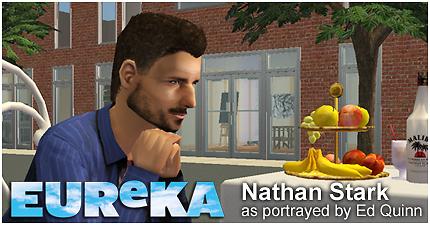
Handsome Actor Ed Quinn, Portraying 3 TV Series' Characters
by billielith 21st Mar 2016 at 6:15am
...as seen in the TV series Eureka, CSI:NY and True Blood. more...
+2 packs
13 21.4k 11 Nightlife
 Open for Business
-


Stella Bonasera (Melina Kanakaredes)
by billielith 15th Apr 2015 at 7:11am
The beautiful Greek woman from CSI:NY! Mac's partner against crime for six seasons in the series. more...
9
12.1k
4
-

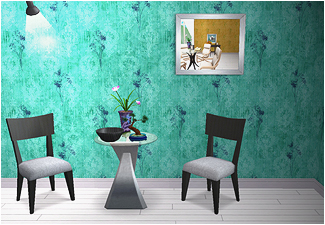
Dizzy Meets Sepia - Chic Wallpapers
by billielith updated 9th Dec 2021 at 4:10am
Chic wallpapers in aqua, red and purple. White wood floor... or not. more...
2
8.2k
10
-
by billielith 23rd Apr 2012 at 11:49am
Bring a personal touch to any sim with them. Find them in your Blush palette. more...
29
65.6k
154
-
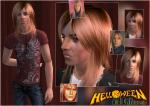
Andi Deris - Frontman of the band Helloween (requested)
by billielith 10th Jul 2014 at 12:09am
A German singer and songwriter, best known as the lead vocalist of power metal band Helloween. more...
9
16k
11
-

by billielith updated 8th Oct 2021 at 4:31pm
https://thumbs.modthesims.info/getimage.php?file=2041719 EARTHBOUND - RADIO STATION Requires Freetime Hi all! more...
+1 packs
2 2.8k 8 Free Time
-

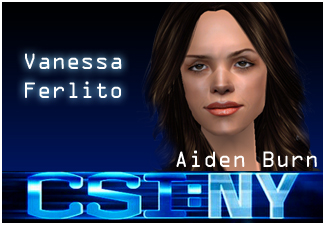
by billielith 28th Apr 2015 at 4:07am
The sexy young woman from the early seasons of CSI:NY. more...
+1 packs
6 9.7k 5 Nightlife



Packs Needed
| Expansion Pack | |
|---|---|
| Nightlife |
About Me
Exception : Sepia (my first upload), no credit or link necessary
If you wish to repost my sims, ask first.
If the sim is a sim of you, or a character owned by you, you can repost it at will, with credit + link.
If you want to use my content for unrelated projects, ask first.
In any doubt, ask me.