
 Sign in to Mod The Sims
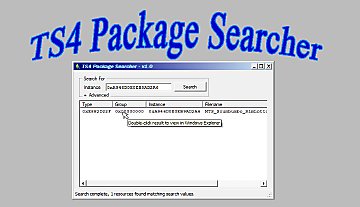
 TS4 Package Searcher - update 4/22/2020
 TS4 Package Searcher - update 4/22/2020


TS4PS1.jpg - width=864 height=572
Find a specific resource
TS4PS2.jpg - width=865 height=571
Search by type
TS4PS3.jpg - width=1244 height=775
Copy and paste a TGI (aka RK) to/from s4pe
Although it can be used alone, the tool is designed to easily interface with s4pe. You can double-click one of the game packages your search has found, and it will open in s4pe. (Assuming you have s4pe and have it associated with the .package extension. If not, you'll get the standard Windows dialog asking you what program to open the file with.) You can also easily copy a TGI from an s4pe display and paste it into the Package Searcher; and copy a TGI from the Package Searcher and paste it into the s4pe filters using the 'Paste RK' button.
The latest s4pe release can be found here: https://github.com/s4ptacle/Sims4Tools/releases/
s4pi is used for package handling, source can be found here: https://github.com/s4ptacle/Sims4Tools/tree/develop
Updates:
4/22/2020: Replaced Windows' sucky folder browser in the Settings screen.
Additional Credits:
Many thanks to Inge Jones and Plasticbox for requesting this tool, and for several useful suggestions.
|
TS4PackageSearcherV1.0.0.4source.zip
| Source files, not needed to use the tool
Download
Uploaded: 22nd Apr 2020, 35.0 KB.
1,073 downloads.
|
||||||||
|
TS4PackageSearcher_1_0_0_4.zip
| Unzip and run TS4PackageSearcher.exe
Download
Uploaded: 22nd Apr 2020, 151.9 KB.
2,132 downloads.
|
||||||||
| For a detailed look at individual files, see the Information tab. | ||||||||
Install Instructions
1. Download: Click the File tab to see the download link. Click the link to save the .rar or .zip file(s) to your computer.
2. Extract: Use 7zip (Windows) to extract the file(s) from the .rar or .zip file(s).
3. Cut and paste the file(s) into your Mods folder
Need more information?
- My Documents\Electronic Arts\The Sims 4\Mods\
- Anyone can use both .rar and .zip files easily! On Windows, use 7zip!
- If you don't have a Mods folder, just make one.
Loading comments, please wait...



Uploaded: 23rd Feb 2016 at 12:57 AM
Updated: 22nd Apr 2020 at 6:42 PM
-
by scumbumbo updated 8th Dec 2018 at 12:51am
 119
123.3k
172
119
123.3k
172
-
-
TS4 Package Conflict Detector - WINDOWS ONLY
by scumbumbo updated 11th Dec 2017 at 11:39pm
181
167.4k
545
-
-
-
by denton47 updated 15th Feb 2026 at 7:37am
299
71.3k
80
-
-
by MatroSka updated 13th Dec 2021 at 12:16pm
9.3k
10
-
-



-


Male pregnancy morphs - V3, 12/21/2012 - Seasons compatible
by CmarNYC updated 21st Dec 2012 at 4:48pm
Pregnancy clothing for adult and YA sim males. more...
 225
338k
540
225
338k
540
Male » Mixed Sets » Adult
-
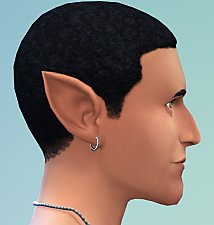
Pointed Ears as CAS Sliders - updated 6/15/2022
by CmarNYC updated 15th Jun 2022 at 3:56pm
Pointed ears added to the CAS ear sliders more...
-


TS4 Skininator - Version 2.6.1, 3/23/2023
by CmarNYC updated 23rd Mar 2023 at 7:54pm
A tool for the creation of custom skintones for The Sims 4 more...
345
209.1k
431
-
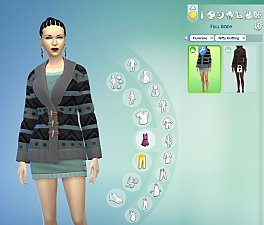

Nifty Knitting Clothing Unlocked
by CmarNYC 6th Aug 2020 at 8:46pm
Removes the requirement to knit the knittable clothing in the Nifty Knitting pack. more...
9
11.5k
47
-


Tool to Package Custom Body Hair - update 9/8/12
by CmarNYC updated 11th Jun 2011 at 7:36pm
A simple Windows program to help with making custom body hair more...
32
121.6k
70
-
-
-
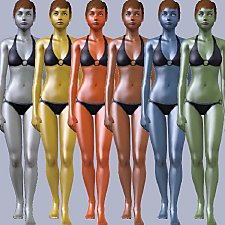

Metal sims skins - update 9/10/12
by CmarNYC updated 11th Sep 2012 at 12:14am
Metallic shiny skintones more...
-


TS4 MorphMaker - updated to V4.5.2 on 4/19/2023
by CmarNYC updated 19th Apr 2023 at 4:23pm
A tool for making custom CAS sliders and presets more...
647
376k
307
-
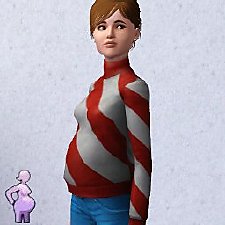

by CmarNYC 5th Dec 2012 at 11:21pm
Brand-new maternity clothes for pregnant teens, all categories, Seasons-compatible more...
124
424.2k
818
Female » Mixed Sets » Teen

About Me
My policy on use of my work:
Feel free to use any of my meshes, morphs, skins, or whatever as a base. If you change, convert, or enhance my stuff you may post it without asking, but please give credit. If you use them without changes, please post a link to my downloads rather than reposting. However, you may include them with Sims or lots without asking, but with credit.
Please do not post anything using my creative work on any pay site or the Exchange, unless it's in a free section of a pay site. If you want to post your own original creation made using my tools to a pay site or the Exchange, you may do so, but give credit for the tool.
Obviously my tools are for free use by anyone, but I'd appreciate a credit if you post something created with them.
So basically: no pay site, no Exchange, give credit. Other than that, meh.
If at some time I lose interest in Sims 3, or am too busy, or die, anyone who wants to may update/modify/add to any of my work as long as they follow the MTS policy on updating broken or outdated custom content.
I don't take requests. Suggestions for enhancing work I'm doing or have done are welcome, whether or not I act on them, but please no requests for totally unrelated stuff that I probably have no idea how to do.