
 Sign in to Mod The Sims
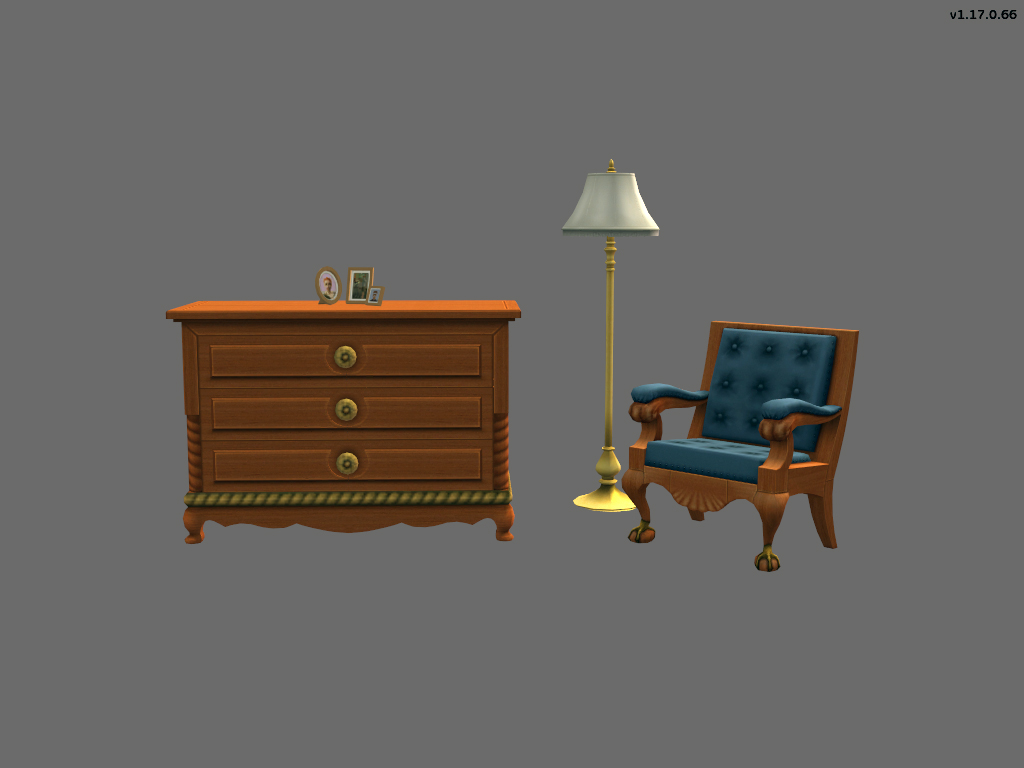
 Bohemian Dresser [CEP-EXTRA]
 Bohemian Dresser [CEP-EXTRA]


dresser-bohemian-txmt-edit.jpg - width=958 height=683
bohemian.jpg - width=1024 height=768
bohemian-dresser.jpg - width=1024 height=768
bohemian-dresser-thumb.jpg - width=256 height=256

 Recoloring
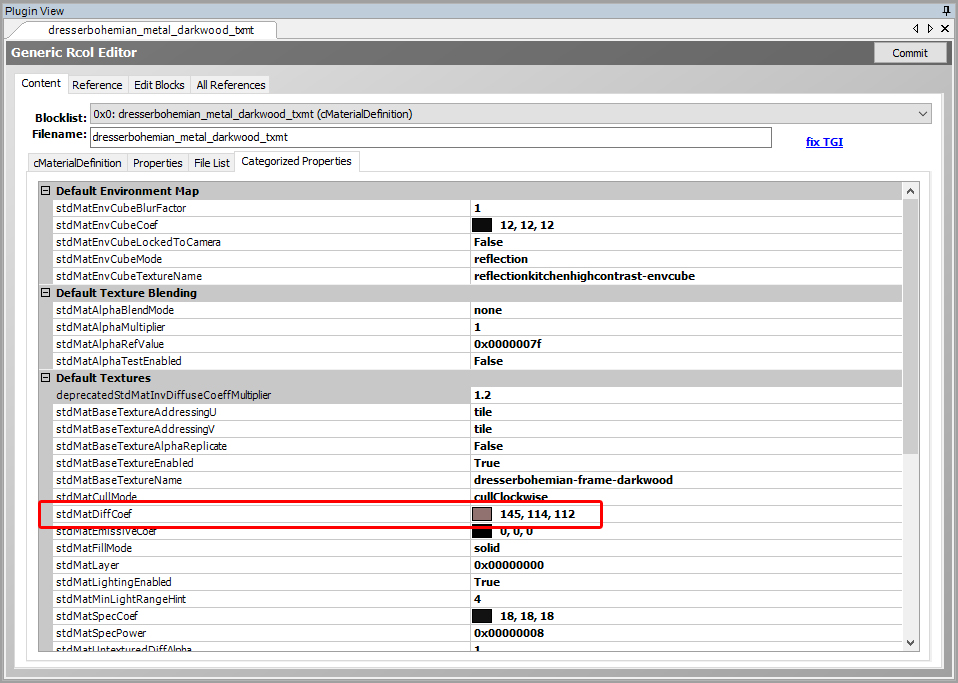
When you recolor the "Dresser of (Almost) Unrequited Fame" (dresserBohemian) you will find both subsets take the same texture. EA's original textures didn't include the three metal colors for each of the woods, so to achieve the colored metal I used the TXMT to alter the displayed color of the metal portion in game.
Edit the highlighted portion in your recolor package for the metal subset to match the new metal color you would like. If you are recoloring just the metal portion, you don't have to do this as SimPE pulls the texture and you can edit that directly.
However, to keep files sizes small I recommend you do the following when recoloring just the metal subset:
*delete the TXTR file that SimPE pulls
*replace the texture filename in the TXMT's properties/file list tabs with the original filename from the game (dresserbohemian-frame-medwood).
 Installation!
The zip contains two files:
HL_CEP_al-dresserBohemian-programfiles - Install this in C:\Program Files (x86)\EA GAMES\The Sims 2\TSData\Res\Catalog\zCEP-EXTRA.
HL_CEP_al-dresserBohemian - Install this in \Documents\EA Games\The Sims 2\zCEP-EXTRA
Additional Credits:
amovitamsim
|
HL_CEP_al-dresserBohemian.7z
Download
Uploaded: 2nd Dec 2016, 1.9 KB.
1,837 downloads.
|
||||||||
| For a detailed look at individual files, see the Information tab. | ||||||||
Install Instructions
1. Download: Click the download link to save the .rar or .zip file(s) to your computer.
2. Extract the zip, rar, or 7z file.
3. Place in Downloads Folder: Cut and paste the .package file(s) into your Downloads folder:
- Origin (Ultimate Collection): Users\(Current User Account)\Documents\EA Games\The Sims™ 2 Ultimate Collection\Downloads\
- Non-Origin, Windows Vista/7/8/10: Users\(Current User Account)\Documents\EA Games\The Sims 2\Downloads\
- Non-Origin, Windows XP: Documents and Settings\(Current User Account)\My Documents\EA Games\The Sims 2\Downloads\
- Mac: Users\(Current User Account)\Documents\EA Games\The Sims 2\Downloads
- Mac x64: /Library/Containers/com.aspyr.sims2.appstore/Data/Library/Application Support/Aspyr/The Sims 2/Downloads
- For a full, complete guide to downloading complete with pictures and more information, see: Game Help: Downloading for Fracking Idiots.
- Custom content not showing up in the game? See: Game Help: Getting Custom Content to Show Up.
- If you don't have a Downloads folder, just make one. See instructions at: Game Help: No Downloads Folder.
Loading comments, please wait...


 View with Names
Uploaded: 2nd Dec 2016 at 5:44 PM
-
Old World Large Window [CEP-EXTRA]
by HugeLunatic 3rd Feb 2014 at 6:45pm
 +1 packs
5 16.8k 44
+1 packs
5 16.8k 44 Apartment Life
-
by gdayars 28th Oct 2017 at 12:10am
6
13.5k
31
-
by HugeLunatic updated 2nd Apr 2024 at 11:12am
+1 packs
8 26.5k 12 Apartment Life
-
by HugeLunatic updated 24th Jun 2021 at 10:40pm
+1 packs
14 24.2k 44 Kitchen & Bath
-
by HugeLunatic 1st Feb 2019 at 1:58pm
+1 packs
3 13.1k 28 Bon Voyage
-
by HugeLunatic updated 17th Sep 2019 at 8:48pm
+1 packs
8 11.7k 36 University
-
Moroccan Door/Arch [CEP-Extra]
by HugeLunatic 14th May 2020 at 7:45pm
+1 packs
1 4.5k 11 Mansion and Garden
-
-
by HugeLunatic 18th Jan 2022 at 2:10pm
+1 packs
3 7.7k 8 Free Time
-
by HugeLunatic updated 12th Nov 2022 at 6:28pm
+1 packs
3 3.4k 13 Free Time


-
Roman Shades - Bedding Match *Includes Diagonals!*
by HugeLunatic updated 3rd Feb 2009 at 8:24pm
Updated to include diagonals! Please re-download and allow the original meshes to be overwritten! more...
47
64.7k
128
-
Colortura Backless Shower - Updated Mesh!
by HugeLunatic 23rd Aug 2008 at 10:52am
:new: Fixed weird issues with the tray on the Mesh! New Mesh! more...
46
91.6k
265
-
-
by HugeLunatic 31st Oct 2016 at 2:31pm
Lord Darcy created Stuff Pack Fixes for AL/M&G to fix several objects in various SPs. more...
+1 packs
8 15.9k 42 Ikea Home
-
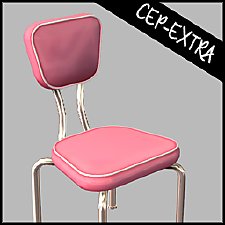
Diner Tables/Chair [CEP-Extra]
by HugeLunatic updated 25th Jun 2021 at 8:08pm
shastakiss had slaved the 1x2 diner table to the 1x1 diner table, but it was still only a single subset. more...
+1 packs
5 7.6k 25 Nightlife
-
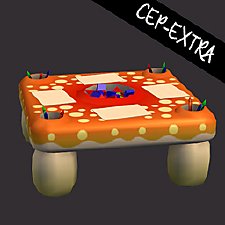
by HugeLunatic 29th Mar 2019 at 8:29pm
I made the activity table recolorable ages ago, but didn't upload since it appeared creators were recoloring a cloned one more...
+1 packs
5 12.9k 36 Free Time
-
by HugeLunatic 7th Oct 2014 at 12:56am
Thin arched brows for males. These are conversions of the female brows, and have all those original colors. more...
 3
7.9k
26
3
7.9k
26
-
by HugeLunatic 16th Nov 2010 at 1:14am
Camp Willow is a residential, multi-family house. more...
 +3 packs
16 23k 42
+3 packs
16 23k 42 World Adventures
 Ambitions
 Late Night
-
by HugeLunatic updated 6th May 2008 at 1:06am
Updated 23-Dec-09 This set is now slaved. The master mesh is the bookcase. more...
+3 packs
14 51.4k 72 University
 Pets
Bon Voyage
Pets
Bon Voyage
-
Backyard Pyramid "Step it Up" - [Recolors]
by HugeLunatic 4th Sep 2013 at 7:23pm
Five Maxis Match wood recolors of the Backyard Pyramid "Step it Up" stair treads, plus one white recolor of the more...
+1 packs
9 29.5k 63 Bon Voyage




Packs Needed
| Expansion Pack | |
|---|---|
| Apartment Life |
About Me
Pet Stories || Dog Agility Items? || Castaway Stories || Holy Simoly Extras
4esf Archive || Holy Simoly Archive || CEP-Extras List || Buyable Game Objects
lunie content from GoS/s2a
Installation of CEP Extras-the package with pfiles appended to the name will go into your cep extras folder where your game is installed (typically c drive, you do you)
-the other goes in CEP extra folder in documents.
The following locations are what I am aware of, beyond that you'll have to do some searching.
Downloads Folder:
C:\Users\<user>\Documents\EA Games\The Sims 2 Legacy
C:\Users\<user>\Documents\EA Games\The Sims 2 Ultimate Collection
With multiple launchers, the location for your game install will vary.
C:\Program Files\EA GAMES\The Sims 2 Legacy\TSData\Res\Catalog\zCEP-EXTRA
C:\Program Files\EA GAMES\The Sims 2\TSData\Res\Catalog\zCEP-EXTRA
C:\Program Files (x86)\EA GAMES\The Sims 2\TSData\Res\Catalog\zCEP-EXTRA