
 Sign in to Mod The Sims
 Video Game & Magazine Racks [CEP-Extra]
 Video Game & Magazine Racks [CEP-Extra]


game-rack-cep-thumb.jpg - width=256 height=256
game-rack.jpg - width=1200 height=900
game-rack-ft.jpg - width=889 height=900
mag-rack.jpg - width=889 height=900
videogame-display-[HugeLunatic-16.9.2021-c311b]_txtr_256x128.png - width=256 height=128

I've also added in the magazine rack repositoried to the base game rack and added the magazines as a subset. And since this mod requiresd a mesh edit anyway to enable a subset, I remapped the magazines to be a bit more random. I want to use my recolors of the wood and be able to use peppermint & gingers magazine colors. **theirs is a default replacement, I just made my own recolor from their texture.
 Technical Bits
For these CEP Extras to work, you need to have the CEP installed
- recolor the base game video game rack (Enterprise Office Freestanding Game Rack) - the one from freetime as well as the magazine rack will then be recolored
- all existing base game recolors will work for the base game video game rack, base game magazine rack, and freetime video game rack
- recolor the (Countertop Game Display) game boxes - both the base game and freetime game rack game boxes will then be recolored
- the game boxes and display case are recolorable via the CEP
- recolor the magazine rack magazines to have recolors of the magazines
 Conflicts
This will conflict with lottes CEP. They enabled a second subset on the base game video game rack only and didn't repo it to the counter display rack.
I didn't mark freetime as required, because you can use this with just the base game.
 Installation
HL_CEP_bg_mag-game-rack-pfiles - Install this in C:\Program Files (x86)\EA GAMES\The Sims 2\TSData\Res\Catalog\zCEP-EXTRA.
HL_CEP_bg_mag-game-rack - Install this in \Documents\EA Games\The Sims 2\zCEP-EXTRA
| Filename | Type | Size |
|---|---|---|
| HL_videogamerackcounter_ep7rec.7z | 7z | |
| HL_videogamerackcounter_ep7rec.package | package | 26393 |
Custom installation instructions! READ ME!
In addition to the normal installation instructions, this download also has a custom instruction, as follows:
1. Download: Click the download link to save the .rar or .zip file(s) to your computer.
2. Extract the zip, rar, or 7z file.
3. HL_CEP_bg_mag-game-rack-pfiles - Install this in C:\Program Files (x86)\EA GAMES\The Sims 2\TSData\Res\Catalog\zCEP-EXTRA.
HL_CEP_bg_mag-game-rack - Install this in \Documents\EA Games\The Sims 2\zCEP-EXTRA
Need more information?
- For a full, complete guide to downloading complete with pictures and more information, see: Game Help: Downloading for Fracking Idiots.
- Custom content not showing up in the game? See: Game Help: Getting Custom Content to Show Up.
|
HL_videogamerackcounter_ep7rec.7z
Download
Uploaded: 15th Feb 2023, 23.6 KB.
995 downloads.
|
||||||||
|
HL_CEP_bg_mag-game-rack.7z
Download
Uploaded: 28th Sep 2021, 73.3 KB.
1,737 downloads.
|
||||||||
| For a detailed look at individual files, see the Information tab. | ||||||||
Install Instructions
1. Download: Click the download link to save the .rar or .zip file(s) to your computer.
2. Extract the zip, rar, or 7z file.
3. HL_CEP_bg_mag-game-rack-pfiles - Install this in C:\Program Files (x86)\EA GAMES\The Sims 2\TSData\Res\Catalog\zCEP-EXTRA.
HL_CEP_bg_mag-game-rack - Install this in \Documents\EA Games\The Sims 2\zCEP-EXTRA
Need more information?
- For a full, complete guide to downloading complete with pictures and more information, see: Game Help: Downloading for Fracking Idiots.
- Custom content not showing up in the game? See: Game Help: Getting Custom Content to Show Up.
Loading comments, please wait...


Uploaded: 28th Sep 2021 at 10:22 PM
Updated: 15th Feb 2023 at 1:19 PM
-
by HugeLunatic updated 30th Oct 2022 at 7:59pm
 +1 packs
7 10.7k 27
+1 packs
7 10.7k 27 Nightlife
-
by HugeLunatic 2nd Dec 2016 at 5:44pm
+1 packs
10.4k 23 Apartment Life
-
by HugeLunatic 19th Jun 2017 at 4:17pm
4
14.2k
22
-
by gdayars 28th Oct 2017 at 12:10am
6
13.6k
31
-
by HugeLunatic updated 2nd Apr 2024 at 11:12am
+1 packs
8 26.5k 12 Apartment Life
-
by HugeLunatic updated 24th Jun 2021 at 10:40pm
+1 packs
14 24.3k 44 Kitchen & Bath
-
by HugeLunatic 1st Feb 2019 at 1:58pm
+1 packs
3 13.2k 28 Bon Voyage
-
by HugeLunatic updated 17th Sep 2019 at 8:48pm
+1 packs
8 11.8k 36 University
-
by HugeLunatic updated 30th Mar 2025 at 5:03pm
+1 packs
4 7.2k 22 Pets
Pets
-
[CEP Extra] OFB Central Asian Armoire
by HugeLunatic 27th Mar 2022 at 8:45pm
+1 packs
2 3.2k 10 Open for Business


-
"Unique Separator" [Atomic-Recolors]
by HugeLunatic 3rd Dec 2013 at 11:36pm
Another set of recolors of the AL "Unique Separator" Apartment door in colors to match the Pets "Futur-Nu Prime by more...
+1 packs
5 22.8k 45 Apartment Life
-
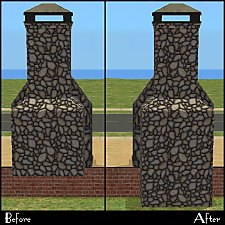
by HugeLunatic 21st Feb 2011 at 12:52am
The base game fireplace chimneys were all made recolorable by Numenor in the CEP. more...
19
47.2k
130
-
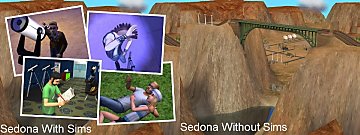
by Hood Building Group 31st Aug 2015 at 10:42pm
Hello everyone! Yes! We did it again! more...
69
89.5k
176
Miscellaneous » Neighborhoods & CAS Screens » Neighbourhoods and Worlds
-
by HugeLunatic updated 12th Aug 2022 at 5:01pm
Collection of door and window add ons for the Loft Collection more...
17
23.3k
86
-
Curtains! Stop Snapping to that Wall!!
by HugeLunatic updated 17th Nov 2010 at 7:01pm
So having curtains snap onto walls is fine, sure no problem. Makes decorating easier for the most part. more...
-
by HugeLunatic 9th Oct 2012 at 8:19pm
Aquabox - Perfect for those who "forget" that fish eat too. more...
-


by HugeLunatic updated 6th Apr 2026 at 12:35pm
+1 packs
2 1.5k 5 Open for Business
-
by HugeLunatic 24th Feb 2018 at 6:49pm
Sometimes you need something a little bit less formal for your sims dining out experience. more...
+1 packs
15 9.6k 37 Nightlife
-
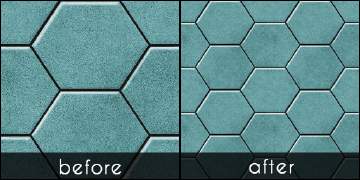
Hexa tiles from Future Waffles
by HugeLunatic 20th May 2021 at 1:54pm
The stone hex tiles from Apartment Life in a more reasonable scale. These are simple texture defaults in half the more...
+1 packs
15 4.8k 25 Apartment Life
-


About Me
Pet Stories || Dog Agility Items? || Castaway Stories || Holy Simoly Extras
4esf Archive || Holy Simoly Archive || CEP-Extras List || Buyable Game Objects
lunie content from GoS/s2a
Installation of CEP Extras-the package with pfiles appended to the name will go into your cep extras folder where your game is installed (typically c drive, you do you)
-the other goes in CEP extra folder in documents.
The following locations are what I am aware of, beyond that you'll have to do some searching.
Downloads Folder:
C:\Users\<user>\Documents\EA Games\The Sims 2 Legacy
C:\Users\<user>\Documents\EA Games\The Sims 2 Ultimate Collection
With multiple launchers, the location for your game install will vary.
C:\Program Files\EA GAMES\The Sims 2 Legacy\TSData\Res\Catalog\zCEP-EXTRA
C:\Program Files\EA GAMES\The Sims 2\TSData\Res\Catalog\zCEP-EXTRA
C:\Program Files (x86)\EA GAMES\The Sims 2\TSData\Res\Catalog\zCEP-EXTRA