
 Sign in to Mod The Sims
 'Depression' Sims 3 Custom Animations/Poses - Sims 2 Recreation
 'Depression' Sims 3 Custom Animations/Poses - Sims 2 Recreation


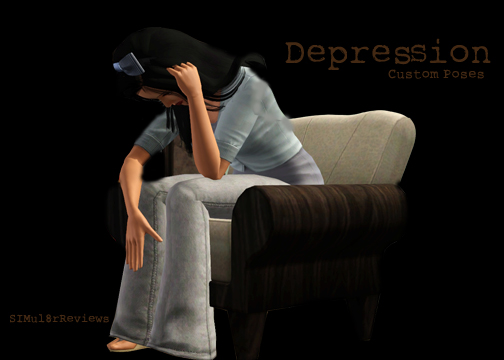
Depression LOGO.jpg - width=504 height=360
DT eight.jpg - width=504 height=360
DT five.jpg - width=504 height=360
DT four.jpg - width=504 height=360
DT nine.jpg - width=504 height=360
DT one.jpg - width=504 height=360
Dt seven.jpg - width=504 height=360
DT six.jpg - width=504 height=360
DT ten.jpg - width=504 height=360
DT three.jpg - width=504 height=360
DT two.jpg - width=504 height=360


 READ THIS FIRST BEFORE DOWNLOADING!!:
 -You need to have downloaded and installed cmomoney's 'Pose Player' for these custom poses to work!
Download 'Pose Player' Here: http://www.modthesims.info/download.php?t=438706
 THIS IS NOT A CORE MOD, SCRIPT MOD, OR TUNING MOD. IT WILL NOT CONFLICT!
 You are able to have other custom poses/animations with this mod installed!
 Not all of these poses are EXACTLY the same as the 'Depression' pose box from TS2, they are similar to it though. And some of them are my own pose ideas and not apart of the original
Base Game Compatible!
Install this mod in the normal place: C://User/Documents/ElectronicArts/TheSims3/Mods/Packages...
Attention!:Part 2 of 'Depression' is now available! http://www.modthesims.info/d/440088
What does this do?
It does not modify any features, conflict with any existing animations, or conflict with other mods.
It is simply adding clip names into the game, it allows the Pose Player to pick up the names so the Pose Player will be able to play your animation.
INSTRUCTIONS (Updated 4/14/11)

-Step One:
Make sure Pose Player is installed into your Mods/Packages Folder
-Step Two:
Buy the Pose Player, and select 'Pose By Name' and enter one of the 10 pose names (Located below or on pictures) and click the 'check'
-Step Three:
Your sim should now be in the custom pose
Names Of Poses
Arms across chest: Sr_DepressedTone_one
On Floor, fetal position: Sr_DepressedTone_two
Arm across chest, to left arm: Sr_DepressedTone_three
Sitting, elbow on table: Sr_DepressedTone_four
Sitting, arm on knee: Sr_DepressedTone_five
On Floor, Crying: Sr_DepressedTone_six
Hands Covering Ears: Sr_DepressedTone_seven
Laying down, hand over face: Sr_DepressedTone_eight
Sitting, Relaxed with arm on rest: Sr_DepressedTone_nine
Sitting, Head on table: Sr_DepressedTone_ten
Credit:
Peter Jones and Inge Jones for S3PE Milkshape
Wes Howe for AnimTool-04a
cmomoney for Pose Player
orangemittens for the tutorial on custom animations/poses for Pose Player
Trendy_Hendy for the original pose box. http://www.trendyhendy.co.nr
|
SIMul8rReviews_Depression Poses (For Pose Player).rar
Download
Uploaded: 8th Apr 2011, 9.1 KB.
48,115 downloads.
|
||||||||
| For a detailed look at individual files, see the Information tab. | ||||||||
Install Instructions
1. Click the download button, or the filename, to download the file to your computer.
2. Extract the zip, rar, or 7z file. Now you will have either a .package or a .sims3pack file.
For Package files:
1. Cut and paste the file into your Documents\Electronic Arts\The Sims 3\Mods\Packages folder. If you do not already have this folder, you should read the full guide to Package files first: Sims 3:Installing Package Fileswiki, so you can make sure your game is fully patched and you have the correct Resource.cfg file.
2. Run the game, and find your content where the creator said it would be (build mode, buy mode, Create-a-Sim, etc.).
For Sims3Pack files:
1. Cut and paste it into your Documents\Electronic Arts\The Sims 3\Downloads folder. If you do not have this folder yet, it is recommended that you open the game and then close it again so that this folder will be automatically created. Then you can place the .sims3pack into your Downloads folder.
2. Load the game's Launcher, and click on the Downloads tab. Find the item in the list and tick the box beside it. Then press the Install button below the list.
3. Wait for the installer to load, and it will install the content to the game. You will get a message letting you know when it's done.
4. Run the game, and find your content where the creator said it would be (build mode, buy mode, Create-a-Sim, etc.).
Extracting from RAR, ZIP, or 7z: You will need a special program for this. For Windows, we recommend 7-Zip and for Mac OSX, we recommend Keka. Both are free and safe to use.
Need more help?
If you need more info, see:
- For package files: Sims 3:Installing Package Fileswiki
- For Sims3pack files: Game Help:Installing TS3 Packswiki
Loading comments, please wait...
Uploaded: 8th Apr 2011 at 1:44 AM
Updated: 3rd Jan 2012 at 2:33 AM by SIMul8rReviews - Slight adjustments to the overview page
#Custom Poses, #Poses, #Depression, #Drama, #Over-Emotional, #Sad, #Machinima, #Animations, #Hurting, #Heartless
-
The Natural Pose Set v1 - Custom Animations/Poses
by chasmchronicle 10th Apr 2011 at 9:34pm
 19
73.9k
70
19
73.9k
70
-
'Depression' v2: V.I.G.A - Custom Animations/Poses
by chasmchronicle 28th Apr 2011 at 5:22pm
37
130.3k
217
-
by spladoum updated 6th Jun 2011 at 6:12pm
22
70.9k
109
-

by meagansterno 8th Jul 2014 at 11:39am
19
76.4k
113
-
-

by spladoum 27th Mar 2015 at 3:08am
31
87.3k
254
-
by spladoum 30th Oct 2015 at 1:29am
14
44.2k
120
-
-
-
by k2m1too updated 10th Jan 2021 at 9:31pm
3
6.1k
18

-
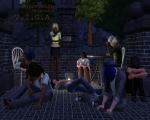
'Depression' v2: V.I.G.A - Custom Animations/Poses
by chasmchronicle 28th Apr 2011 at 5:22pm
Choose from 10 unique custom poses.. 'Depression' v2: V.I.G.A more...
37
130.4k
217
-
by chasmchronicle 23rd Jul 2013 at 1:02pm
A "far-out" paradise more...
+8 packs
11 43.7k 55 World Adventures
 Ambitions
 Late Night
 Generations
 Master Suite Stuff
 Pets
Pets
 Showtime
 Seasons
-

More Slots!: Electronics Edition
by chasmchronicle 19th Aug 2011 at 7:02am
3 Base Game TV's, emptied.. and with more slots! more...
23
46k
146
-
Derek Lambert - Redemption Series
by chasmchronicle 10th Nov 2013 at 2:07pm
The lead guitarist of a rebellious, alternative rock band, "Redemption." more...
-

by chasmchronicle 16th Jun 2012 at 9:16am
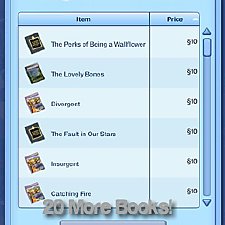
20 new books for your sims! *Localizing Update 6/21/12* more...
45
63k
139
-
by chasmchronicle 13th Jun 2012 at 5:00pm
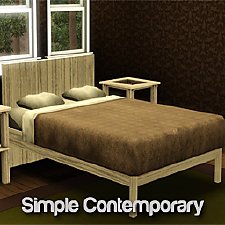
Something simple, very simple, for your sims' bedroom! more...
-
by chasmchronicle 12th Jul 2011 at 6:37pm
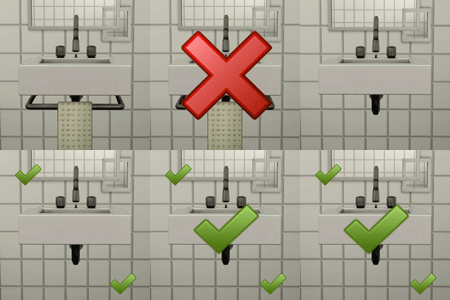
Get rid of that horrid cloth and pipe under your sink! more...
17
27k
85
-
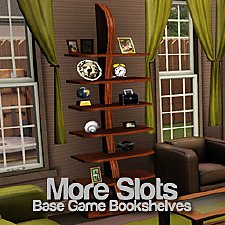
More Slots!: Base Game Bookshelves
by chasmchronicle 20th Jun 2012 at 1:57pm
7 Base Game Bookshelves Emptied.. With Slots! *Updated 6/27/12* more...
33
59.7k
274
-
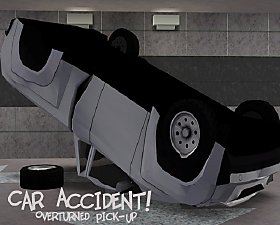
Car Accident! Overturned Pickup
by chasmchronicle 5th Sep 2011 at 2:28pm
Oh no! Is Allstate in your hands? I hope so, with this wrecked pickup truck! Perfect for Apocalypse sets too! more...
36
51.2k
78
-

Explosion Iris - Recolourable Default Replacement Eyes
by chasmchronicle 15th May 2011 at 7:11am
Explosion Iris, the recolourable default replacement eyes that are literally 'an explosion' more...


