
 Sign in to Mod The Sims
 Just Soap: 100% Functional Soap for Your Sims
 Just Soap: 100% Functional Soap for Your Sims


JustSoap-Main.jpg - width=1000 height=750
JustSoap-bubblebath1.jpg - width=1000 height=750
JustSoap-bubblebath2.jpg - width=1000 height=750
JustSoap-Deco.jpg - width=933 height=753
JustSoap-floatable1.jpg - width=1000 height=750
JustSoap-floatable2.jpg - width=1000 height=750
JustSoap-UVMap.jpg - width=484 height=495

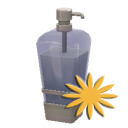
I love the bubble bath and "bathe till tranquil" interactions in TS3. However, I don't like that you have to buy that ugly bubble bath bottle to get the interactions. So I made these little soap bars to add a touch of realism to your sims' lives. And best of all, they're recolorable!
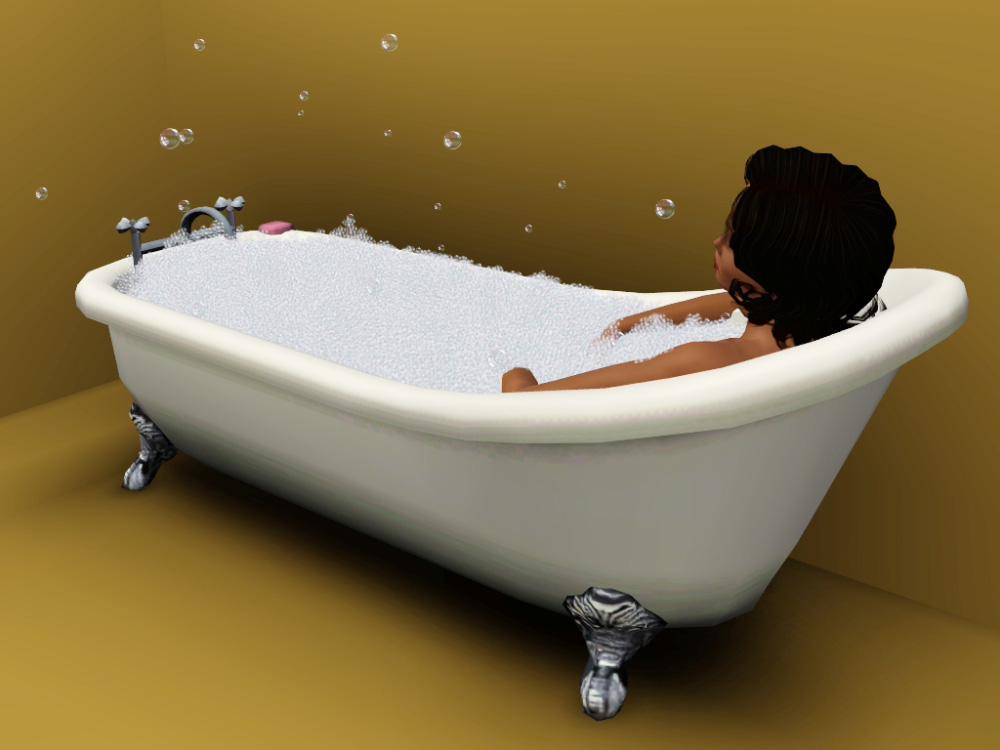
There are two versions, a bubble bath version and a "floatable" version. If you place the bubble bath version on a tub, you will get the "Take Bubble Bath" interaction when you click on the tub.
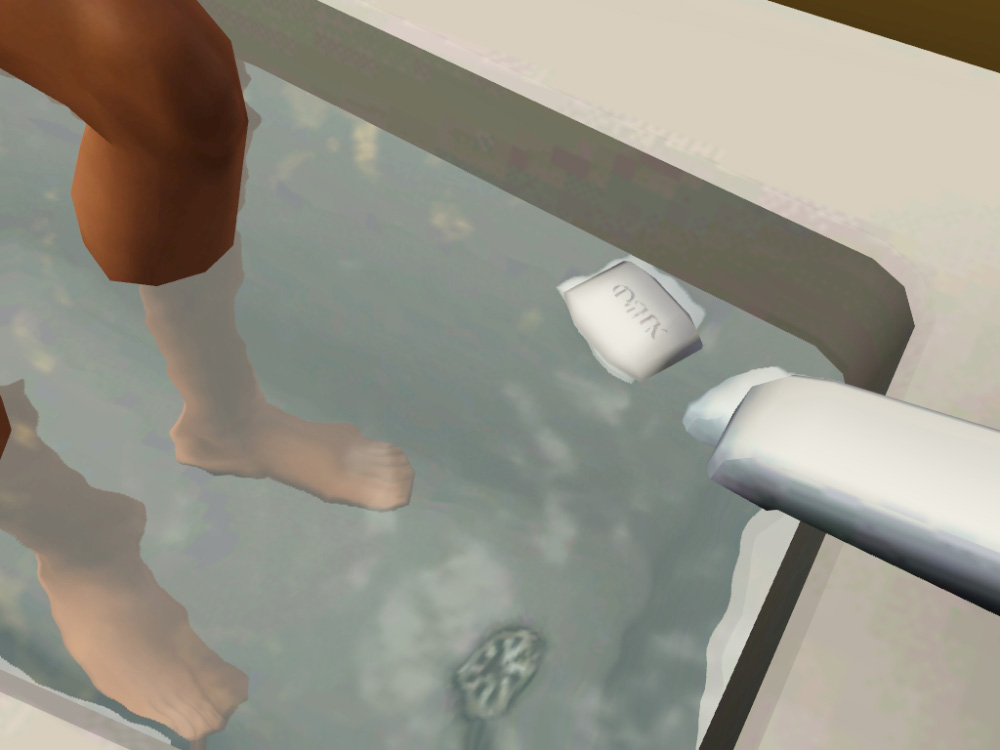
Alternatively there is the "floatable" version. This version is based off of the Rubber Ducky to get the floating animations. Because of this, sometimes your sims will pick it up and talk to it...which is...strange, but unavoidable.
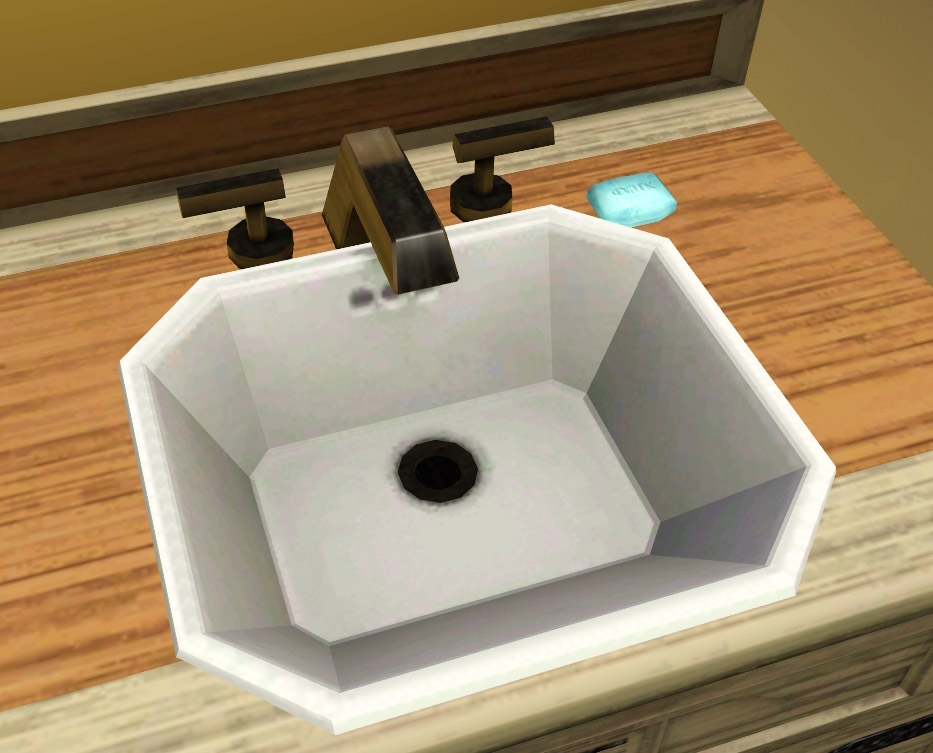
Both have one recolorable channel with four presets. They are found in Decorations -> Misc and Bathroom -> Accents/Laundry for 5 simoleans.
Feel free to clone these to make your own bath accessories.
Polygon Counts:
44
Additional Credits:
Thanks to Buzzler for help with getting the scripts sorted out.
This is a new mesh, and means that it's a brand new self contained object that usually does not require a specific Pack (although this is possible depending on the type). It may have Recolours hosted on MTS - check below for more information.
|
daluved1_1.26_JustSoap-Floatble.rar
| Updated for 1.26!
Download
Uploaded: 29th Oct 2011, 30.8 KB.
8,562 downloads.
|
||||||||
|
daluved1_1.26_JustSoap-BubbleBath.rar
| Updated for 1.26!
Download
Uploaded: 29th Oct 2011, 30.8 KB.
12,170 downloads.
|
||||||||
|
daluved1_JustSoap-Floatble.rar
Download
Uploaded: 20th Jun 2011, 33.3 KB.
7,854 downloads.
|
||||||||
|
daluved1_JustSoap-BubbleBath.rar
Download
Uploaded: 20th Jun 2011, 33.3 KB.
12,161 downloads.
|
||||||||
| For a detailed look at individual files, see the Information tab. | ||||||||
Install Instructions
1. Click the download button, or the filename, to download the file to your computer.
2. Extract the zip, rar, or 7z file. Now you will have either a .package or a .sims3pack file.
For Package files:
1. Cut and paste the file into your Documents\Electronic Arts\The Sims 3\Mods\Packages folder. If you do not already have this folder, you should read the full guide to Package files first: Sims 3:Installing Package Fileswiki, so you can make sure your game is fully patched and you have the correct Resource.cfg file.
2. Run the game, and find your content where the creator said it would be (build mode, buy mode, Create-a-Sim, etc.).
For Sims3Pack files:
1. Cut and paste it into your Documents\Electronic Arts\The Sims 3\Downloads folder. If you do not have this folder yet, it is recommended that you open the game and then close it again so that this folder will be automatically created. Then you can place the .sims3pack into your Downloads folder.
2. Load the game's Launcher, and click on the Downloads tab. Find the item in the list and tick the box beside it. Then press the Install button below the list.
3. Wait for the installer to load, and it will install the content to the game. You will get a message letting you know when it's done.
4. Run the game, and find your content where the creator said it would be (build mode, buy mode, Create-a-Sim, etc.).
Extracting from RAR, ZIP, or 7z: You will need a special program for this. For Windows, we recommend 7-Zip and for Mac OSX, we recommend Keka. Both are free and safe to use.
Need more help?
If you need more info, see:
- For package files: Sims 3:Installing Package Fileswiki
- For Sims3pack files: Game Help:Installing TS3 Packswiki
Loading comments, please wait...


Uploaded: 20th Jun 2011 at 7:53 PM
Updated: 18th Nov 2013 at 4:46 PM
#soap, #bubble bath
-
Default Replacements - 3 Resized Decorations
by sleepless_angel updated 4th Aug 2009 at 10:59pm
 41
54.9k
125
41
54.9k
125
-
by xdarkshadowx 5th Aug 2009 at 11:11am
35
68.6k
75
-
by pinketamine 24th Oct 2009 at 8:59pm
9
22.5k
25
-
Bathroom Accessories Set - 17 New Objects (Meshes), painting recolor
by MelissaMel updated 6th Nov 2009 at 6:07pm
-
by orangemittens 25th Jan 2010 at 8:10pm
47
135k
226
-
by bocboc256 18th Jun 2010 at 4:45pm
18
32.3k
80
-

-
by fragglerocks 10th Oct 2010 at 5:03pm
26
48k
137
-
-



-
-

-
-

-
The Medieval Kitchen Part 2 - Ye Olde Kingdom of Pudding
by The Merrye Makers 9th Jan 2012 at 6:02pm
Medieval Hot Beverage Barrel, Shelves, and two Cupboards (one tall and one short) made for The Merrye Makers by Hekate999. more...
13
72k
170
-
-
by daluved1 15th Jan 2011 at 12:14pm
Do you love retro? This set was originally for a Lucy Desi Ball sim I was working on, but...she's more...
28
95.3k
203
Female » Mixed Sets » Adult
-
-
Deco Campfire Cooking Pot, Market Stalls & Chamber Pot - Ye Olde Kingdom of Pudding
by The Merrye Makers 8th Dec 2011 at 1:47pm
Miscellanous Decorative Ye Olde Kingdom of Pudding Medieval Objects Decorative Campfire Cooking Pot, Market Stalls, and Decorative Chamber Pot more...
18
51.7k
125
-

About Me
Because my policy is really inconsistent on my uploads, I've decided to make an official policy! So whatever you see here on my profile is my current policy. You may disregard any ''policy'' information you see on the actual upload itself.
-You may use my creations with sims
-You may use my objects with lots.
-You may retexture my meshes.
-You may include my meshes with retextures.
-You may NOT upload my creations with sims
-You may NOT upload my objects with lots.
-You may NOT upload my creations to paysites.
-You may NOT upload my creations to the exchange.
-Always credit me with a link
-I do NOT take requests!